Dobot M1 User Guide 5 Installation and Commissioning
Issue V1.3.4 (2019-05-23) User Guide Copyright © Yuejiang Technology Co., Ltd
58
After parts (motors, reduction gear units, battery, etc.) have been replaced or the robotic arm
has hit the workpiece, the origin of the Dobot M1 will be changed. You need to operate the homing
procedure after resetting the origin.
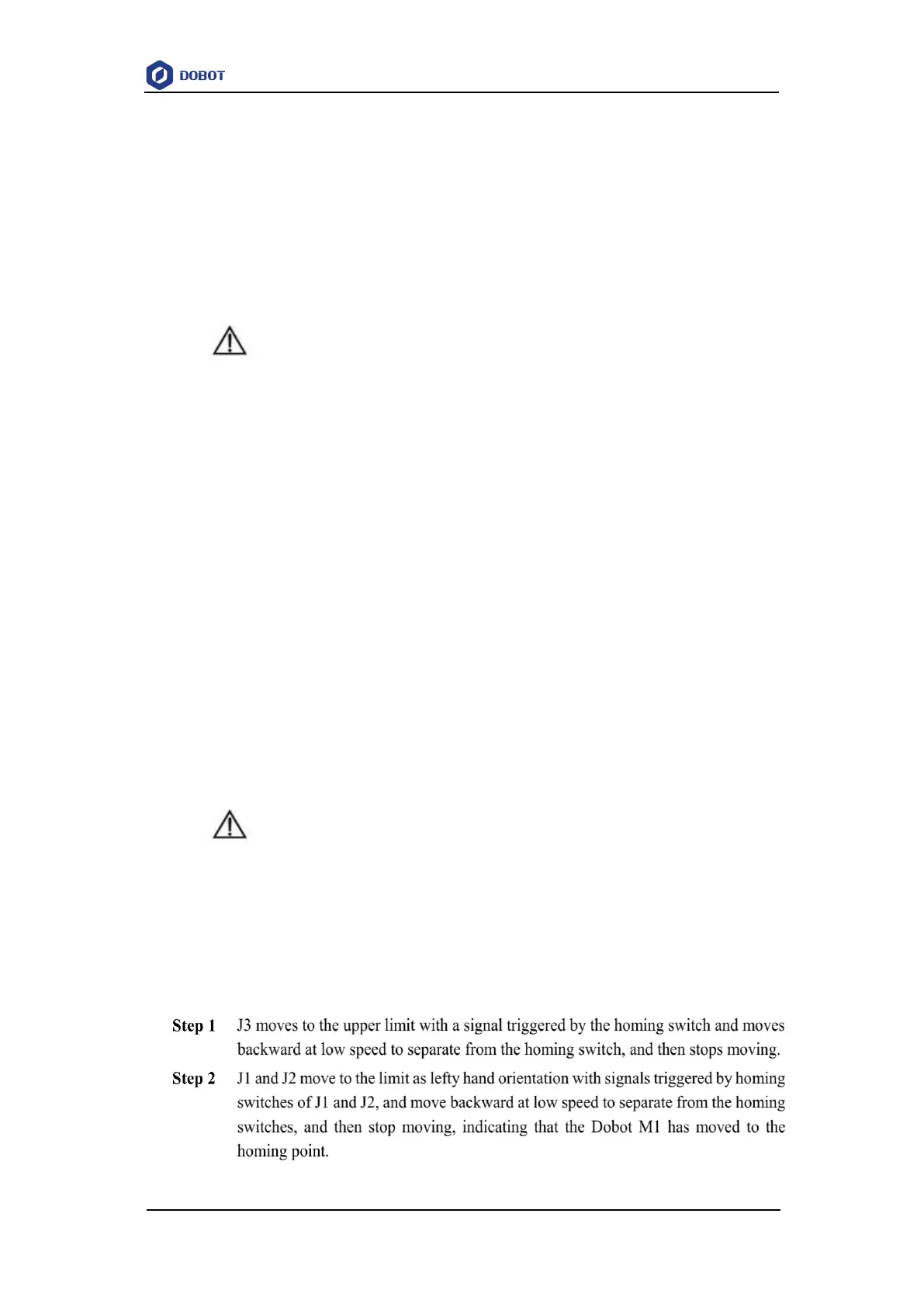
Dobot M1 has installed homing switches near the J1, J2 and J3 limitation position respectively.
When the Dobot M1 moves to the limited position with a signal triggered by the homing switch, the
Dobot M1 will move backward at low speed and then stop moving after separating from the homing
switch, which indicates that the Dobot M1 has moved to the homing point. At the same time, an
alarm about limitation is generated, you need to jog the Joint to clear the alarm.
NOTICE
Only the Dobot M1 of which SN number is DT2118xxxxx and later numbers has
installed the homing switch. If not, this procedure is not supported.
xxx indicates the random number, please replace it based on site requirements.
Please make sure that the A9 firmware version is 02005800 or later, that the Dobot
firmware version is 1.3.0 or later, that the driver firmware version is 1.3.2 or later
before executing the homing procedure. Otherwise, a limitation alarm will be
triggered when executing the homing procedure, resulting in homing failure. The
Dobot M1 firmware versions can be viewed on the M1Studio > Help > About
M1Studio page. If the related versions are too low, please upgrade them. For details,
please see 6.9.2 Upgrading Firmware.
Prerequisites
The Dobot M1 has been powered on.
The Dobot M1 has been connected to a PC successfully.
The Dobot M1 has been connected to an emergency stop switch.
Procedure
DANGER
Please DO NOT click Initialization.exe when executing the homing procedure.
Otherwise, the Dobot M1 may move following an unexpected path, resulting in
interference with peripheral equipment.
Please select Tools > Home on the M1Studio page, and Dobot M1 will move automatically
according to the following steppes.



 To Next Page