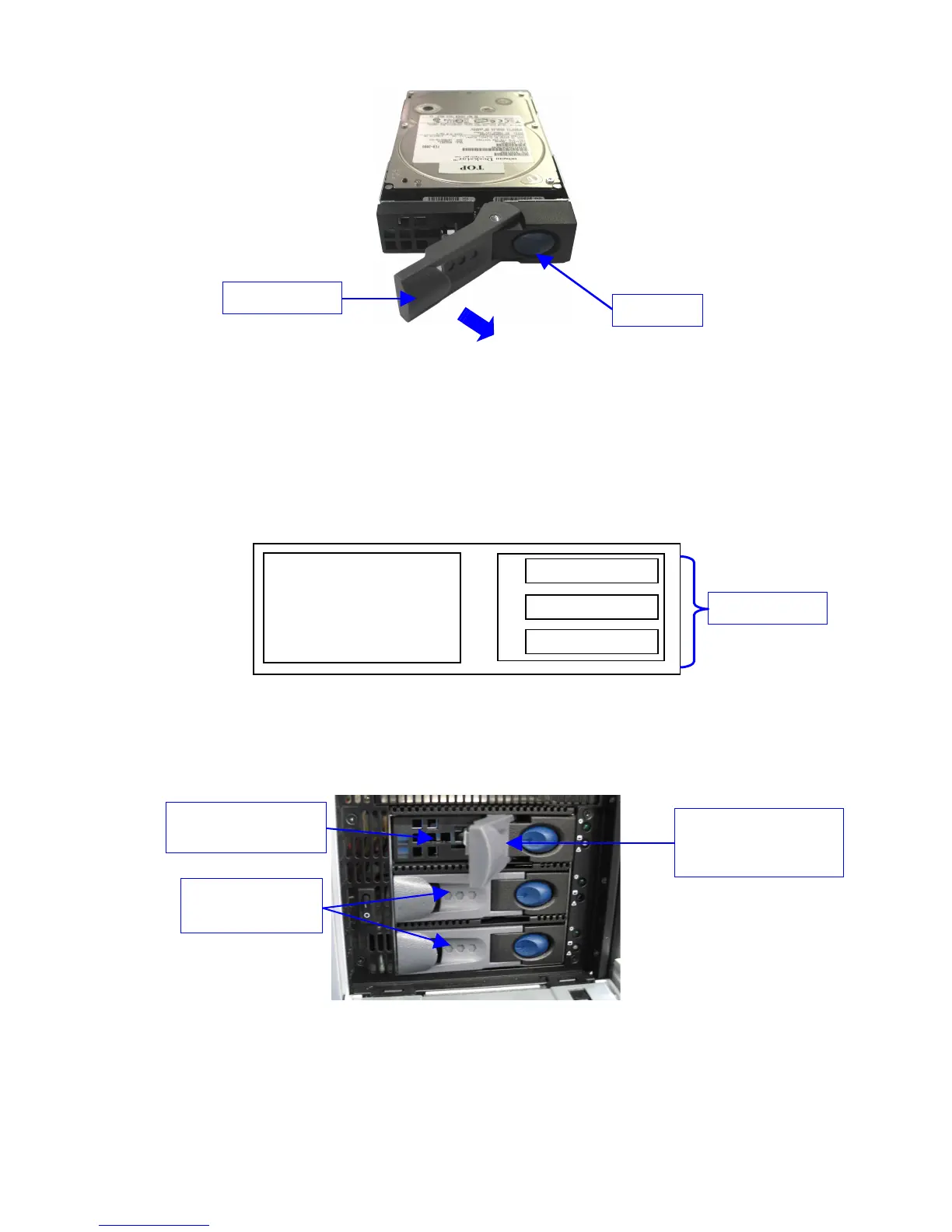
Figure 2: HDD Gray Handle Opening
• Open the door covering the HDD case which is located on the right side of the front
panel.
• Insert each drive all the way – one by one – into the chassis HDD cage according to the
A-B-C location defined in the schema below.
• The gray handle must remain open all the way.
Figure 3: ShowVault Front View Schema – HDD
• The drive must be inserted all the way inside the HDD cage before trying to close the
gray handle.
Figure 4: ShowVault HDD Insertion
• Close the gray handle by pushing it toward the HDD until it clicks.
_____________________________________________________________________________________
SHV.OM.001293.DRM Page 13 Version 1.3
Doremi Cinema LLC Confidential
A
B
C
LCD monitor
Blue button
Gray handle
"B" and "C" HDDs
already installed
"A" HDD inserted into
the HDD cage
Gray handle opened to
insert the HDD
properly
HDD Location



 To Next Page