6 Automation Set Up: Macro Editor Usage
Automation events can be created using the Macro Editor for use within the CineLister interface.
The paragraphs below detail how to generate and manage automation events as part of Macro
Automation Cues and/or Trigger Cues.
6.1 Macro Editor Interface Overview
• To run the Macro Editor go to the “Start Menu” of the server and then to “Doremi Apps”.
• Click the item “Macro Editor”.
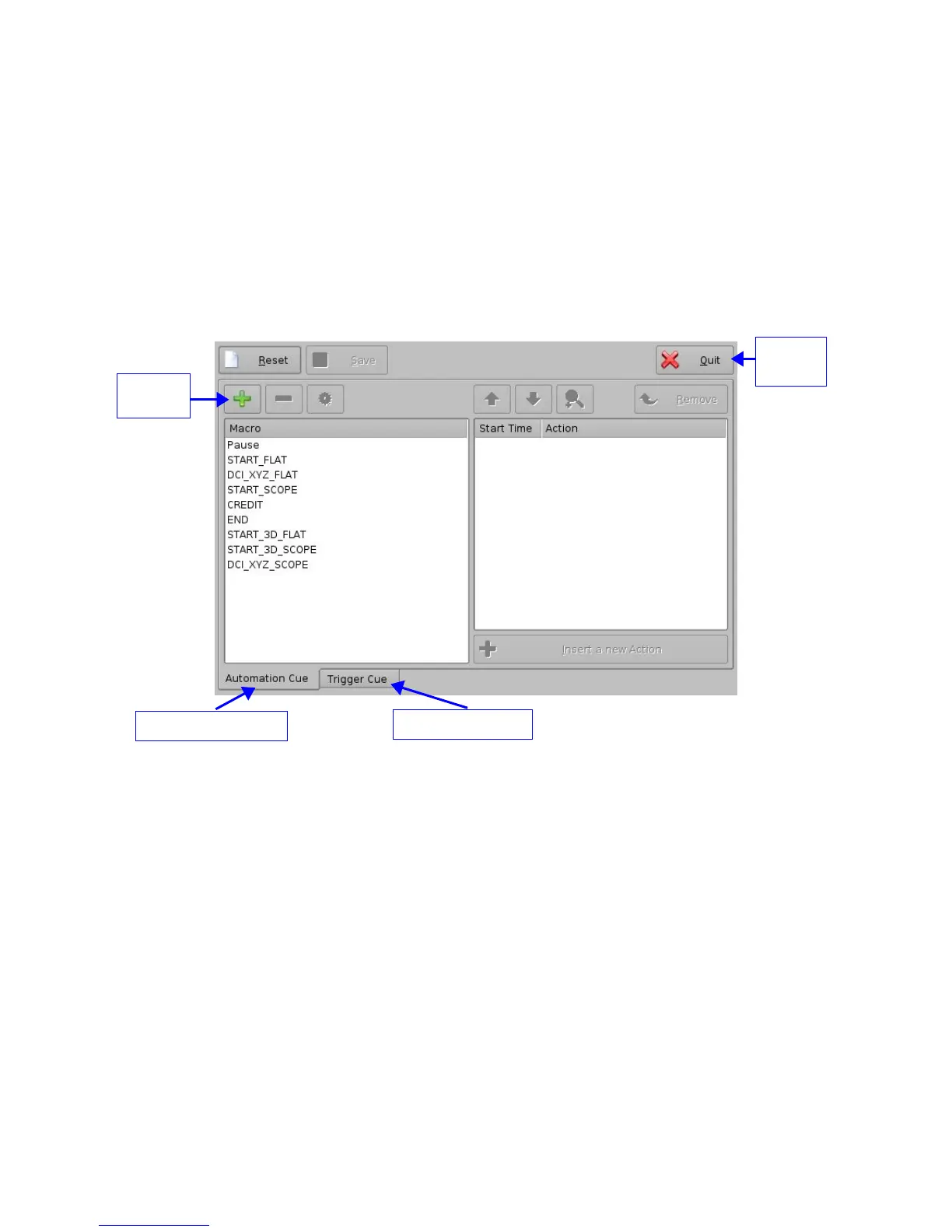
• The graphical user interface (GUI) will appear on the screen as presented below:
Figure 26: Macro Editor Graphical User Interface (GUI)
• The GUI presented above is composed of two different tabs:
• Automation Cue tab: used for the creation and editing of Macro Automation Cues.
• Trigger Cue tab: used for the creation and editing of Trigger Cues linked to dedicated
Macro events (GPI line #1 ON, execute Macro xxMACRO NAMExx).
• The “Quit” button is used to close the Macro Editor user interface.
_____________________________________________________________________________________
SHV.OM.001293.DRM Page 31 Version 1.3
Doremi Cinema LLC Confidential
“Automation Cue” tab
“Trigger Cue” tab
“Add”
button
“Quit”
button



 To Next Page