• Macro Control:
◦ Delay: delay the macro execution for a specific duration
◦ Purge Pending Macro: used to purge pending macros
• Library:
◦ Certainty: controls the Integrated Media Block (IMB) board
◦ Dolby DFC100: allows for enabling and disabling the Dolby 3D color wheel
◦ ecna: allows for controlling the external automation box
◦ jnior expansion module: allows for controlling the external automation box (9-16)
◦ jnior: allows for controlling the external automation box (1-8)
• Click the "Cancel" button to cancel the action insertion.
• To add an action to the Macro Automation Cue click on its corresponding action button
in the "Action" window.
6.2.3 Add Delay to the Macro Automation Cue
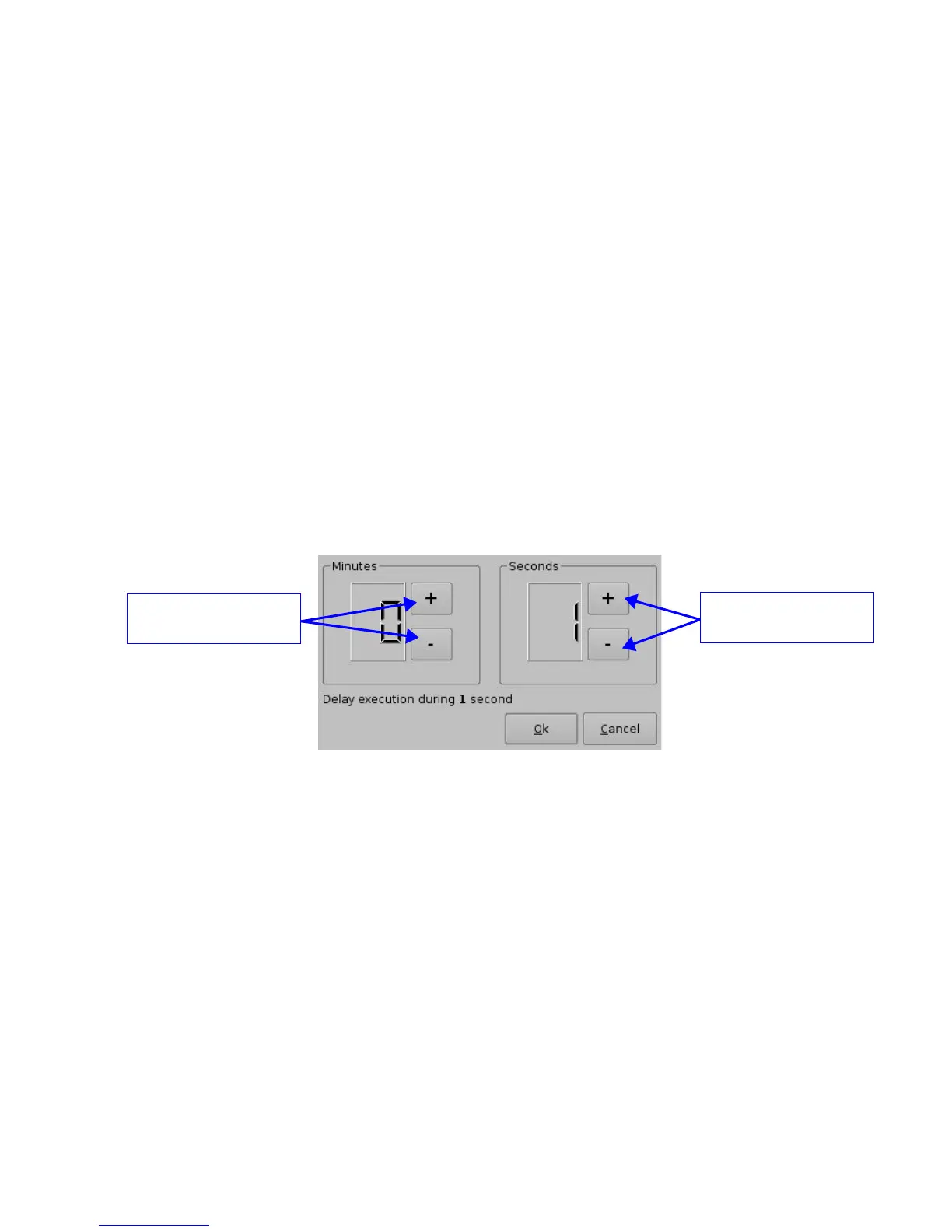
• To add a delay action to the selected Macro Automation Cue click the “Delay” button in
the “Add a new Action” window and define the delay parameter using the following
window:
Figure 30: Delay Setup Window
• Click the “Ok” button when the setting is done
6.2.4 Add a GPO Action to the Macro Automation Cue
• To add a GPO action click the “General Purpose Output” button which is located in the
"Input/Output" section in the “Add a new Action” window (see Figure 29 above)
• The following window will appear:
_____________________________________________________________________________________
SHV.OM.001293.DRM Page 34 Version 1.3
Doremi Cinema LLC Confidential
Buttons to increase and
decrease minutes
Buttons to increase and
decrease seconds



 To Next Page