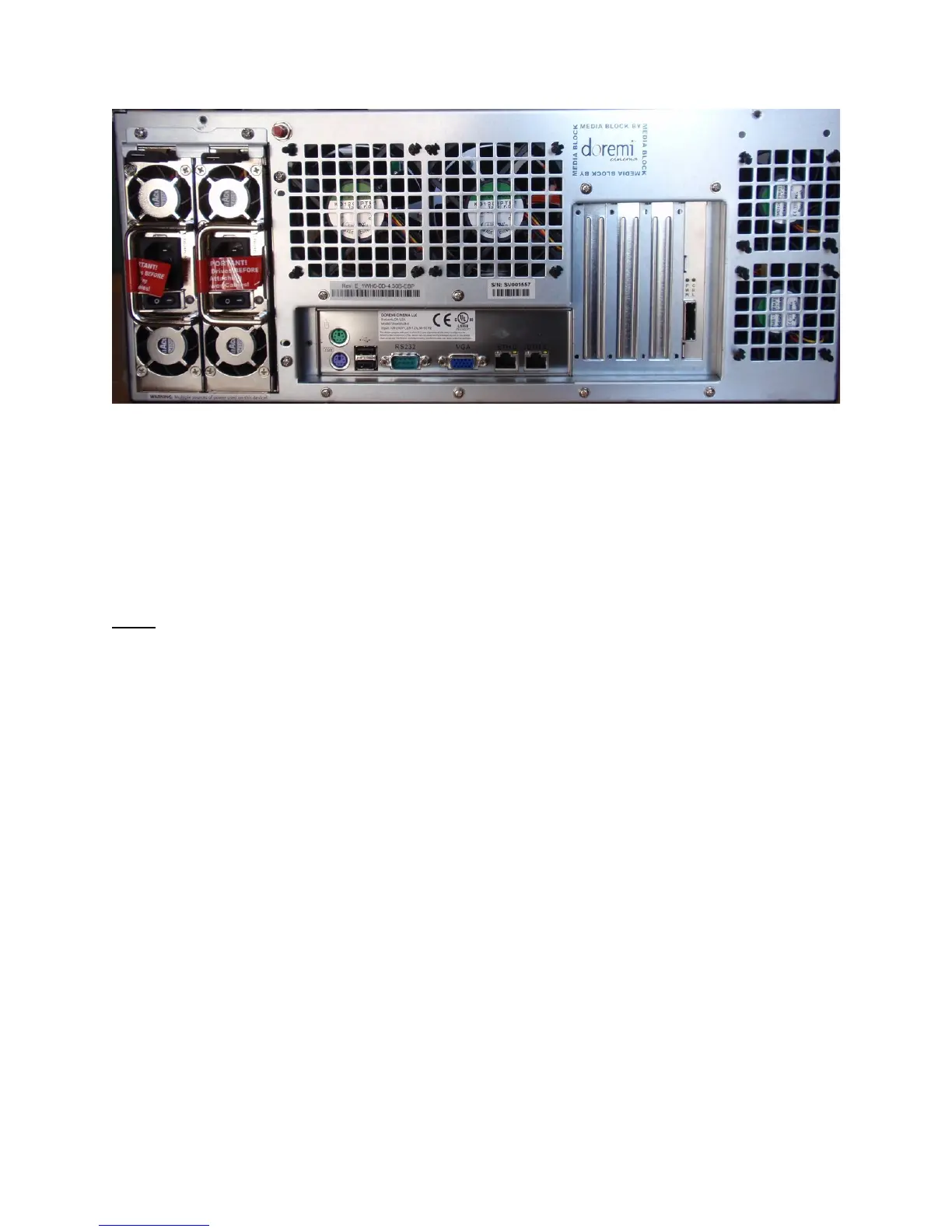
Figure 11: ShowVault (4RU) Rear Panel Fitted With A SuperMicro Motherboard
• On the left side on the rear panel is the dual-redundant power supply
• Make sure that two AC power cables are used or the unit will sound an audible alarm
until both power cables are connected
• To temporarily disable the audible alarm press the red button next to the AC power
connectors
Note: Insert drives before connecting power cables. Powering the ShowVault with only one AC
cable is not recommended.
• On the left side on the rear panel are the motherboard connections The motherboard
connections are for the keyboard, mouse, VGA, 9-pin serial, Ethernet and USB 2.0
connections - see Section 3.3 for detailed information on motherboard connections
_____________________________________________________________________________________
SHV.OM.001293.DRM Page 18 Version 1.3
Doremi Cinema LLC Confidential



 To Next Page