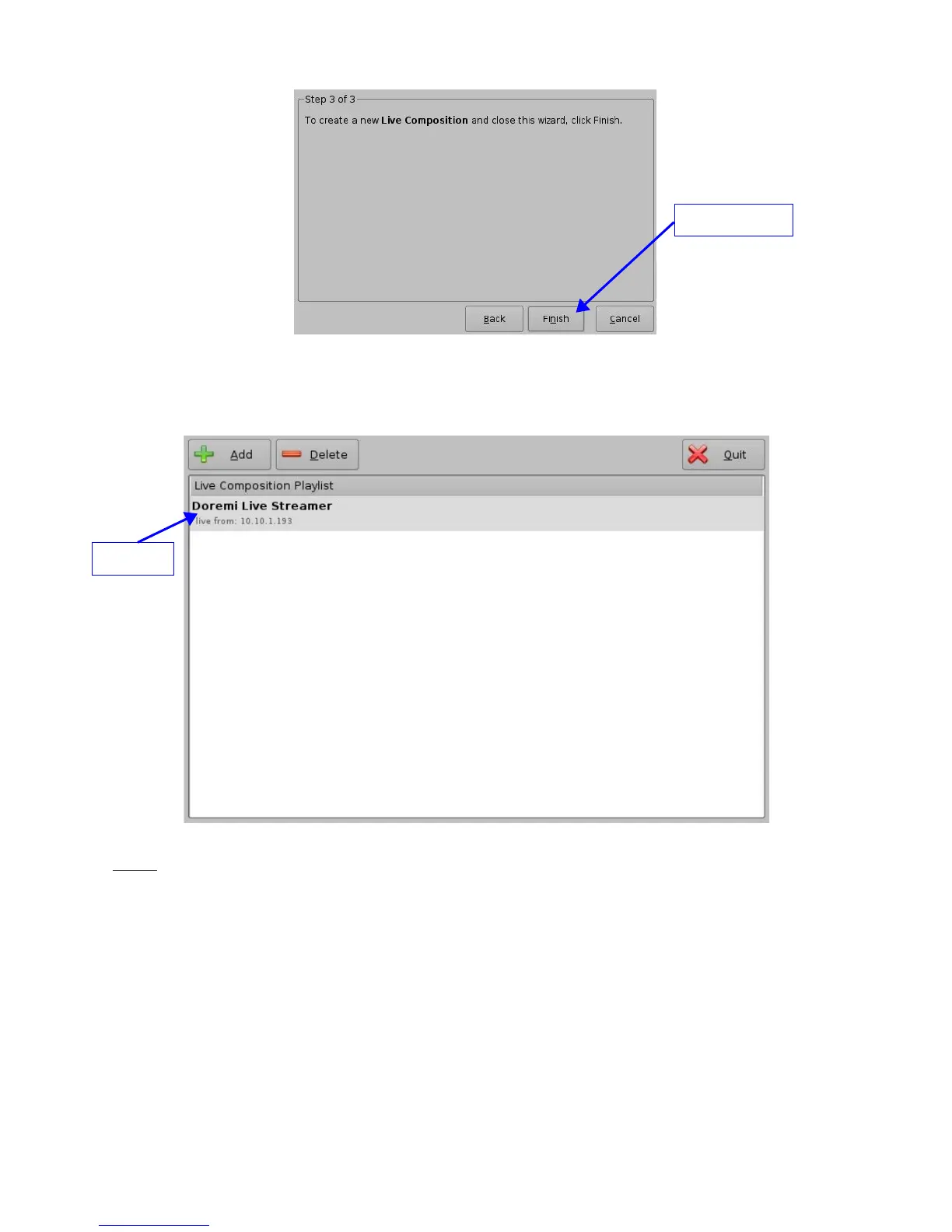
Figure 72: Live Manager – Live CPL Creation Wizard, Step 3
• Clicking the “Finish” button will make the CPL visible in the "Live Manager" main window
(see Figure 73 below)
Figure 73: Live Manager – CPL Created
Note: The MPEG Streamer format is dynamically handled. This means that the 4:2:2 vs 4:2:0
parameter is automatically detected from the MPEG stream itself. There is no need to
provide this information to the playback engine.
• Repeat the above steps as many times to generate another CPL for a live event
• To delete an existing “live CPL” select it in the "Live Manager" window and click the
“Delete” button
• To use the CPL allowing a live event open CineLister (go to “Menu → Doremi Labs,
Inc. → CineLister”)
• The previously created CPL will be visible under “live” on the left part of the "Editor" tab
allowing the user to insert it in a Show Playlist like any standard CPL
_____________________________________________________________________________________
SHV.OM.001293.DRM Page 60 Version 1.3
Doremi Cinema LLC Confidential
"Finish" Button
CPL



 To Next Page