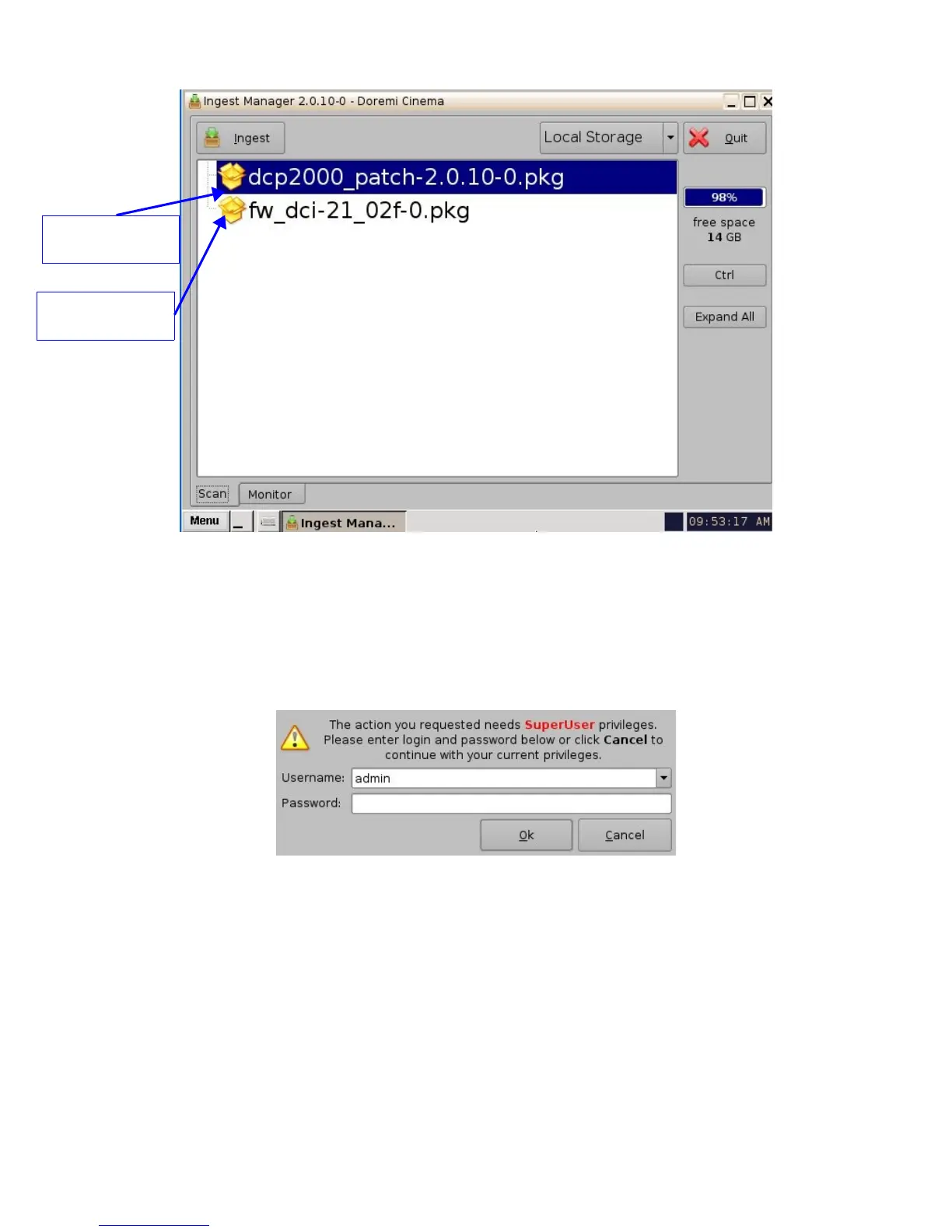
Figure 76: Graphical User Interface Ingest Window
• Choose the update from the list of files displayed in the GUI above.
• Click the “Ingest” button.
• User will be asked for a password to be able to perform the ingest operation (see Figure
77 below).
Figure 77: Authentication Window
• Enter the appropriate password and select “Ok”.
• When the ingest process is complete reboot the Showvault by clicking on “Menu →
Logout”.
• Click the “Reboot” button – the update can not be applied without rebooting the unit.
_____________________________________________________________________________________
SHV.OM.001293.DRM Page 63 Version 1.3
Doremi Cinema LLC Confidential
Example of software
package for update
Example of software
package for update



 To Next Page