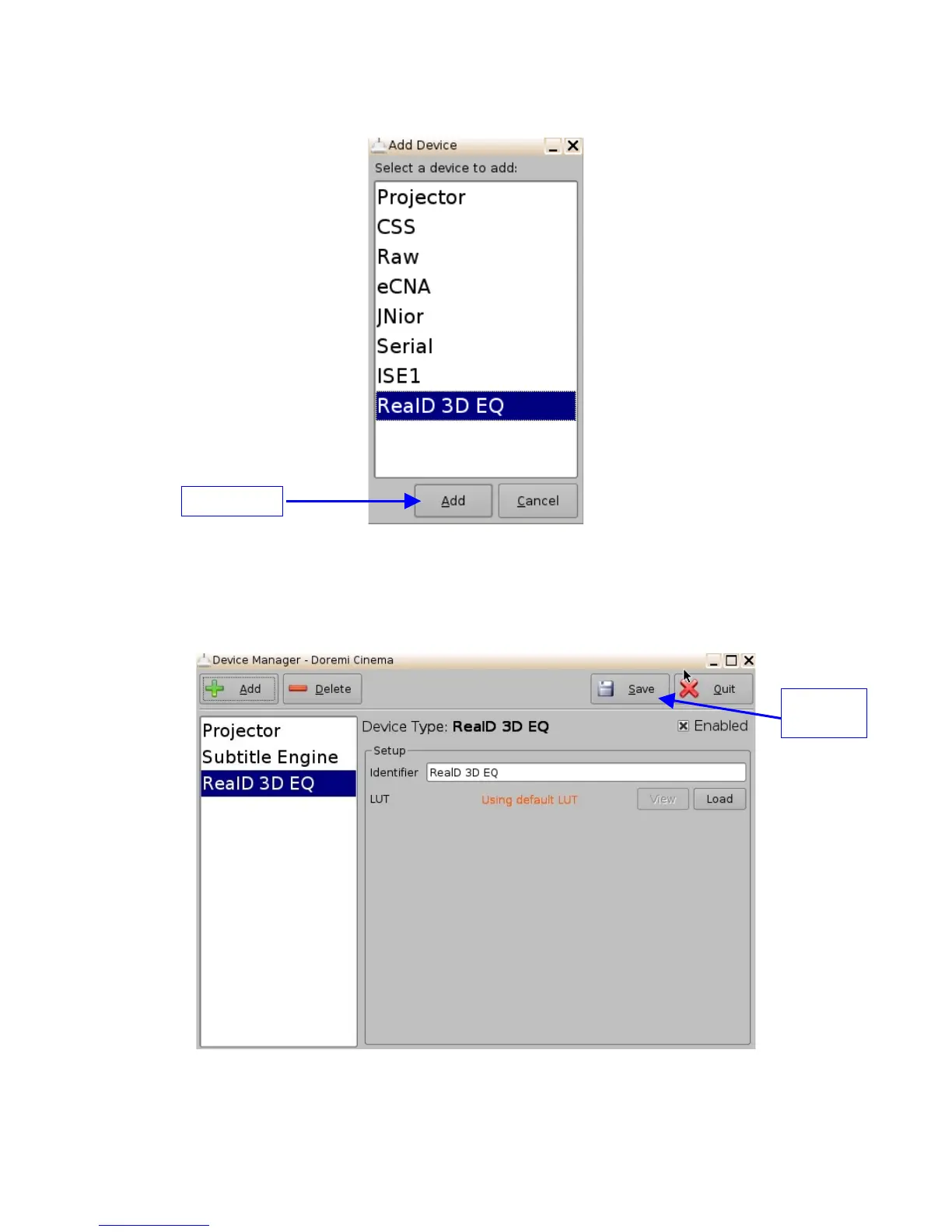
Figure 85: List of Available Devices
• Select the “RealD 3D EQ” device and click the “Add” button (see Figure 85 above).
• The device will be visible on the main "Device Manager" GUI as presented below:
Figure 86: “RealD 3D EQ” Device Added
_____________________________________________________________________________________
SHV.OM.001293.DRM Page 90 Version 1.3
Doremi Cinema LLC Confidential
"Save"
button
"Add" button



 To Next Page