Vigor3900 Series User’s Guide
102
H
H
o
o
w
w
t
t
o
o
a
a
d
d
d
d
a
a
n
n
e
e
w
w
b
b
r
r
i
i
d
d
g
g
e
e
V
V
L
L
A
A
N
N
p
p
r
r
o
o
f
f
i
i
l
l
e
e
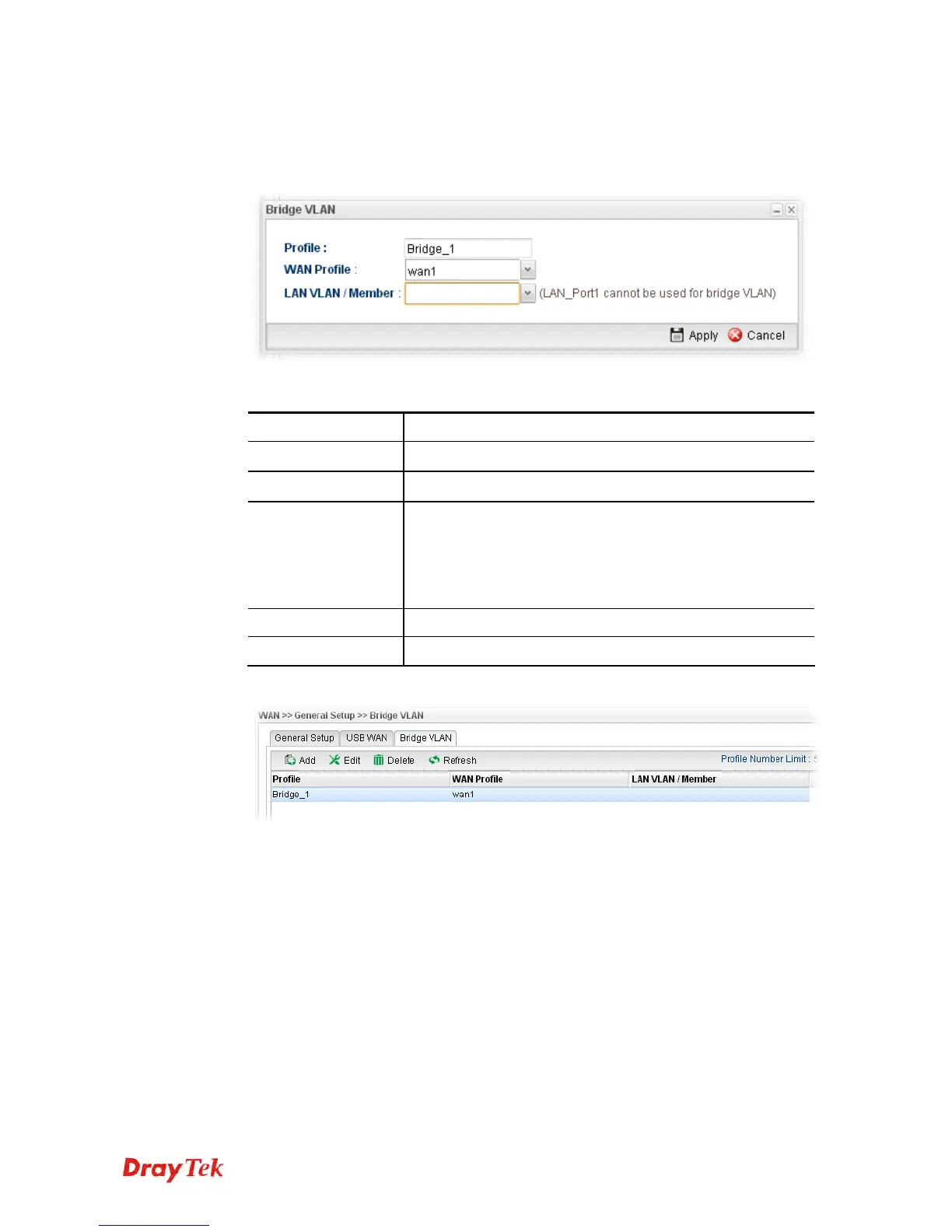
1. Click Add.
2. The settings under Global tab are listed as below:
Available parameters are listed as follows:
Item Description
Profile
Type the name of the profile.
WAN Profile
Use the drop down list to choose the WAN interface.
LAN
VLAN/Member
Choose a VLAN profile from the drop down list.
You have to open LAN>>Switch page and click 802.1Q
VLAN for creating VLAN ID number bound with LAN port
(802.1Q VLAN profile) first. Otherwise, no profiles will be
displayed here for you to specify.
Apply
Click it to save and exit the dialog.
Cancel
Click it to exit the dialog without saving anything.
3. Enter all of the settings and click Apply. The modified profile will be shown as below.














 To Next Page