Vigor3900 Series User’s Guide
103
4
4
.
.
1
1
.
.
2
2
I
I
n
n
b
b
o
o
u
u
n
n
d
d
L
L
o
o
a
a
d
d
B
B
a
a
l
l
a
a
n
n
c
c
e
e
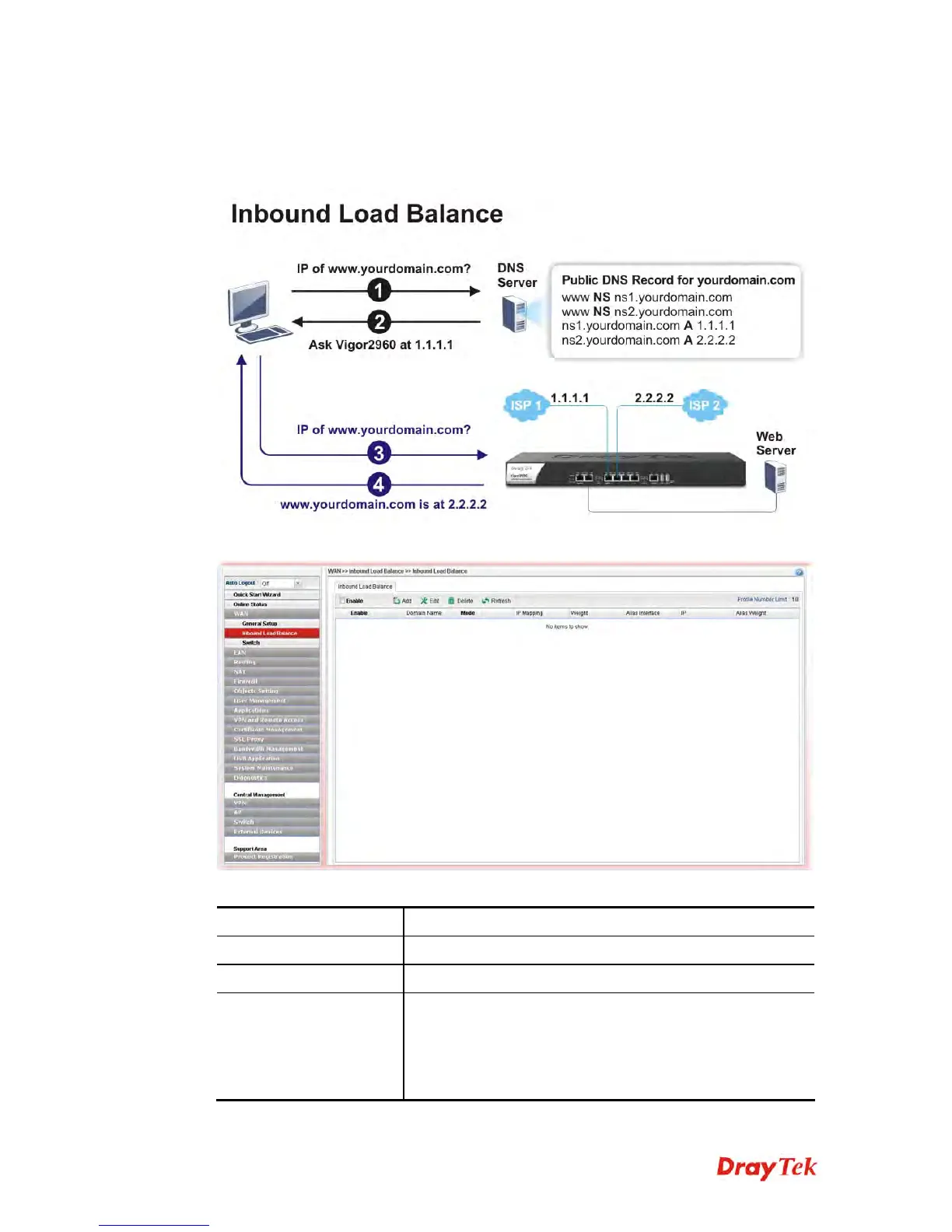
Vigor3900 can offer the mapped IP address to respond the DNS query coming from the
remote end through the designate domain to reduce the loading of the network traffic.
Click WAN>>Inbound Load Balance.
Each item will be explained as follows:
Item Description
Enable
Check the box the enable inbound load balance function.
Add
Add a new WAN profile for inbound load balance.
Edit
Modify the selected WAN profile.
To edit a profile, simply select the one you want to modify
and click the Edit button. The edit window will appear for
you to modify the corresponding settings for the selected
rule.














 To Next Page