Vigor3900 Series User’s Guide
321
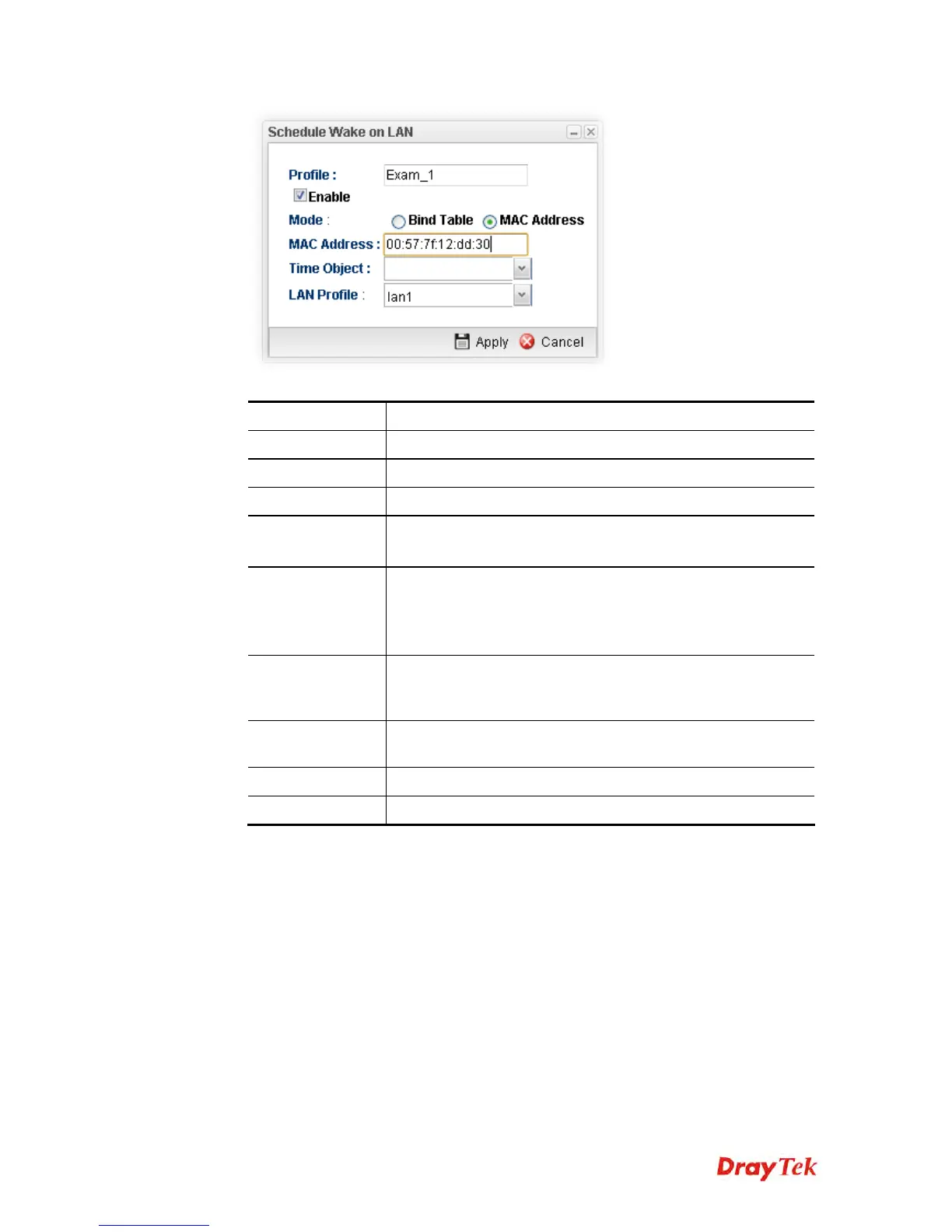
Available parameters are listed as follows:
Item Description
Profile
Type a name for such profile.
Enable
Check the box to enable such profile.
Mode
Choose the type for data input, Bind Table or MAC Address.
Bind Table
It is available when Bind Table is selected as Mode.
Choose one of the profiles listed in Bind Table.
MAC Address
It is available when MAC Address is selected as Mode.
If MAC Address is selected as Mode, you have to type MAC
address in this field. Then only the PC with such address will
be waken up remotely.
Time Object
Choose time object profile for waking up the computer in
specified time. Time object profiles can be configured in
Object Settings>>Time Object previously.
LAN Profile
Choose one of the LAN profiles. The computers specified in
the selected LAN profile will be waken up remotely.
Apply
Click it to save the configuration and exit the page.
Cancel
Click it to exit the dialog without saving the configuration.
4. Enter all of the settings and click Apply.
4
4
.
.
8
8
.
.
8
8
S
S
M
M
S
S
/
/
M
M
a
a
i
i
l
l
A
A
l
l
e
e
r
r
t
t
S
S
e
e
r
r
v
v
i
i
c
c
e
e
The function of SMS (Short Message Service)/Mail Alert is that Vigor router sends a
message to user’s mobile or e-mail box through specified service provider to assist the user
knowing the real-time abnormal situations.
Vigor router allows you to set up to 10 SMS profiles which will be sent out according to
different conditions.
4
4
.
.
8
8
.
.
8
8
.
.
1
1
S
S
M
M
S
S
A
A
l
l
e
e
r
r
t
t
S
S
e
e
r
r
v
v
i
i
c
c
e
e
This page allows you to specify SMS provider, who will get the SMS, what the content is
and when the SMS will be sent.














 To Next Page