Vigor3900 Series User’s Guide
482
4
4
.
.
1
1
7
7
.
.
1
1
0
0
T
T
r
r
a
a
f
f
f
f
i
i
c
c
G
G
r
r
a
a
p
p
h
h
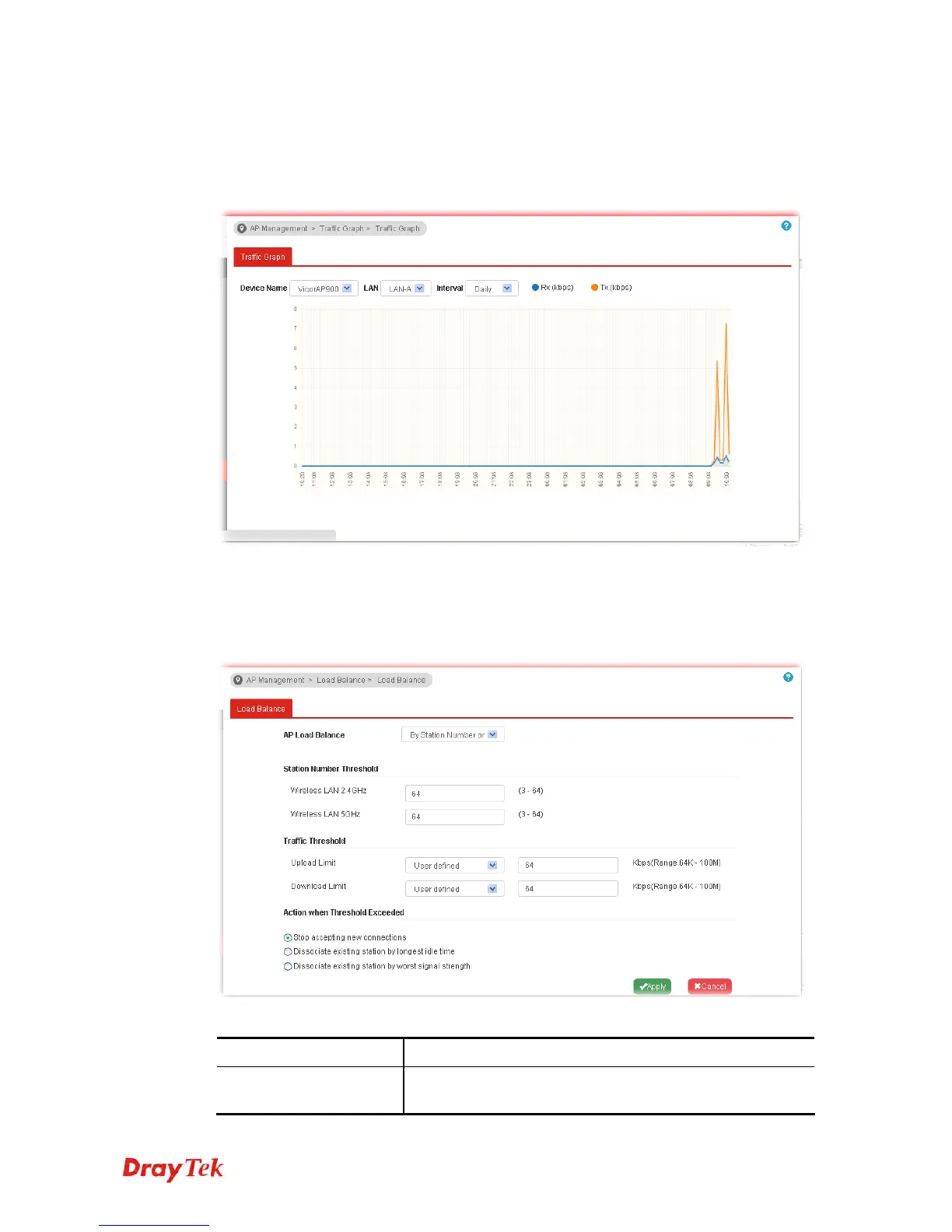
Click Traffic Graph to open the web page. Choose one of the managed Access Points,
LAN-A or LAN-B, daily or weekly for viewing data transmission chart. Click Refresh to
renew the graph at any time.
4
4
.
.
1
1
7
7
.
.
1
1
1
1
L
L
o
o
a
a
d
d
B
B
a
a
l
l
a
a
n
n
c
c
e
e
The parameters configured for Load Balance can help to distribute the traffic for all of the
access points registered to Vigor router. Thus, the bandwidth will not be occupied by certain
access points.
Available settings are explained as follows:
Item Description
AP Load Balance
It is used to determine the operation mode when the system
detects overload between access points.














 To Next Page