Vigor3900 Series User’s Guide
477
4
4
.
.
1
1
7
7
.
.
5
5
R
R
o
o
g
g
u
u
e
e
A
A
P
P
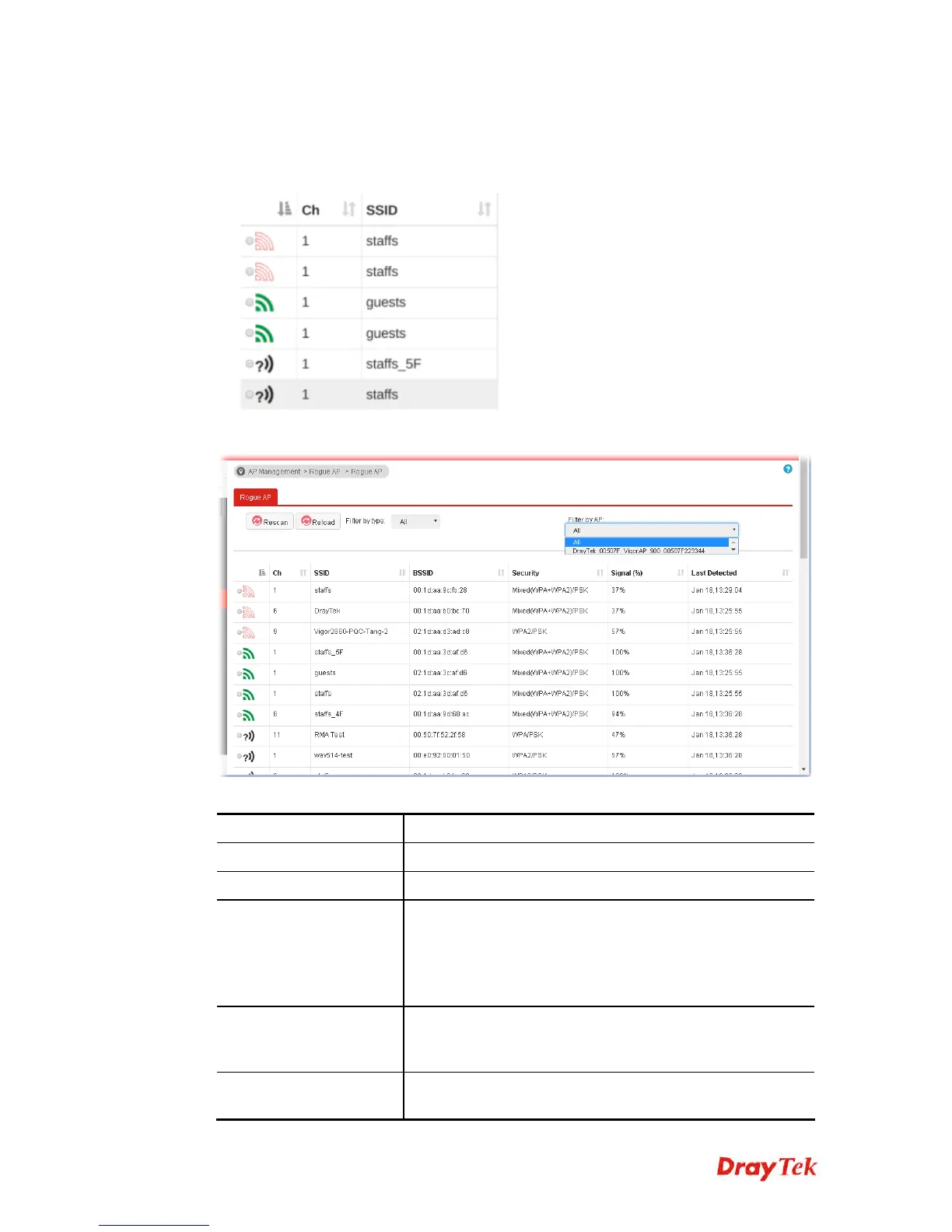
Access Points can be classified with friendly (green) APs, rogue APs (red) and unknown
(black) APs in different colors.
This page displays the access point scanned by Vigor router.
Each item will be explained as follows:
Item Description
Rescan
Click to scan the access points again.
Reload
Click it to refresh the web page immediately.
Filter by type
AP status page will be displayed based on the type (Friendly,
Rogue, Unknown) of access points. That is, only the selected
type (Friendly, Rogue, Unknow) will be shown on this page.
However, if unknown is selected, Vigor router will let you to
classify the selected AP as a Rogue or Friendly AP.
Filter by AP
AP status page will be displayed based on the model of the
access points. That is, only the selected AP model will be
shown on this page.
AP’s MAC Address
When an AP is selected, the MAC address related to that AP
will be displayed automatically.














 To Next Page