Vigor3900 Series User’s Guide
433
the schedule.
Start Date
Specify the starting date of the schedule.
Start Time
Specify the starting time of the schedule.
End Date
Specify the ending date of the schedule.
End Time
Specify the ending time of the schedule.
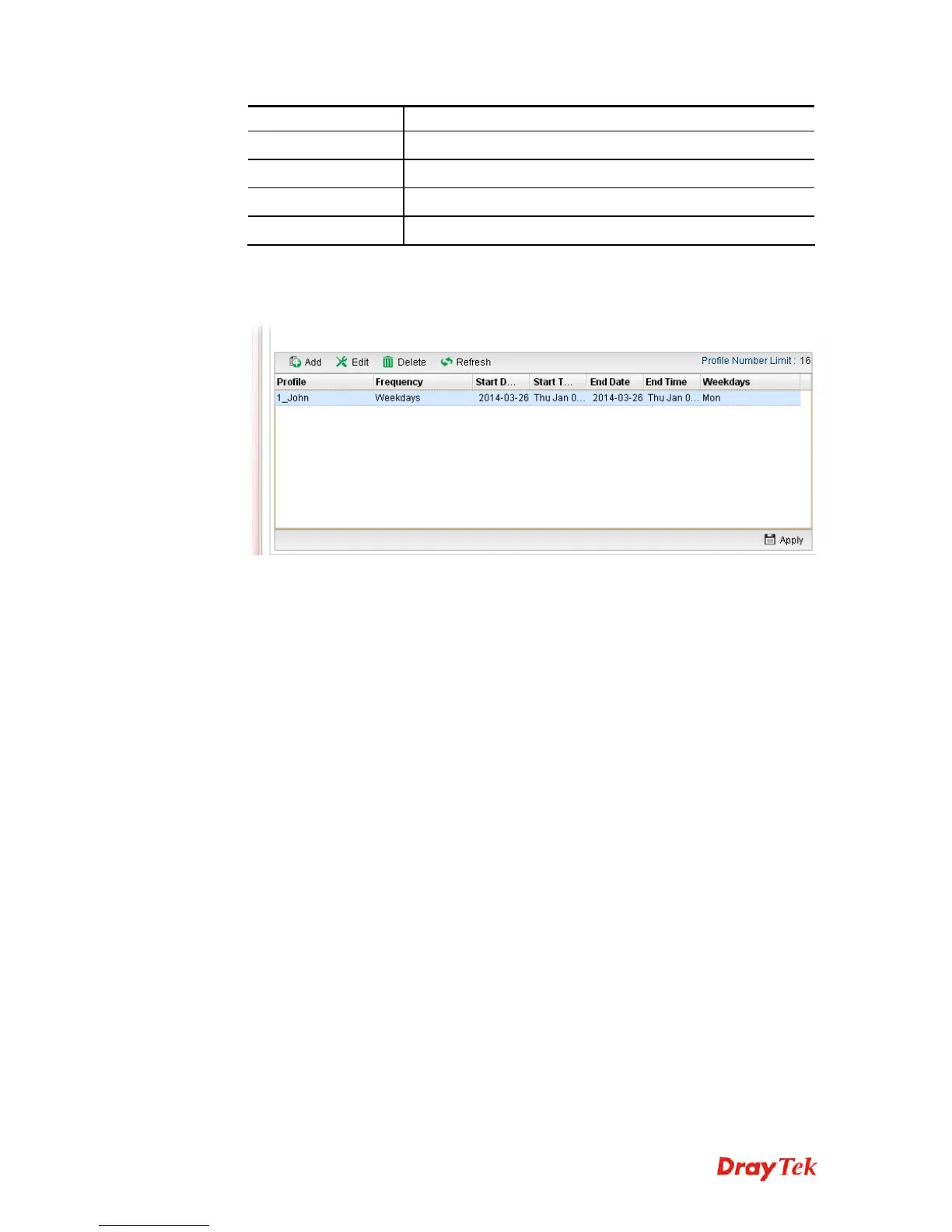
4. Enter all the settings and click Apply.
5. A schedule profile has been created.
4
4
.
.
1
1
4
4
.
.
9
9
F
F
i
i
r
r
m
m
w
w
a
a
r
r
e
e
U
U
p
p
g
g
r
r
a
a
d
d
e
e
The following web page will guide you to upgrade firmware by using such page.
Download the newest firmware from DrayTek's web site or FTP site. The DrayTek web site
is www.DrayTek.com (or local DrayTek's web site) and the FTP site is ftp.DrayTek.com.
Click System Maintenance>> Firmware Upgrade.
4
4
.
.
1
1
4
4
.
.
9
9
.
.
1
1
U
U
p
p
g
g
r
r
a
a
d
d
e
e
F
F
i
i
r
r
m
m
w
w
a
a
r
r
e
e
This page display current firmware version used in Vigor router. In addition, it allows you to
select the newest firmware version manually and update to such Vigor router immediately.
A user must connect to website (http://www.draytek.com.tw/ftp) previously to download the
newest firmware to the computer.














 To Next Page