Vigor3900 Series User’s Guide
366
Apply
Click it to save the configuration.
Cancel
Click it to exit the page without saving the configuration.
4. Enter all the settings and click Apply.
5. A new profile has been created.
4
4
.
.
9
9
.
.
8
8
C
C
o
o
n
n
n
n
e
e
c
c
t
t
i
i
o
o
n
n
M
M
a
a
n
n
a
a
g
g
e
e
m
m
e
e
n
n
t
t
4
4
.
.
9
9
.
.
8
8
.
.
1
1
C
C
o
o
n
n
n
n
e
e
c
c
t
t
i
i
o
o
n
n
M
M
a
a
n
n
a
a
g
g
e
e
m
m
e
e
n
n
t
t
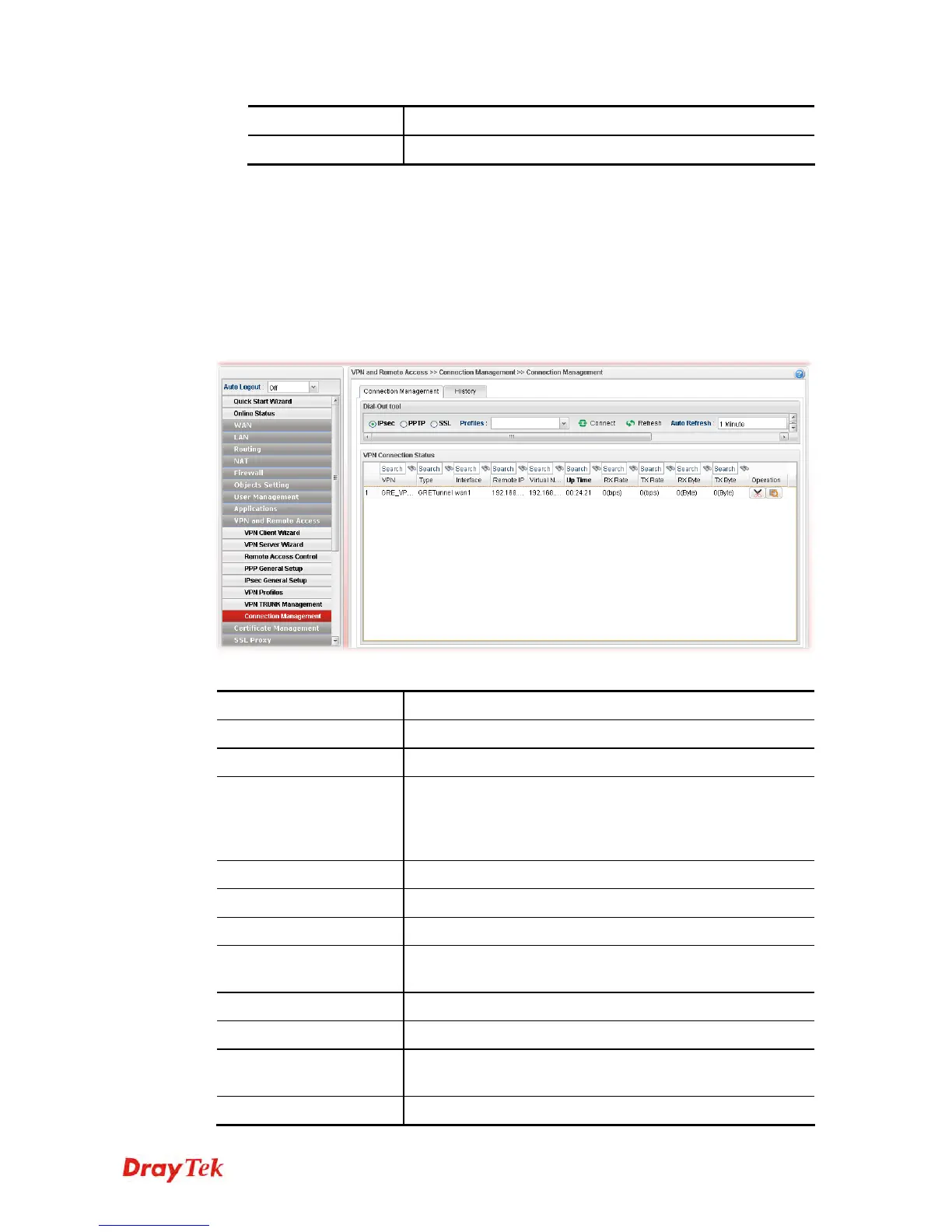
You can find the summary table of all VPN connections. You may disconnect any VPN
connection by clicking Disconnect button.
Each item will be explained as follows:
Item Description
IPsec/PPTP/SSL
Click it to perform IPsec VPN/PPTP/SSL connection.
PPTP
Click it to perform PPTP VPN connection.
Profile
This filed displays the profile configured in LAN-to-LAN
(with Index number and VPN Server IP address). The VPN
connection built by General Mode does not support VPN
backup function.
Connect
Click this button to execute dial out function.
Refresh
Renew current web page.
VPN
Display the name of VPN profile.
Type
Display the connection type (PPTP or IPSec) for such VPN
profile.
Interface
Display the WAN interface for such VPN profile.
Remote IP
Display the remote IP configure by VPN profile.
Virtual Network
Display the virtual network established by such VPN
profile.
Up Time
Display the connection time of this VPN tunnel.














 To Next Page