Vigor3900 Series User’s Guide
76
3
3
.
.
1
1
4
4
H
H
o
o
w
w
t
t
o
o
C
C
o
o
n
n
f
f
i
i
g
g
u
u
r
r
e
e
D
D
N
N
S
S
I
I
n
n
b
b
o
o
u
u
n
n
d
d
L
L
o
o
a
a
d
d
B
B
a
a
l
l
a
a
n
n
c
c
e
e
o
o
n
n
V
V
i
i
g
g
o
o
r
r
3
3
9
9
0
0
0
0
?
?
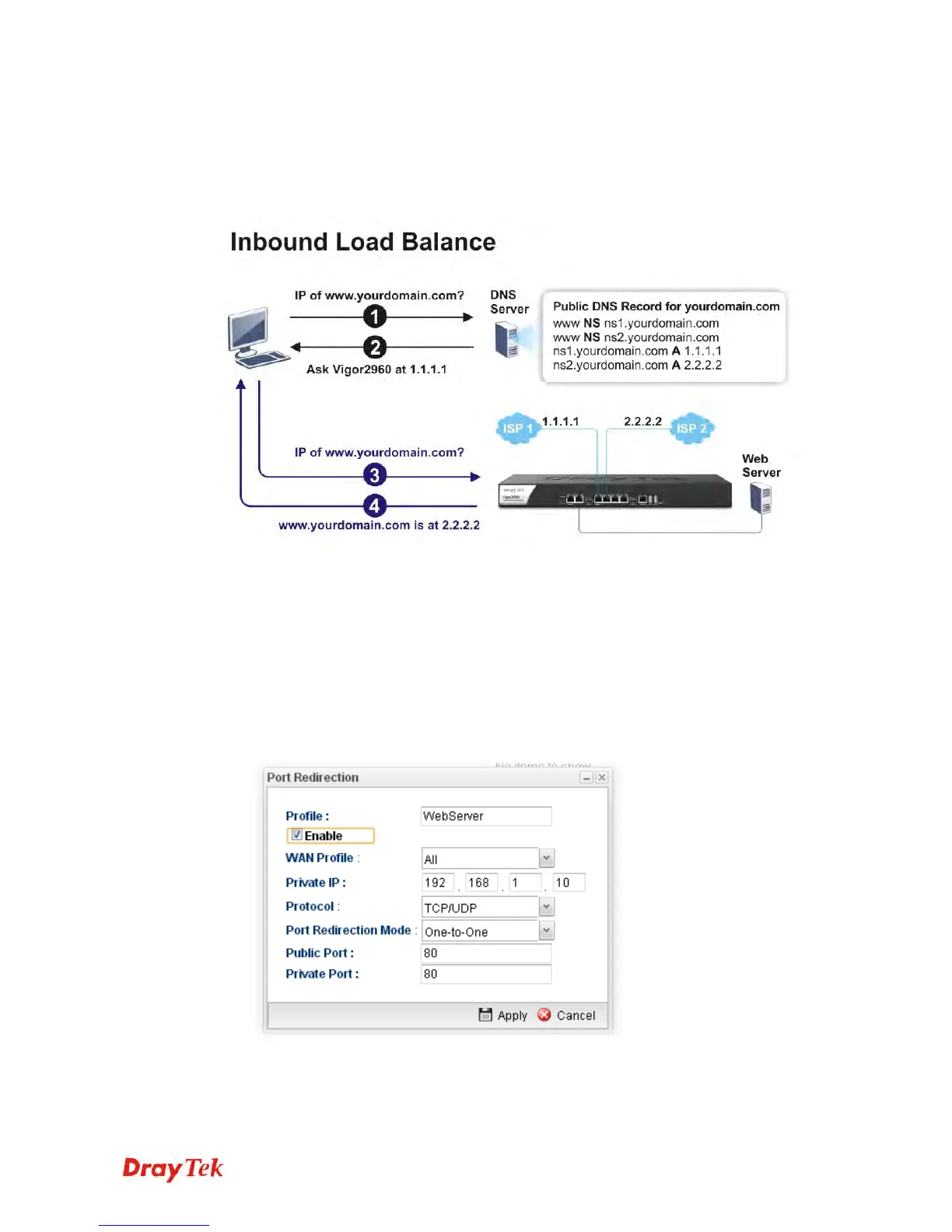
Vigor3900 can offer the mapped IP address to respond the DNS query coming from the
remote end through the designate domain to reduce the loading of the network traffic.
WAN1 IP Address: 1.1.1.1
WAN2 IP Address: 2.2.2.2
Inbound Load Balance
allows Vigor3900 acting as a DNS Server to separate the traffic for
each WAN interface according to the DNS query time. Follow the steps listed below to
Configure DNS Inbound Load Balance.
E
E
n
n
a
a
b
b
l
l
i
i
n
n
g
g
W
W
e
e
b
b
s
s
e
e
r
r
v
v
i
i
c
c
e
e
o
o
n
n
t
t
h
h
e
e
R
R
o
o
u
u
t
t
e
e
r
r
1. Open NAT >> Port Redirection to set up Port Redirection rules for the Web server.
Click Apply to save the settings.
2. Open WAN >> Load Balance and click the tab of Inbound Load Balance to enable the
service. Click Add.














 To Next Page