Vigor3900 Series User’s Guide
77
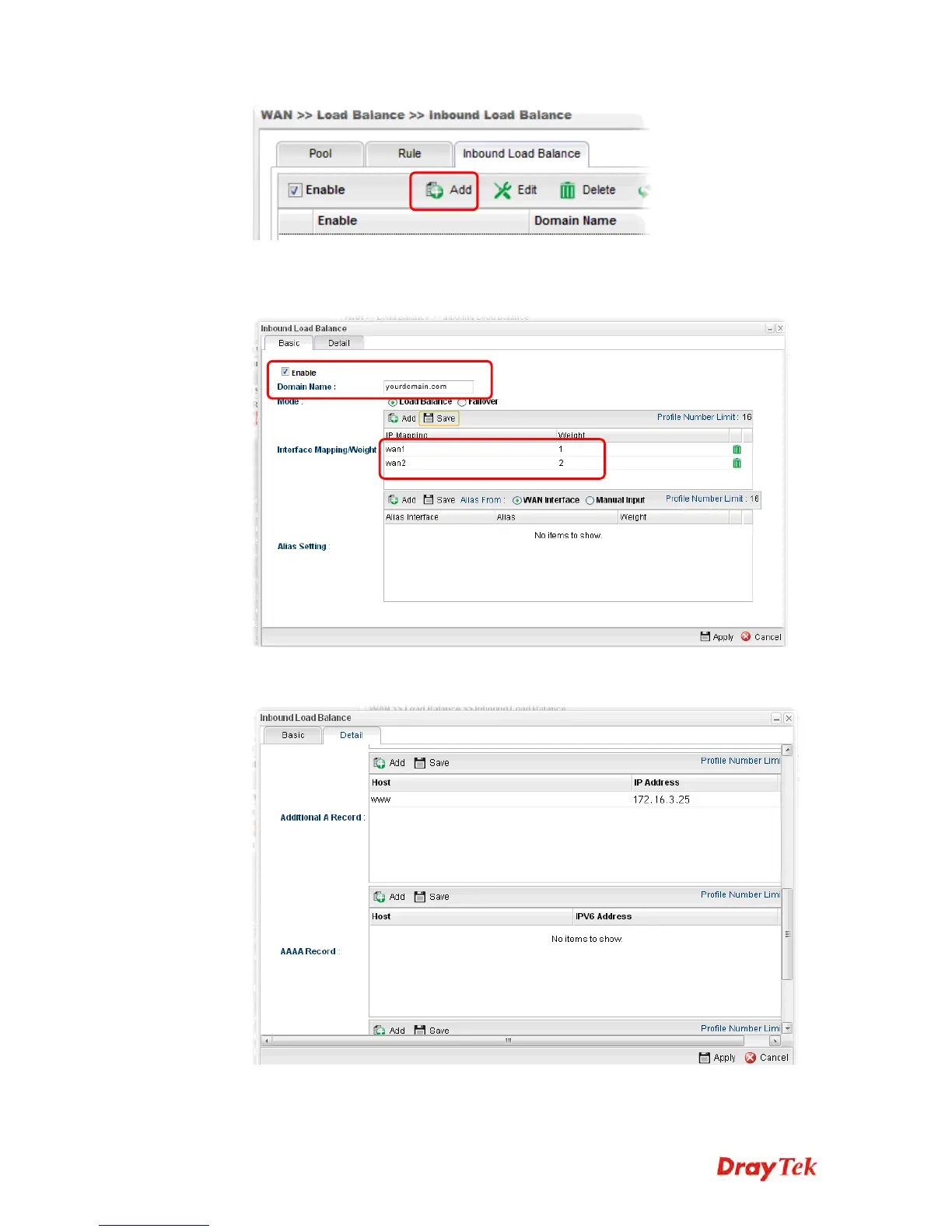
3. Add a profile named “yourdomain.com”. Define WAN1 weights 1 and WAN2 weights 2.
It means the total DNS query time will be three, one will pass through WAN1; two will
pass through WAN2.
4. Click the Detail tab and locate Additional A Record. Type “www” as the name of the
Host, and type “192.168.1.10” as the IP Address.
5. Then click Apply to save the settings.














 To Next Page