Vigor3900 Series User’s Guide
251
4
4
.
.
6
6
.
.
1
1
2
2
Q
Q
Q
Q
O
O
b
b
j
j
e
e
c
c
t
t
Note: This page is designed for Chinese IM "Tencent QQ" users (especially for China)
only. For people who do not use QQ, skip this section.
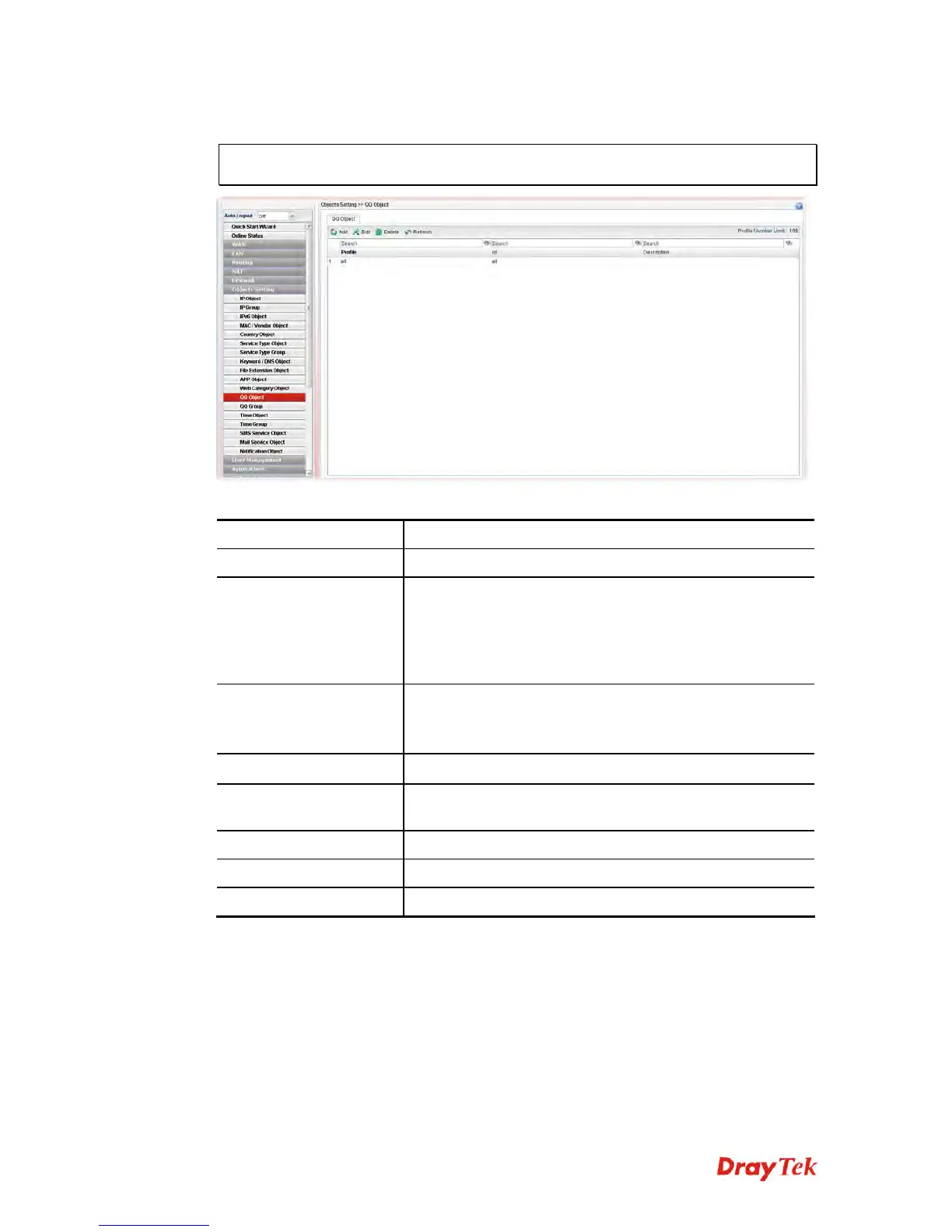
Each item will be explained as follows:
Item Description
Add
Add a new profile.
Edit
Modify the selected profile.
To edit a profile, simply select the one you want to modify
and click the Edit button. The edit window will appear for
you to modify the corresponding settings for the selected
rule.
Delete
Remove the selected profile.
To delete a rule, simply select the one you want to delete
and click the Delete button.
Refresh
Renew current web page.
Profile Number Limit
Display the total number (16) of the object profiles to be
created.
Profile
Display the name of the QQ object profile.
id
Display the account name of the QQ object profile.
Description
Display a brief explanation of the QQ object profile.
H
H
o
o
w
w
t
t
o
o
c
c
r
r
e
e
a
a
t
t
e
e
a
a
n
n
e
e
w
w
Q
Q
Q
Q
o
o
b
b
j
j
e
e
c
c
t
t
p
p
r
r
o
o
f
f
i
i
l
l
e
e
1. Open Objects Setting>> QQ Object.
2. Simply click the Add button.














 To Next Page