Vigor3900 Series User’s Guide
44
3
3
.
.
8
8
H
H
o
o
w
w
t
t
o
o
C
C
o
o
n
n
f
f
i
i
g
g
u
u
r
r
e
e
V
V
P
P
N
N
L
L
o
o
a
a
d
d
B
B
a
a
l
l
a
a
n
n
c
c
e
e
b
b
e
e
t
t
w
w
e
e
e
e
n
n
V
V
i
i
g
g
o
o
r
r
3
3
9
9
0
0
0
0
a
a
n
n
d
d
O
O
t
t
h
h
e
e
r
r
R
R
o
o
u
u
t
t
e
e
r
r
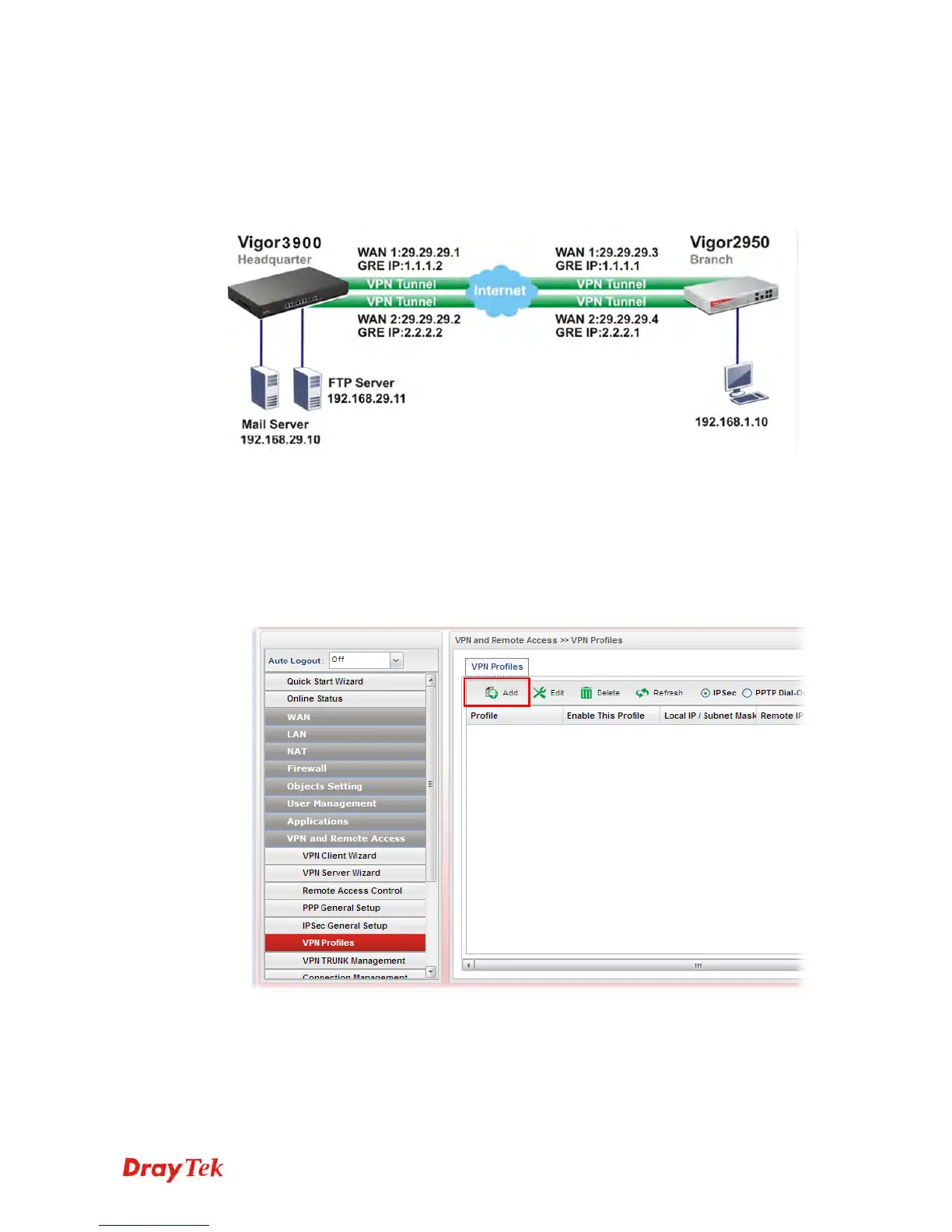
The staff in branch office can access into mail server/FTP server installed in the headquarters
via VPN Load Balance tunnels. Refer to the following figure.
Vigor3900 allows users to build VPN load balance connection between Vigor3900 and other
router. Take Vigor2950 for an example. There are two WANs on Vigor2950 and two WANs
on Vigor3900. We will build VPN connection with load balance between Vigor3900 and
two WANs of Vigor2950 respectively.
C
C
o
o
n
n
f
f
i
i
g
g
u
u
r
r
i
i
n
n
g
g
V
V
i
i
g
g
o
o
r
r
3
3
9
9
0
0
0
0
1. Access into the Web User Interface of Vigor3900 and open VPN and Remote Access
>> VPN Profiles to add new VPN profiles. Click Add.














 To Next Page