Vigor3900 Series User’s Guide
261
Cancel
Click it to exit the dialog without saving the configuration.
4. Enter all the settings and click Apply.
5. A new SMS object profile has been created.
4
4
.
.
6
6
.
.
1
1
7
7
M
M
a
a
i
i
l
l
S
S
e
e
r
r
v
v
i
i
c
c
e
e
O
O
b
b
j
j
e
e
c
c
t
t
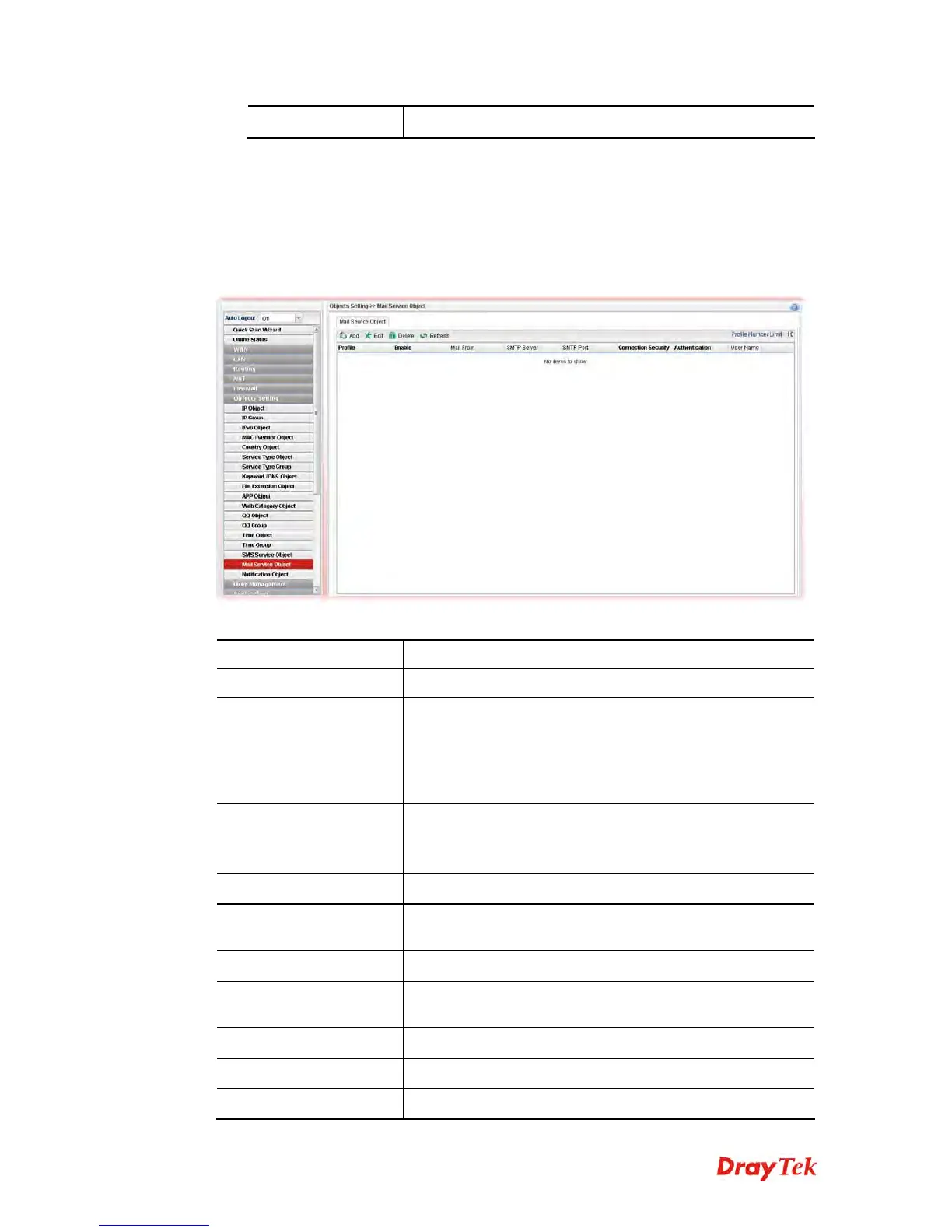
This page allows you to set ten profiles which will be applied in Application>>SMS/Mail
Alert Service.
Each item will be explained as follows:
Item Description
Add
Add a new profile.
Edit
Modify the selected profile.
To edit a profile, simply select the one you want to modify
and click the Edit button. The edit window will appear for
you to modify the corresponding settings for the selected
profile.
Delete
Remove the selected profile.
To delete a rule, simply select the one you want to delete
and click the Delete button.
Refresh
Renew current web page.
Profile Number Limit
Display the total number (8) of the object profiles to be
created.
Profile
Display the name of the profile.
Enable
Display the status of the profile. False means disabled; True
means enabled.
Mail From
Display the mail address of the sender.
SMTP Port
Display the port number used for the SMTP service.
SMTP Server
Display the IP address of the SMTP Server














 To Next Page