Vigor3900 Series User’s Guide
473
4
4
.
.
1
1
7
7
.
.
4
4
W
W
L
L
A
A
N
N
P
P
r
r
o
o
f
f
i
i
l
l
e
e
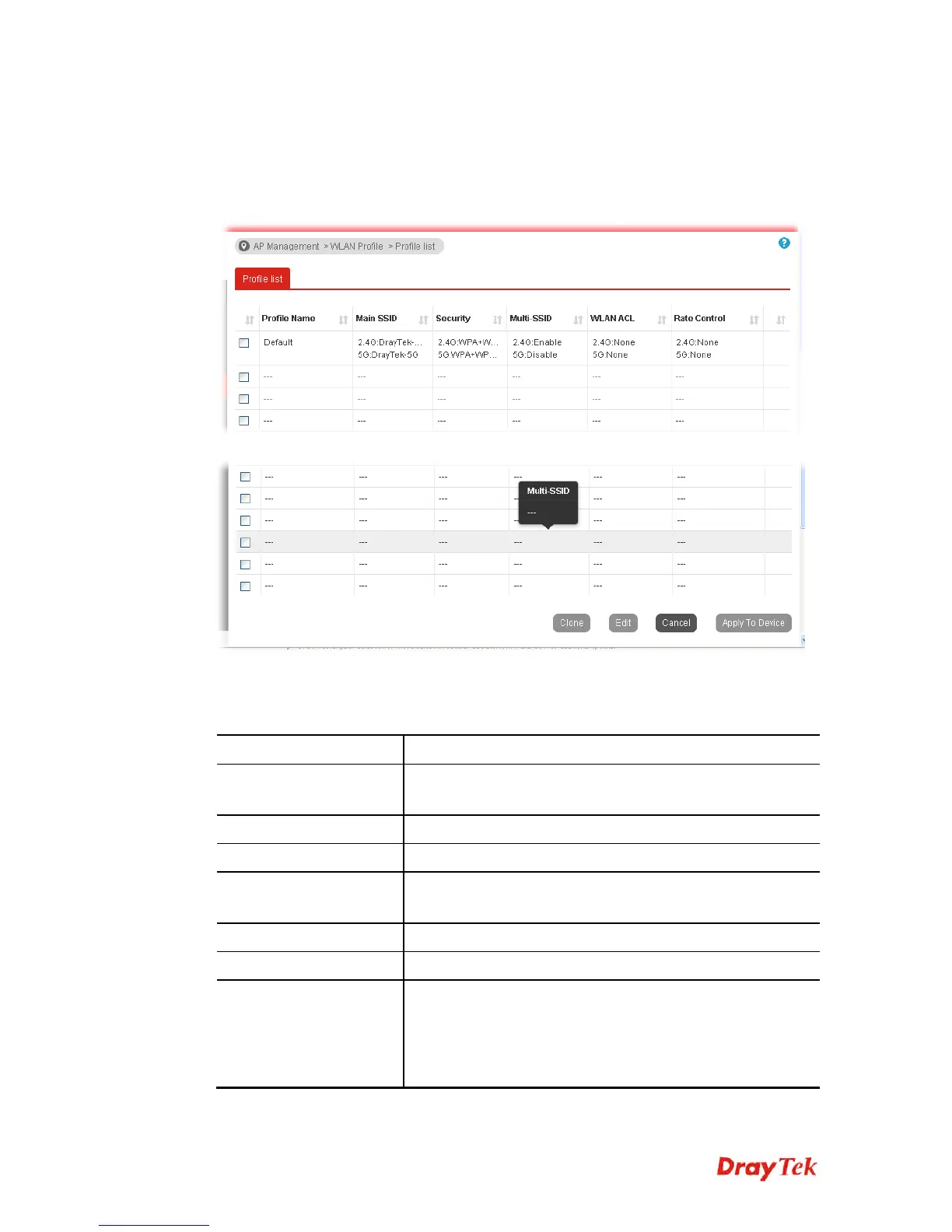
WLAN profile is used to apply to a selected access point. It is very convenient for the
administrator to configure the setting for access point without opening the web user interface
of the access point.
Check the box on the left side of the selected profile to modify the content of the profile. The
Clone, Edit and Apply To Device buttons will be available then.
Available settings are explained as follows:
Item Description
Profile Name
Display the name of the profile.
The default profile cannot be renamed.
Main SSID
Display the SSID configured by such wireless profile.
Security
Display the security mode selected by such wireless profile.
Multi-SSID
Enable means multiple SSIDs (more than one) are active.
Disable means only SSID1 is active.
WLAN ACL
Display the mode of the access control list.
Rate Control
Display the upload and/or download transmission rate.
Clone
It can copy settings from an existing WLAN profile to
another WLAN profile.
First, you have to check the box of the existing profile as the
original profile. Second, click Clone. The following dialog
will appear.














 To Next Page