Vigor3900 Series User’s Guide
341
4
4
.
.
9
9
.
.
4
4
P
P
P
P
P
P
G
G
e
e
n
n
e
e
r
r
a
a
l
l
S
S
e
e
t
t
u
u
p
p
Remote users can connect to the site, host, server and etc. via VPN connection built between
the router and the users by authentication procedure.
4
4
.
.
9
9
.
.
4
4
.
.
1
1
P
P
P
P
T
T
P
P
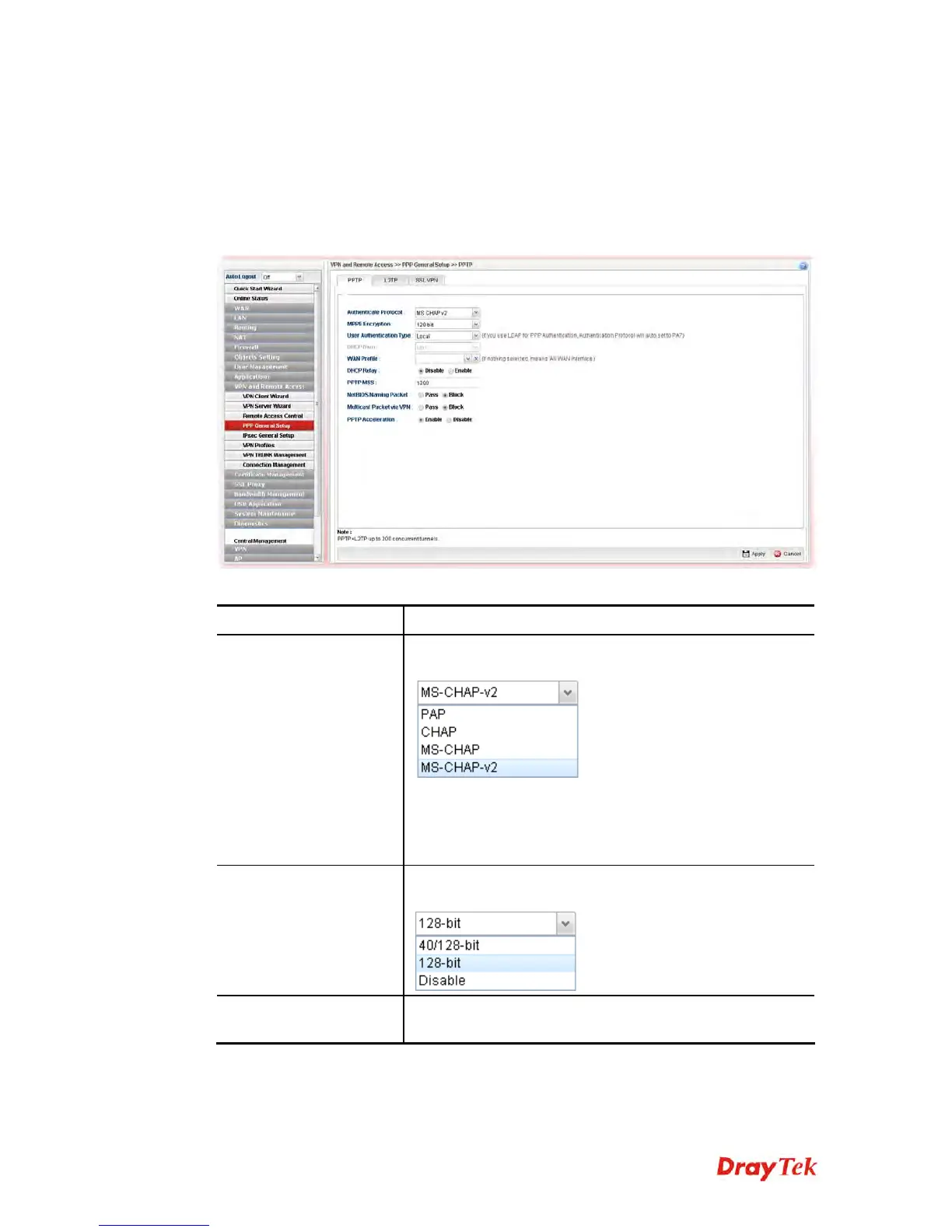
This page display current status for VPN tunnel built with PPTP protocol.
Available parameters are listed as follows:
Item Description
Authenticate Protocol
The router will authenticate the dial-in user with the
protocol selected here.
PAP - It means the router will attempt to authenticate
dial-in users with the PAP protocol.
CHAP - It means the router will attempt to authenticate
dial-in users with the CHAP protocol.
MPPE Encryption
Specify one of the encryptions for such server. It is available
only when MS-CHAP or MS-CHAP_v2 is selected.
User Authentication
Type
Set user authentication to Local server, RADIUS server or
LDAP server.














 To Next Page