Vigor3900 Series User’s Guide
309
4
4
.
.
8
8
.
.
4
4
I
I
G
G
M
M
P
P
P
P
r
r
o
o
x
x
y
y
IGMP is the abbreviation of Internet Group Management Protocol. It is a communication
protocol which is mainly used for managing the membership of Internet Protocol multicast
groups.
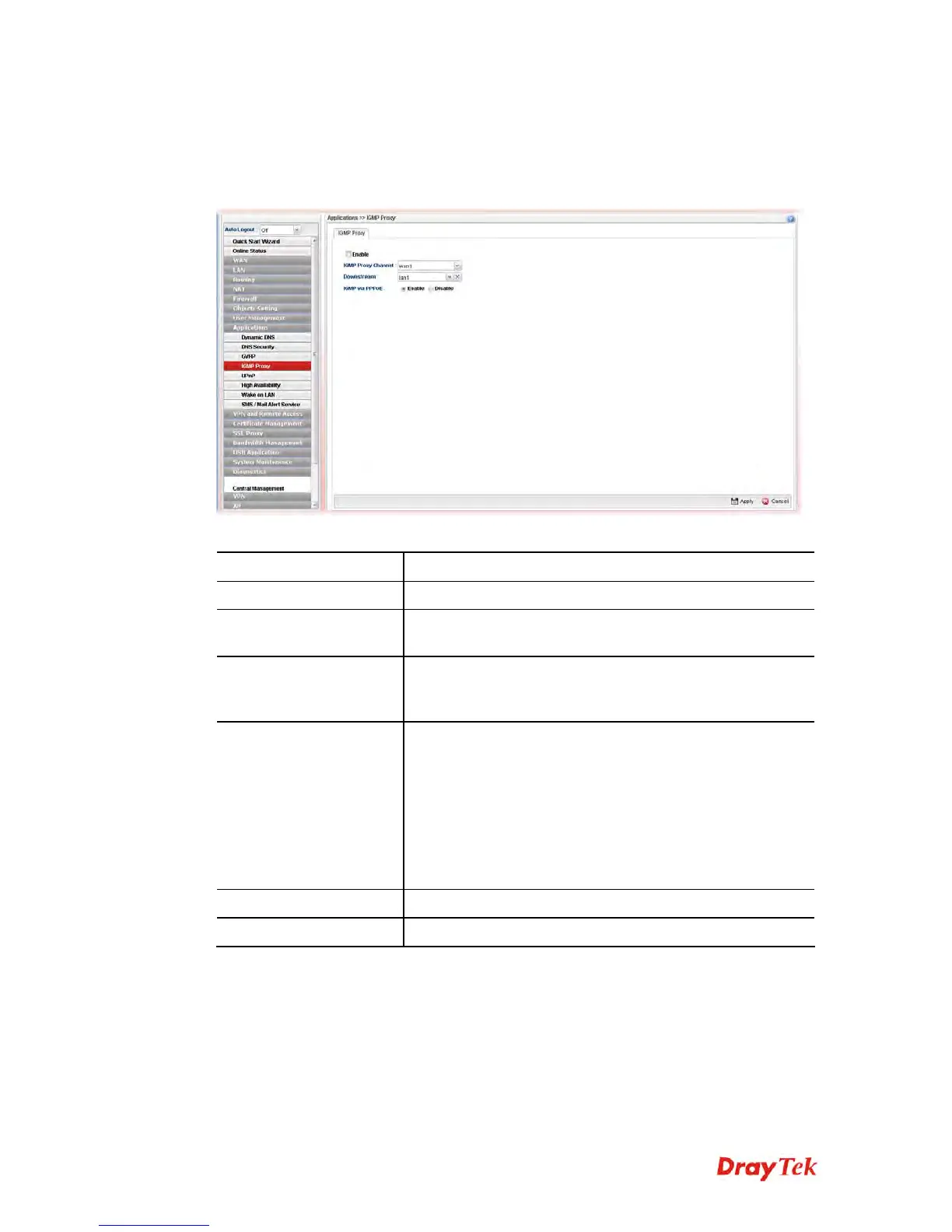
Available parameters are listed as follows:
Item Description
Enable
Check this box to enable IGMP proxy function.
IGMP Proxy Channel
The application of multicast will be executed through WAN
port. In addition, such function is available in NAT mode.
Downstream
Use the drop down list to specify the LAN profile as the
destination of data coming from WAN interface (defined in
IGMP Proxy Channel).
IGMP via PPPoE
Enable – In LAN, the PC which uses PPPoE connection to
communicate with Vigor router can accept the packets
transmitted from IGMP proxy.
Disable –In LAN, the PC which uses PPPoE connection to
communicate with Vigor router can NOT accept the packets
transmitted from IGMP proxy.
IGMP Interface IP – Type the IP address of IGMP
server.
Apply
Click it to save the configuration.
Cancel
Click it to discard the settings configured in this page.














 To Next Page