Vigor3900 Series User’s Guide
75
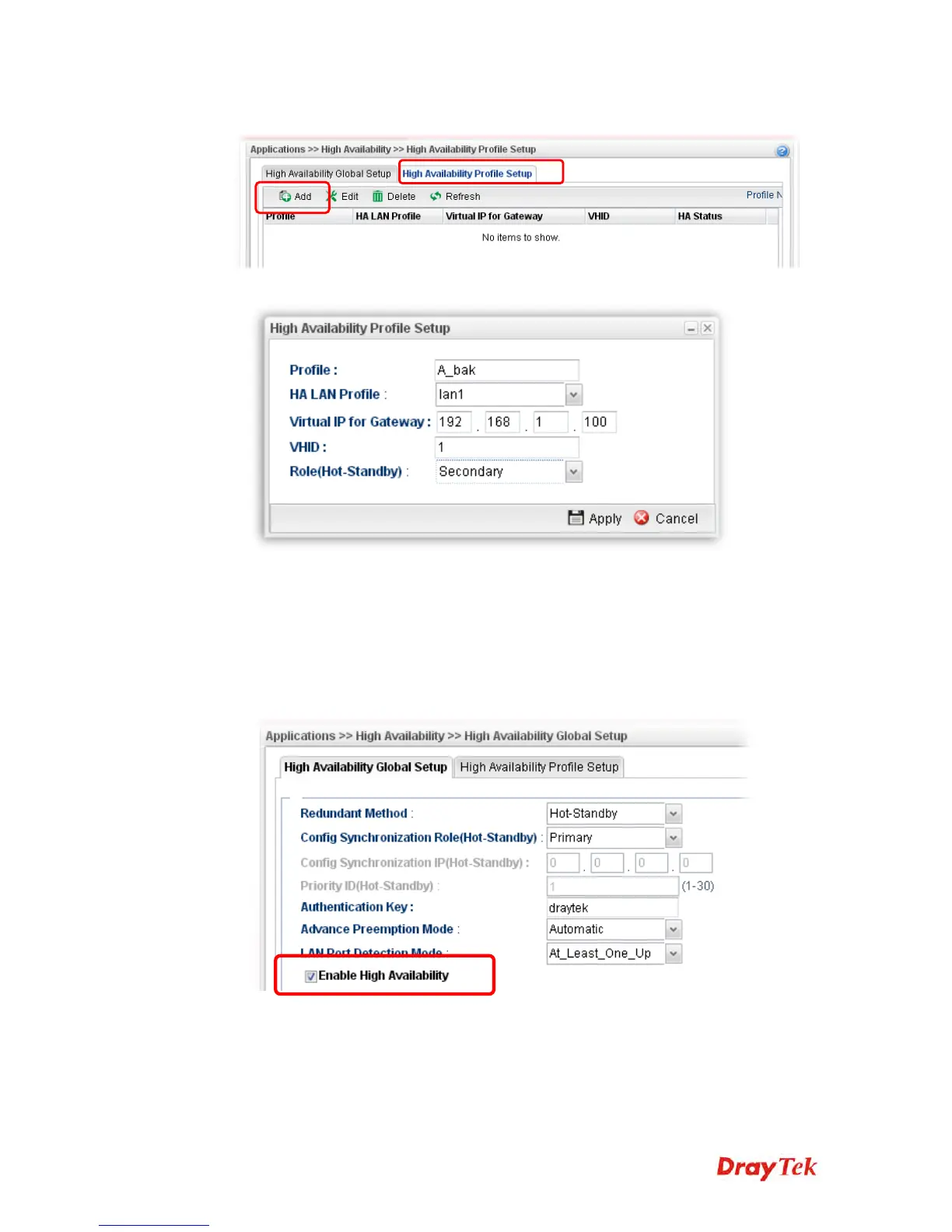
4. Click the High Availability Profile Setup tab to create HA profile(s). Click Add.
5. Create an HA profile. Refer to the following figures.
6. Now, the configuration for router B has been finished.
After finished the above settings, it is the time to activate HA function for both router A and
router B. It is recommended to activate the HA for router A (Primary) before router B
(Secondary).
Simply open Applications>>High Availability and click the High Availability
Global Setup. Locate Enable High Availability. Check the box and click Apply to
save the settings.
Under such construction, when Router A (defined as Master device) is powered off,
Router B (defined as Slave device) will be up and take over all the jobs that Router A
performs. Later, when Router A is powered on again, all the jobs will return to Router
A.














 To Next Page