Vigor3900 Series User’s Guide
74
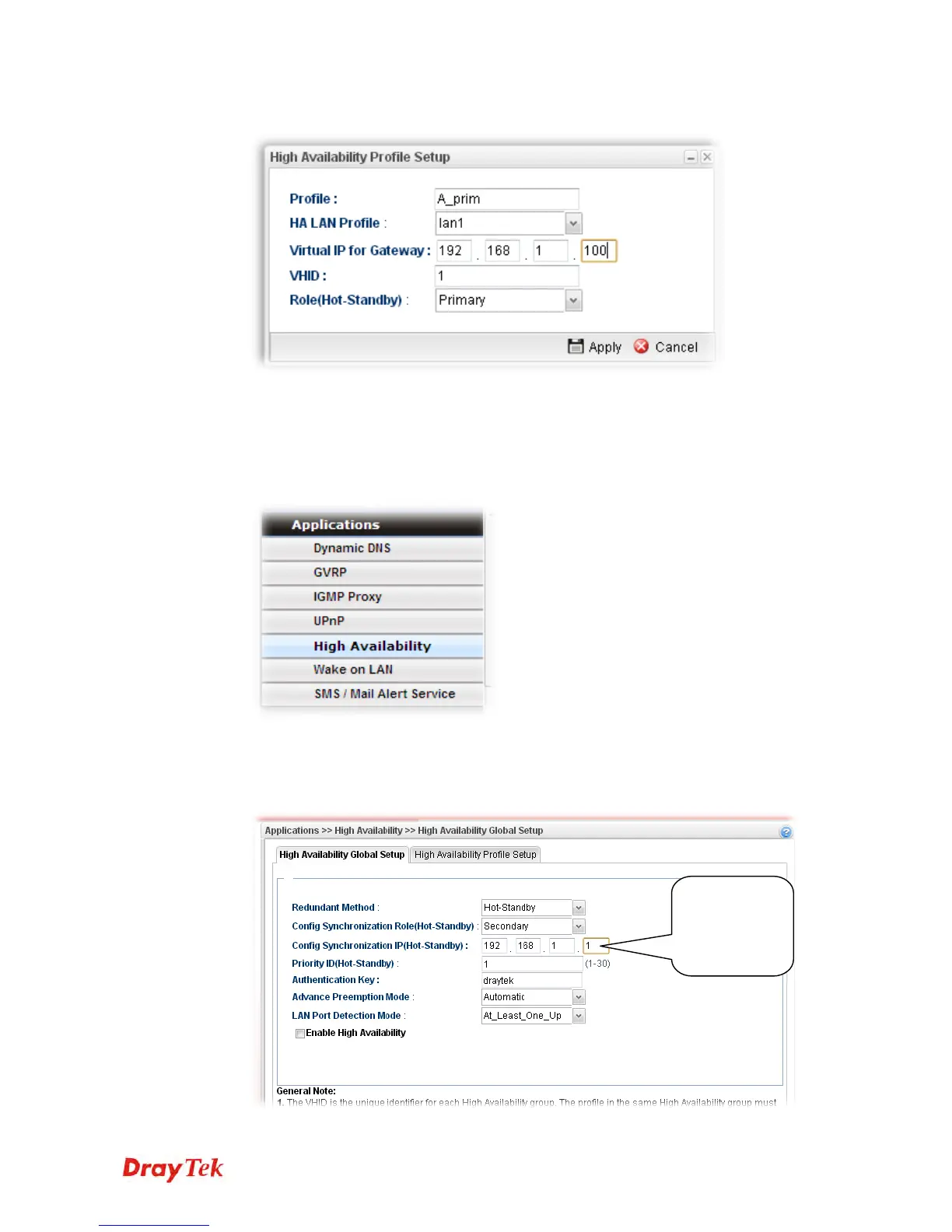
5. Create an HA profile. Refer to the following figures.
6. Now, the configuration for router A has been finished.
F
F
o
o
r
r
r
r
o
o
u
u
t
t
e
e
r
r
B
B
1. Access into the web user interface of Vigor3900.
2. Open Applications >>High Availability.
3. In the tab of High Availability Global Setup, choose Hot-Standby as Redundant
Method; choose Secondary as Config Synchronization Rule; type the lan1 IP address
configured in router A; type draytek as Authentication Key; choose Automatic as
Advance Preemption Mode. Click Apply to save the settings.
Type the lan1
IP address
configured in
Router A














 To Next Page