Vigor3900 Series User’s Guide
73
F
F
o
o
r
r
r
r
o
o
u
u
t
t
e
e
r
r
A
A
1. Access into the web user interface of Vigor3900.
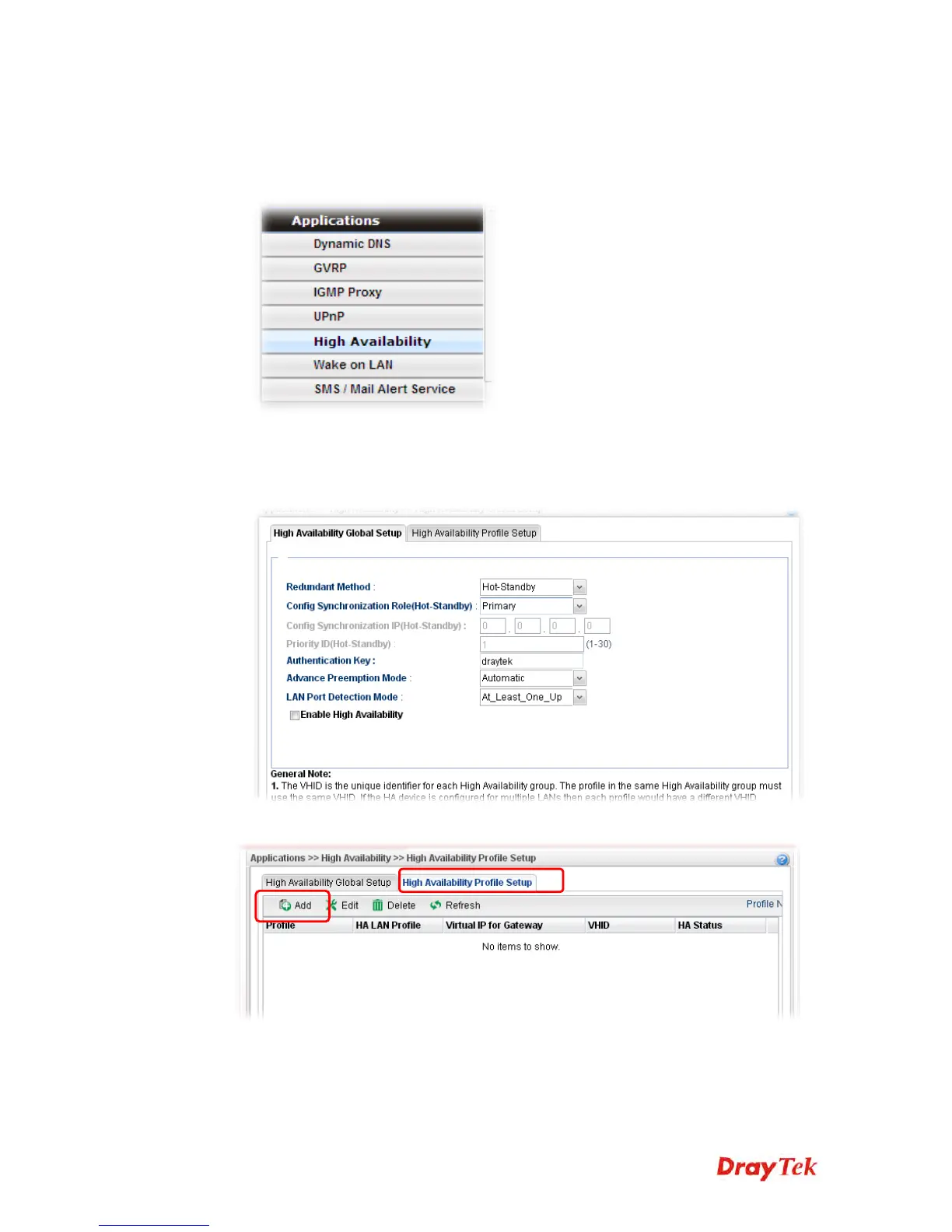
2. Open Applications >>High Availability.
3. In the tab of High Availability Global Setup, choose Hot-Standby as Redundant
Method; choose Primary as Config Synchronization Rule; type draytek as
Authentication Key; choose Automatic as Advance Preemption Mode. Click Apply to
save the settings.
4. Click the High Availability Profile Setup tab to create HA profile(s). Click Add.














 To Next Page