Vigor3900 Series User’s Guide
367
RX (Packets)
Display the total received packets through this VPN.
TX (Packets)
Display the total transmitted packets through this VPN.
Disconnect
Terminate the VPN connection.
Operation
Display the icons to terminate / view the VPN profile.
4
4
.
.
9
9
.
.
8
8
.
.
2
2
H
H
i
i
s
s
t
t
o
o
r
r
y
y
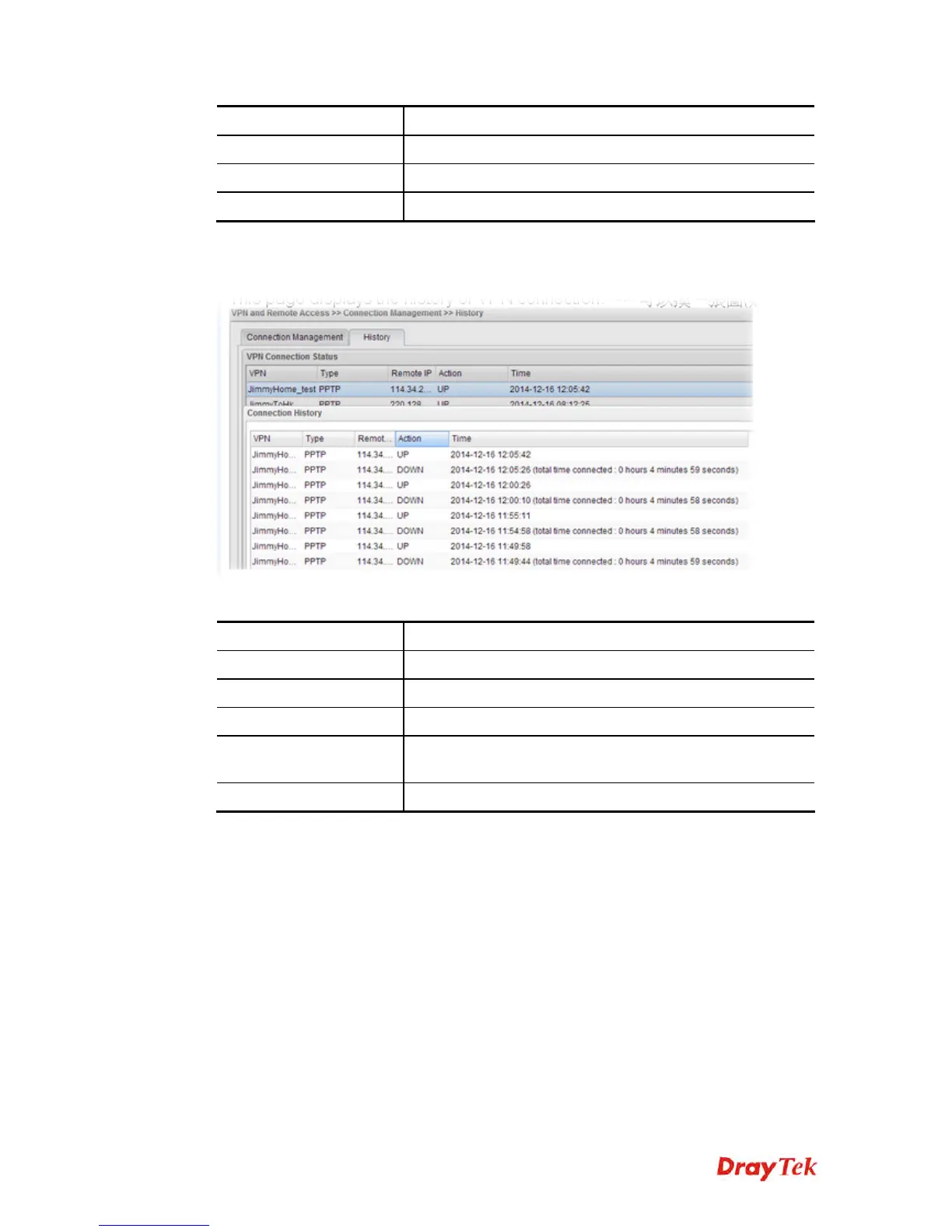
This page displays the history of VPN connection.
Each item will be explained as follows:
Item Description
VPN
Display the name of VPN profile.
Type
Display the connection type used of such VPN.
Remote IP
Display the IP address of the remote end.
Action
Display the connection status (UP or DOWN) of VPN
profile.
Time
Display the time the VPN profile connects/disconnects.














 To Next Page