Vigor3900 Series User’s Guide
432
you to modify the corresponding settings for the selected
profile.
Delete
Remove the selected profile.
To delete a rule, simply select the one you want to delete
and click the Delete button.
Refresh
Renew current web page.
Profile
Display the name of the schedule profile.
Frequency
Display the type (Once or Weekdays) of frequency selected
for the profile.
Start Date
Display the starting date of the profile.
Start Time
Display the starting time of the profile.
End Date
Display the ending date of the profile.
End Time
Display the ending time of the profile.
Weekdays
Display which day in a week shall perform the reboot job.
H
H
o
o
w
w
t
t
o
o
a
a
d
d
d
d
a
a
s
s
c
c
h
h
e
e
d
d
u
u
l
l
e
e
p
p
r
r
o
o
f
f
i
i
l
l
e
e
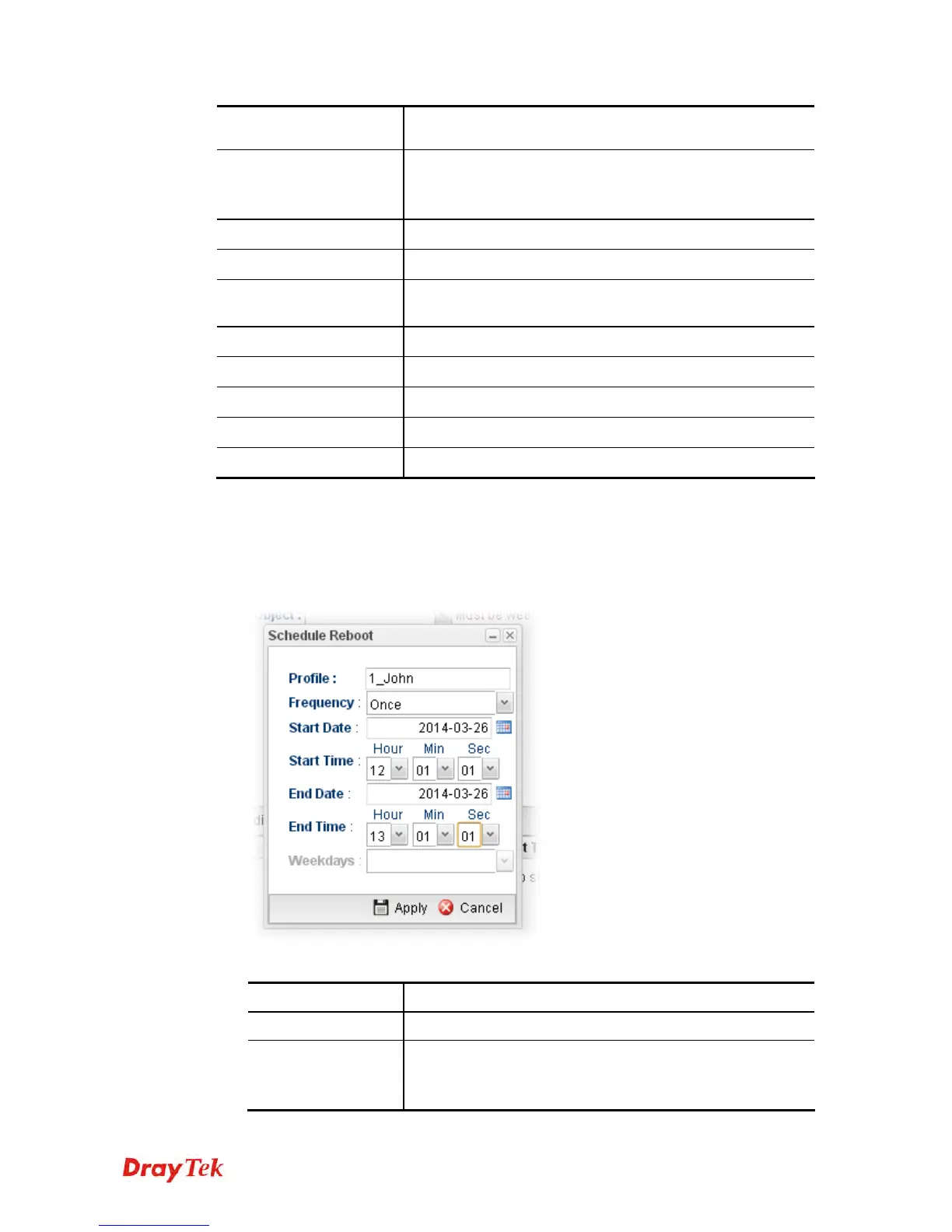
1. Open System Maintenance>>Schedule Reboot.
2. Simply click the Add button.
3. The following dialog will appear.
Available parameters are listed as follows:
Item Description
Profile
Type the name of the profile.
Frequency
Specify how often the schedule will be applied.
Once -The schedule will be applied just once
Weekdays -Specify which days in one week should perform














 To Next Page