Vigor3900 Series User’s Guide
120
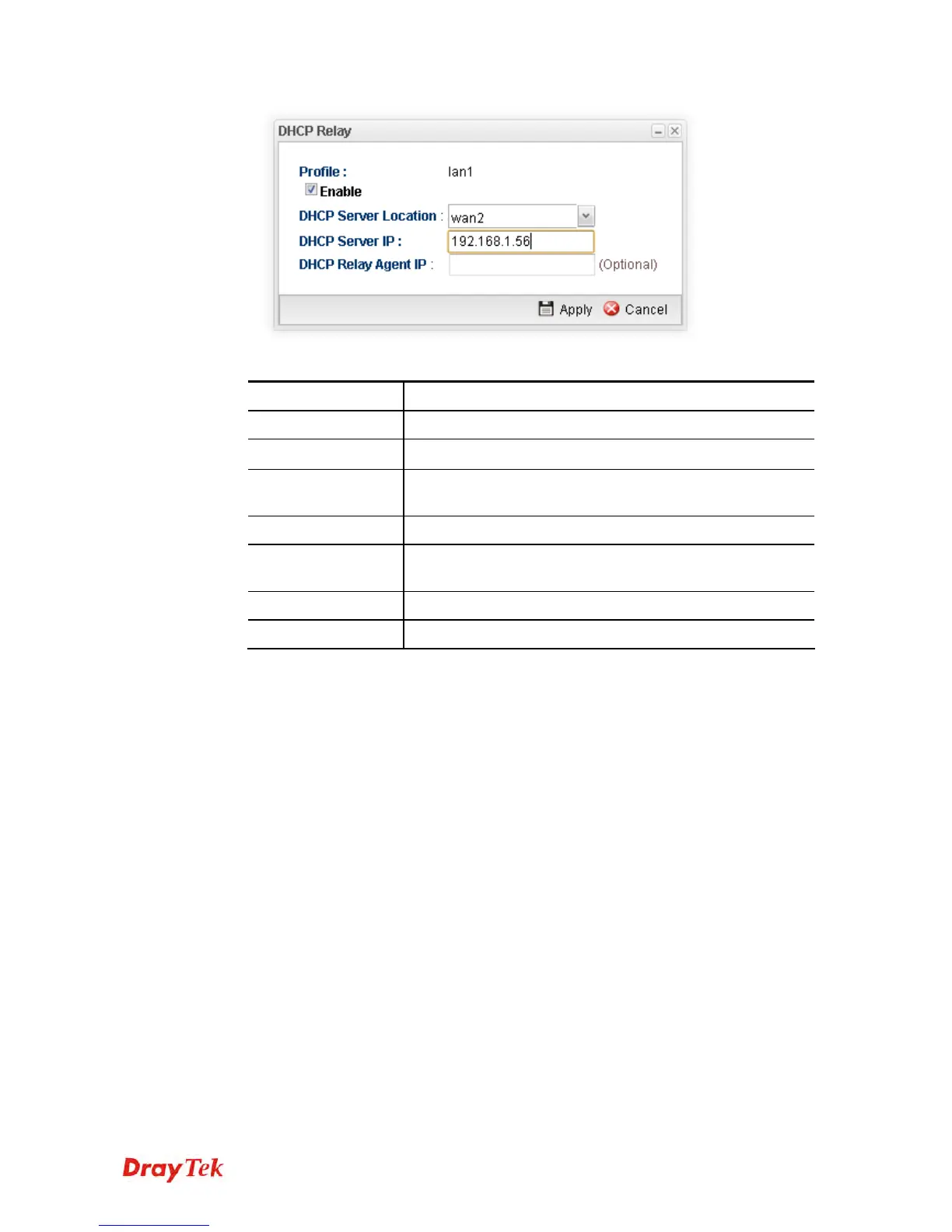
Available parameters are listed as follows:
Item Description
Profile
Display the name of the LAN profile.
Enable
Check this box to enable this profile.
DHCP Server
Location
Choose the interface for the DHCP server.
DHCP Server IP
Type the IP address of DHCP Server.
DHCP Relay Agent
IP
Type the IP address of DHCP Relay Agent.
Apply
Click it to save and exit the dialog.
Cancel
Click it to exit the dialog without saving anything.
3. When you finish the above settings, please click Apply to save the configuration and
exit the dialog.
4. The LAN profile has been edited.














 To Next Page