Vigor3900 Series User’s Guide
129
4
4
.
.
2
2
.
.
2
2
.
.
2
2
G
G
e
e
n
n
e
e
r
r
a
a
l
l
S
S
e
e
t
t
t
t
i
i
n
n
g
g
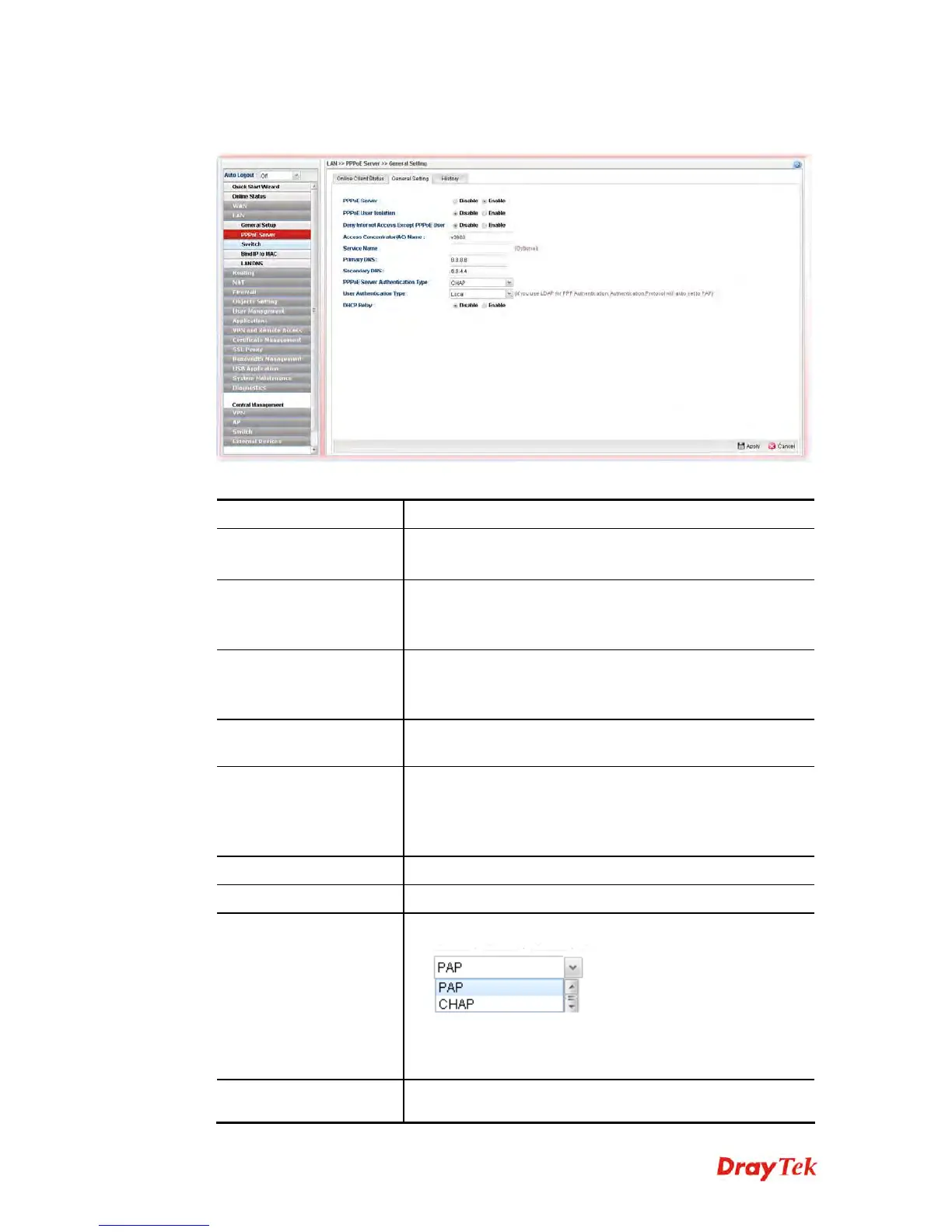
Available parameters are listed as follows:
Item Description
PPPoE Server
Disable – Click it to disable this function.
Enable – Click it to enable the function of PPPoE server.
PPPoE User Isolation
Disable – Click it to disable this function.
Enable – Click it to isolate the PPPoE users who access into
Internet via Vigor router..
Deny Internet Access
Except PPPoE User
Disable –Click it to disable this function.
Enable – If you click Enable, only the PPPoE user can
access into Internet.
Access Concentrator
(AC) Name
Type the name which will be reported as the access
concentrator name.
Service Name
Type a specific string for authentication.
It causes the named service to be advertised in a Service
Name tagged in the PADO (PPPoE Active Discovery
Offer) frame.
Primary DNS
Type an IP address as primary DNS.
Secondary DNS
Type another IP address as secondary DNS.
PPPoE Server
Authentication Type
Choose the authentication type for PPPoE server.
Any PPPoE user shall pass the authentication of PPPoE
server and access into Internet.
User Authentication
Users in LAN can access into Internet through Vigor router
with RADIUS, LDAP or local authentication. Specify the














 To Next Page