Vigor3900 Series User’s Guide
141
Delete
Remove the selected VLAN ID setting.
To delete a VLAN ID setting, simply select the one you want
to delete and click the Delete button.
Refresh
Renew current web page.
Profile Number Limit
Display the total number of the profiles to be created.
Profile
Display the name of the profile.
Status
Display if such profile is enabled (true) or disabled (false).
Domain Name
Display the domain name configured for such profile.
Alias Domain Name
Display the alias domain name for such profile.
Mapping
Display the IP address that domain name and domain name
alias will be mapped to.
Applied to
Display which type (Specified LAN or All LANs) the LAN
DNS will be applied to.
LAN Profile
Display the LAN profile selected for applying LAN DNS
configuration.
H
H
o
o
w
w
t
t
o
o
a
a
d
d
d
d
a
a
n
n
e
e
w
w
L
L
A
A
N
N
D
D
N
N
S
S
p
p
r
r
o
o
f
f
i
i
l
l
e
e
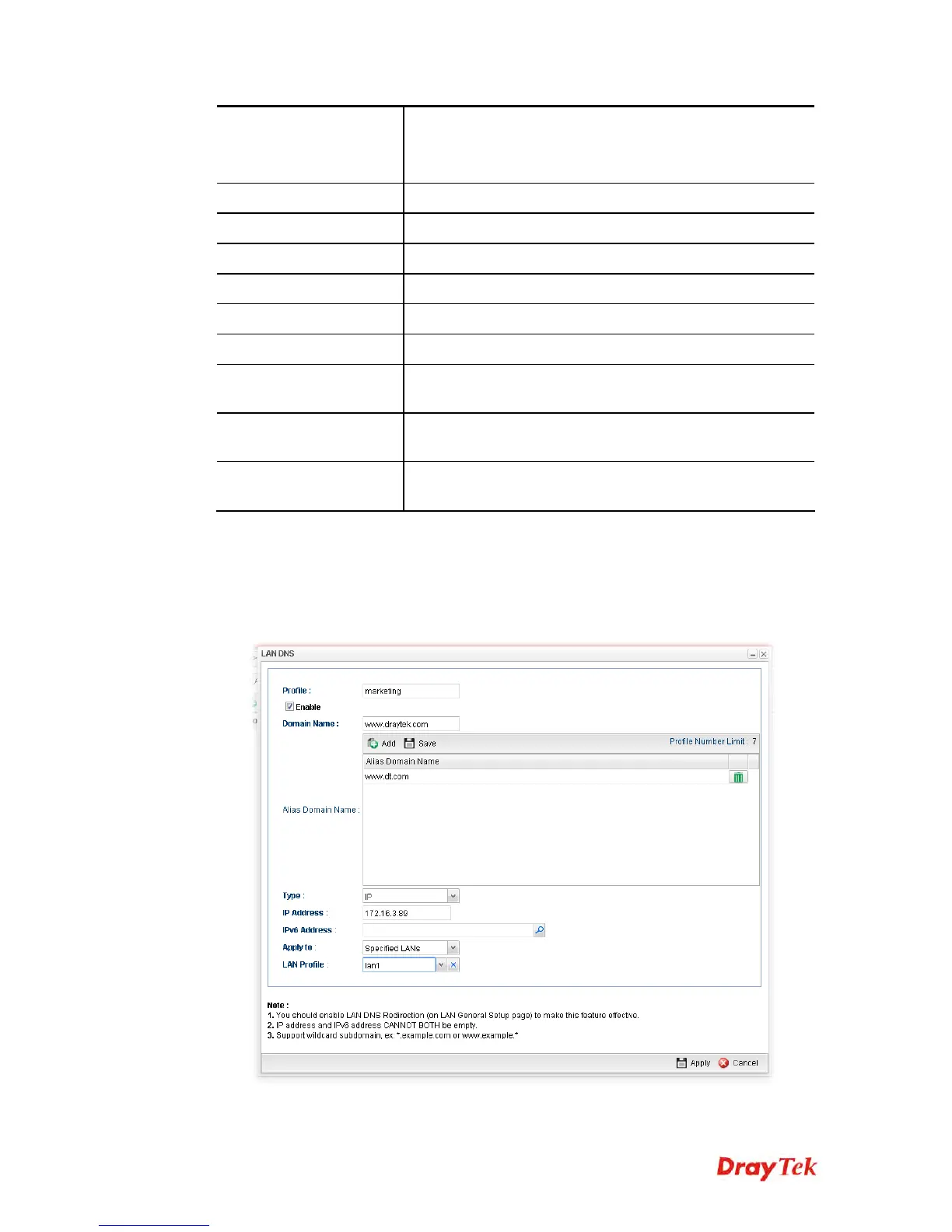
1. Open LAN>>LAN DNS.
2. Click the Add button.
3. The following dialog will appear.
Available parameters are listed as follows:














 To Next Page