Vigor3900 Series User’s Guide
202
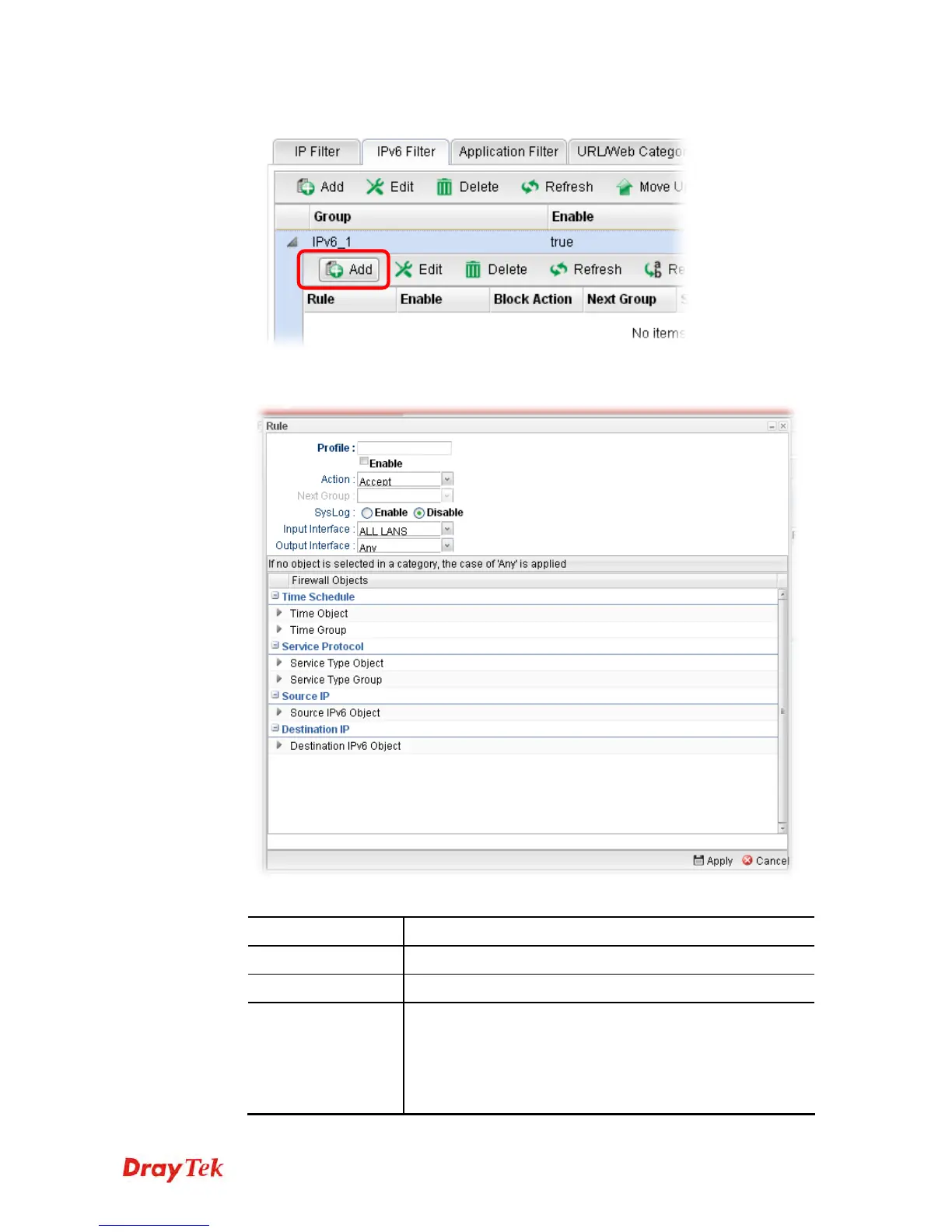
7. Move your mouse to click Add.
8. The following page for configuration will appear.
Available parameters are listed as follows:
Item Description
Profile
Type the name of the IP filter rule.
Enable
Check the box to enable this profile.
Action
The action to be taken when packets match the rule.
Block - Packets matching the rule will be dropped
immediately
Accept- Packets matching the rule will be passed
immediately.














 To Next Page