Vigor3900 Series User’s Guide
210
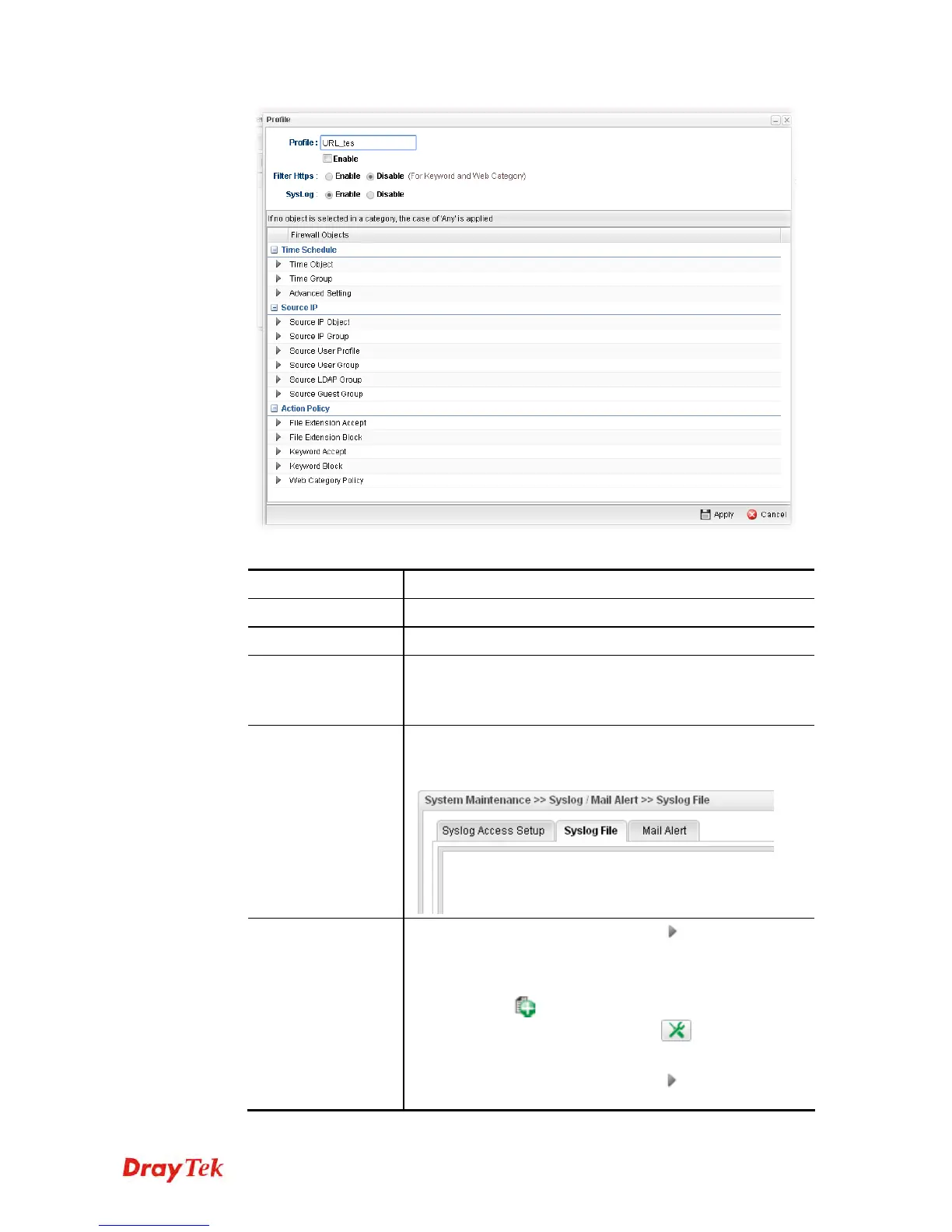
Available parameters are listed as follows:
Item Description
Profile
Type the name of the URL filter profile.
Enable
Check the box to enable this profile.
Filter https
Enable – Click it to enable the HTTPS filtering job.
Disable – When only keyword and web category are
selected for such rule, choose Disable.
Syslog
Click Enable to make the history of firewall actions
appearing on the System Maintenance >> Syslog/Mail
Alert >> Syslog File.
Time Schedule
Time Object - Click the triangle icon
to display the
profile selection box. Choose a schedule profile to be
applied on such application filter profile. The router will
perform the filtering job based on the time object selected.
You can click
to create another new time object
profile, or you can click the edit icon
to modify the
existed object profile.
Time Group - Click the triangle icon
to display the
profile selection box. Choose a schedule group profile to be














 To Next Page