Vigor3900 Series User’s Guide
217
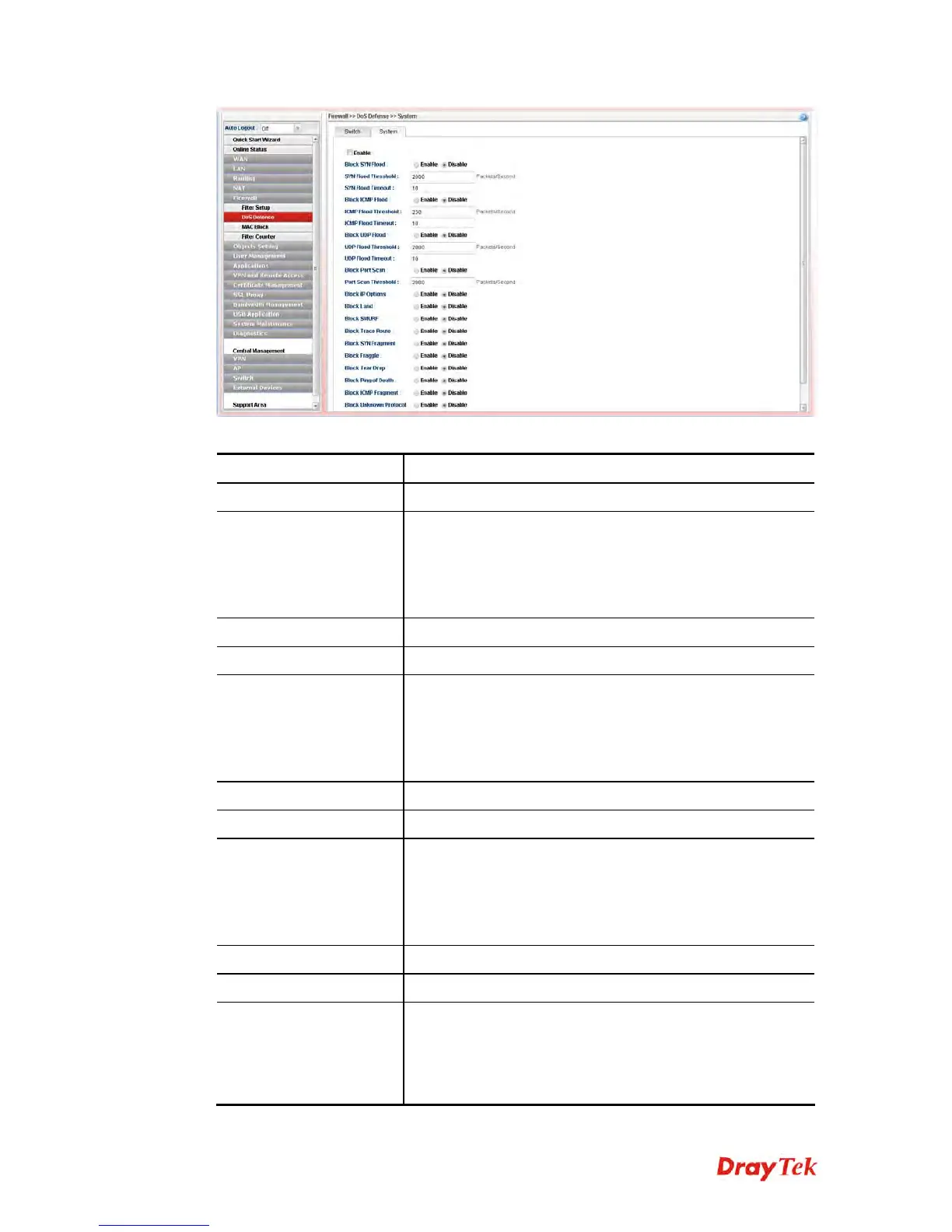
Available parameters are listed as follows:
Item Description
Enable
Check the box to enable this profile.
Block SYN Flood
Click Enable to activate the SYN flood defense function.
If the amount of TCP SYN packets from the Internet
exceeds the user-defined threshold value, the router will be
forced to randomly discard the subsequent TCP SYN
packets within the user-defined timeout period.
SYN Flood Threshold
The default setting for threshold is 2000 packets per second.
SYN Flood Timeout
The default setting for timeout is 10 seconds.
Block ICMP Flood
Click Enable to activate the ICMP flood defense function.
If the amount of ICMP echo requests from the Internet
exceeds the user-defined threshold value, the router will
discard the subsequent echo requests within the user-defined
timeout period.
ICMP Flood Threshold
The default setting for threshold is 250 packets per second.
ICMP Flood Timeout
The default setting for timeout is 10 seconds.
Block UDP Flood
Click Enable to activate the UDP flood defense function.
If the amount of UDP packets from the Internet exceeds the
user-defined threshold value, the router will be forced to
randomly discard the subsequent UDP packets within the
user-defined timeout period.
UDP Flood Threshold
The default setting for threshold is 2000 packets per second.
UDP Flood Timeout
The default setting for timeout is 10 seconds.
Block Port Scan
Click Enable to activate the Port Scan detection function.
Port scan sends packets with different port numbers to find
available services, which respond. The router will identify it
and report a warning message if the port scanning rate in
packets per second exceeds the user-defined threshold














 To Next Page