Vigor3900 Series User’s Guide
230
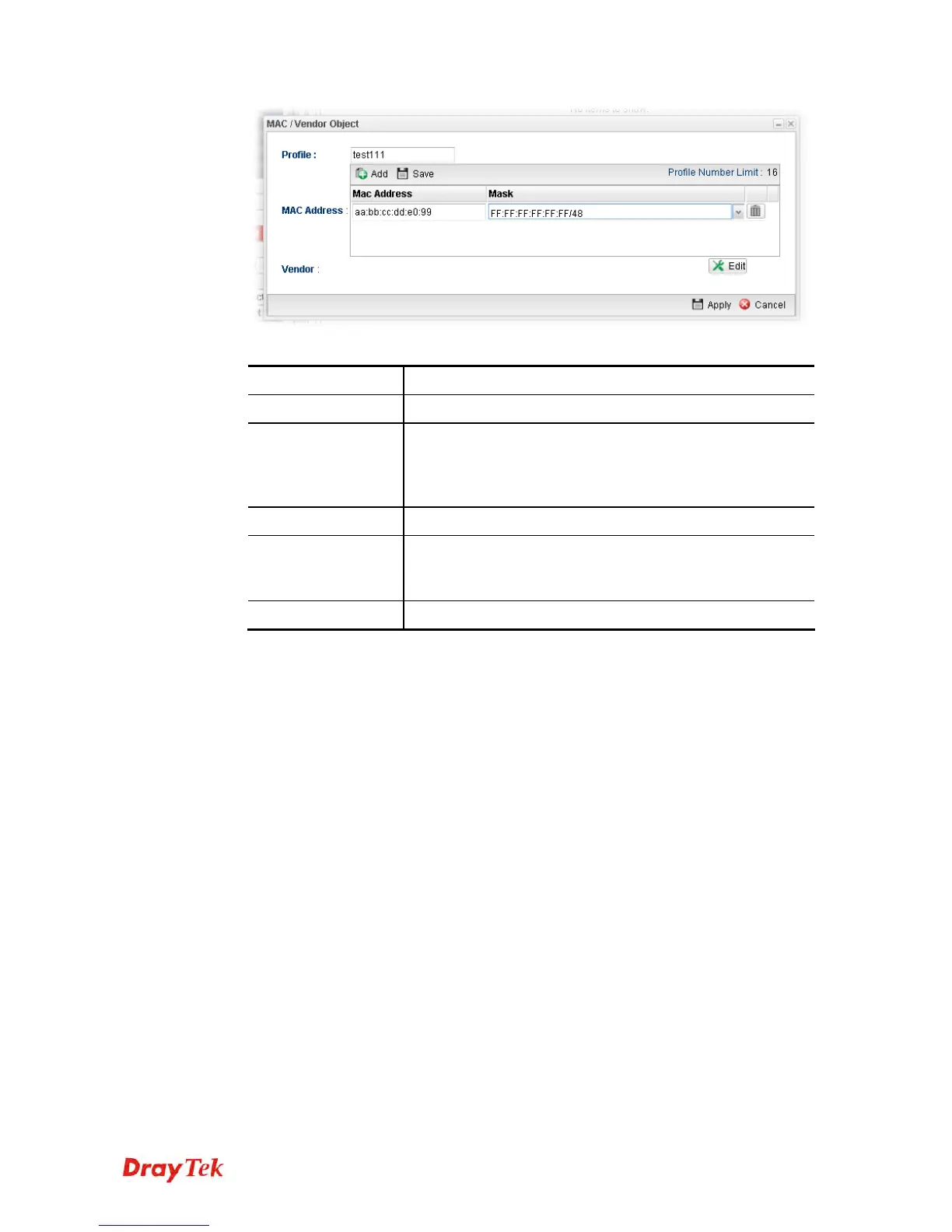
Available parameters are listed as follows:
Item Description
Profile
Type a name for such profile.
MAC Address
Click Add to have the fields of MAC Address and Mask.
Type the address with the correct format (will be shown
automatically when the mouse cursor is on it). Choose a
suitable mask selection.
Apply
Click it to save the configuration.
Vendor
Edit – Click it to open a table of vendor list. Check the
one(s) you want. The names for selected vendors will be
shown later.
Cancel
Click it to exit the dialog without saving anything.
4. Enter all of the settings and click Apply.
5. A new MAC/Vendor Object profile has been created.














 To Next Page