Vigor3900 Series User’s Guide
286
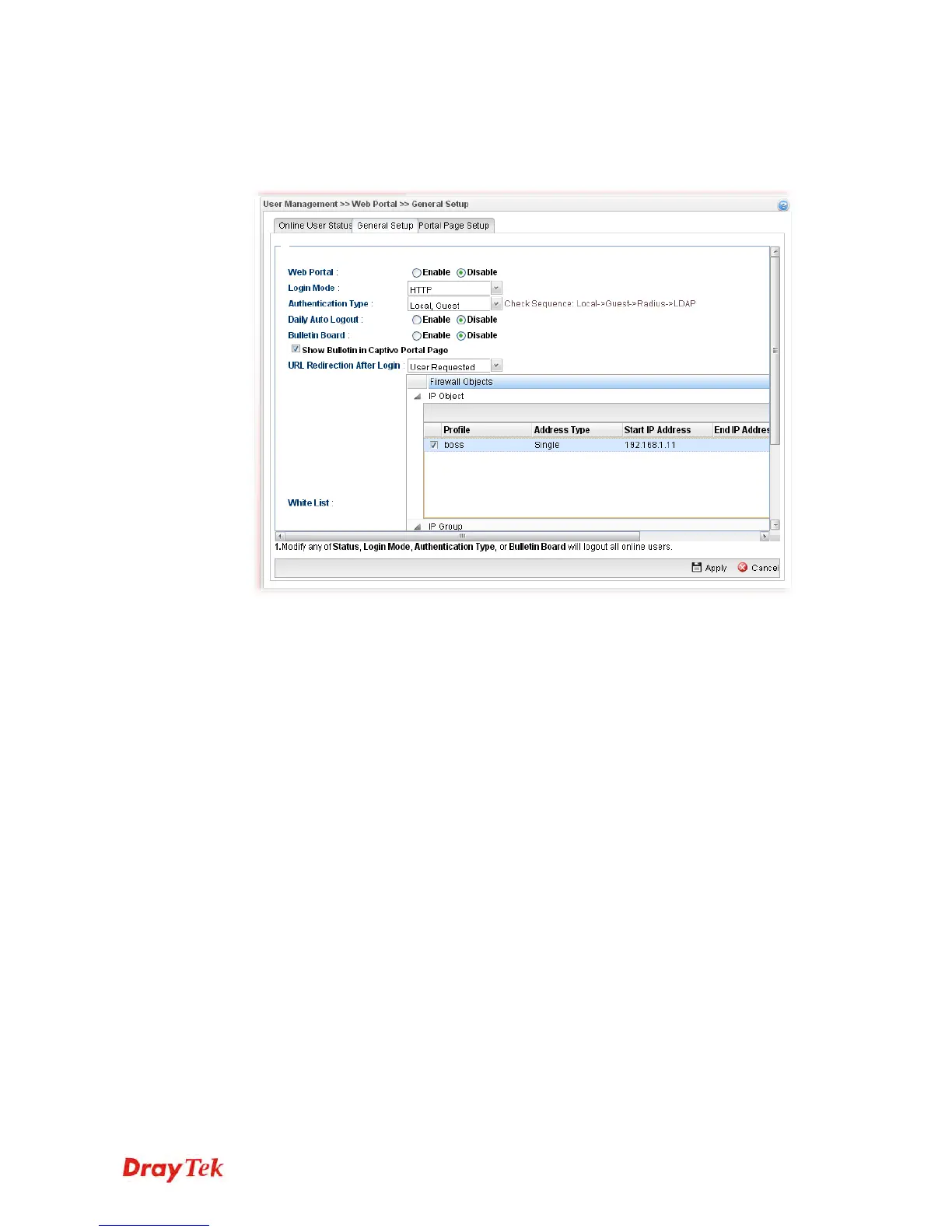
7. Open User Management >> Web Portal and click the General Setup tab to open the
following page. Check Local and Guest as Authentication Type. Check IP object
named of Boss to put it into the white list, and this will allow this IP address to access
to the Internet without authentication.
8. After finishing configuration, Vigor3900 will redirect users to the authentication page
when they try accessing to the Internet.














 To Next Page