Vigor3900 Series User’s Guide
304
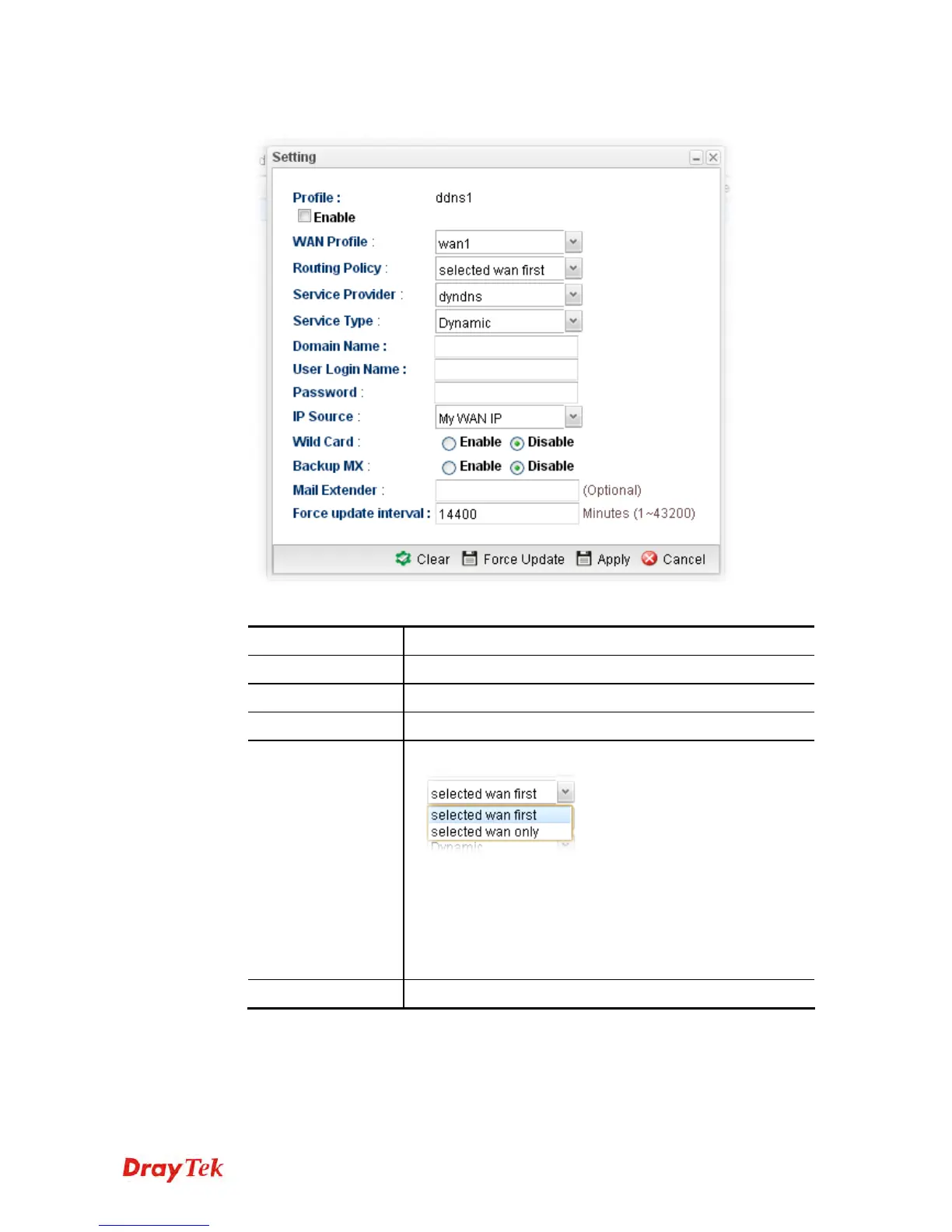
2. Choose one of the DDNS profiles and click the Edit button.
Available parameters are listed as follows:
Item Description
Profile
Display the name of the profile.
Enable
Check this box to enable such profile.
WAN Profile
Choose a WAN interface that such profile will apply to.
Routing Policy
Choose a routing policy applied to the DDNS profile.
selected wan first – The DDNS profile will be applied to
the traffic via WAN interface first, then applied to other
interface.
selected wan only – The DDNS profile will be applied to
the traffic via WAN interface only. No other interface will
be used.
Service Provider
Select the service provider for the DDNS account.














 To Next Page