Vigor3900 Series User’s Guide
317
2. Simply click the Add button.
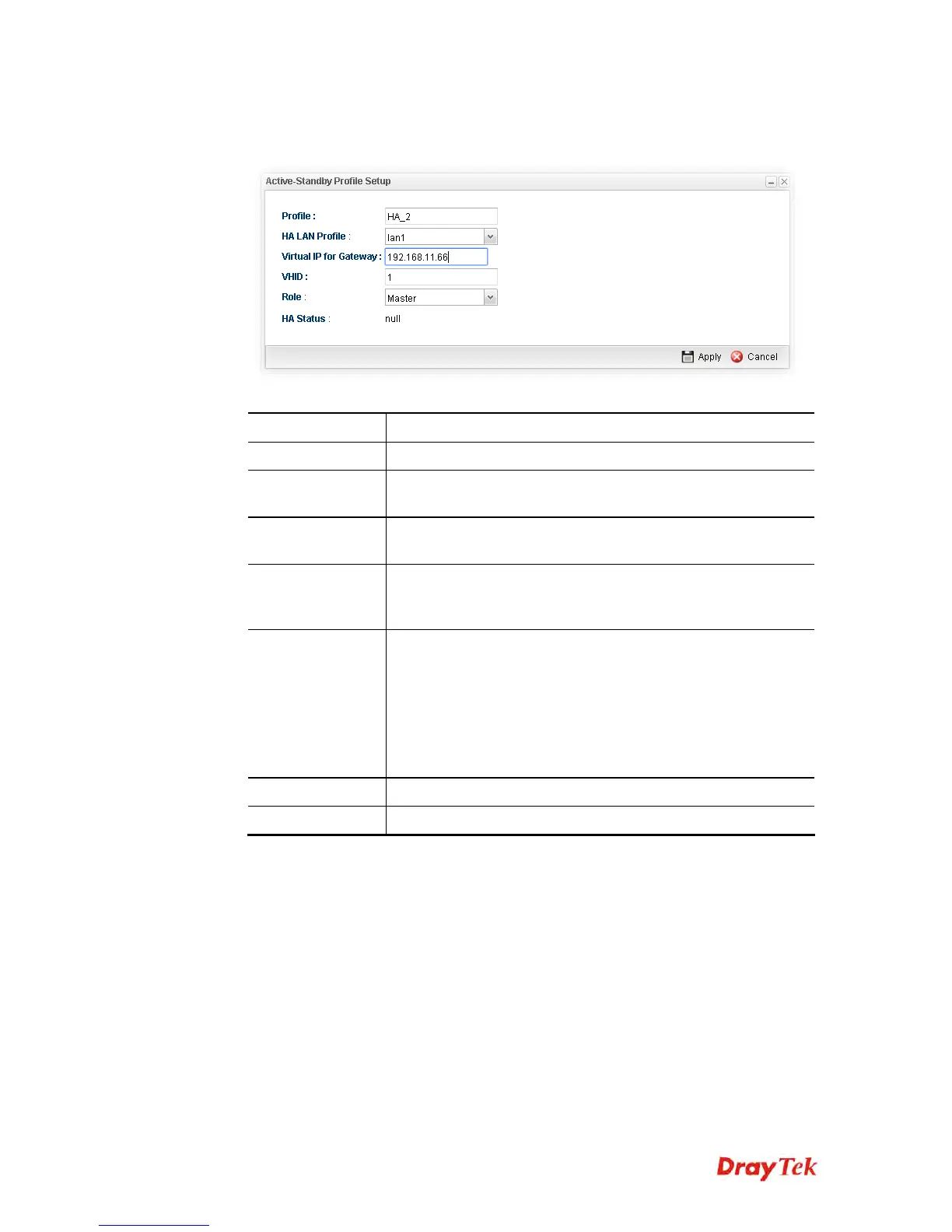
3. The following dialog will appear.
Available parameters are listed as follows:
Item Description
Profile
Type a name for such profile.
HA LAN Profile
Choose one of the LAN profiles that such function will be
applied to.
Virtual IP for
Gateway
Assign an IP address as a virtual IP.
VHID
It means Virtual Host ID. Type a number as VHID for such
function. VHID is used for Backup router to identify which
Master will be backed up.
Role
LAN profiles configured for HA application can run
independently and will not interfere with each other.
Therefore, LAN1 (Backup) of router A can be the backup of
LAN1 (Master) of router B; LAN2 (Backup) of router B can
the backup of LAN2 of router A(Master).
Each HA LAN profile (configured under the same router) must
be specified a role as Master or Backup.
Apply
Click it to save the configuration.
Cancel
Click it to discard the settings configured in this page.
4. Enter all of the settings and click Apply.














 To Next Page