Vigor3900 Series User’s Guide
380
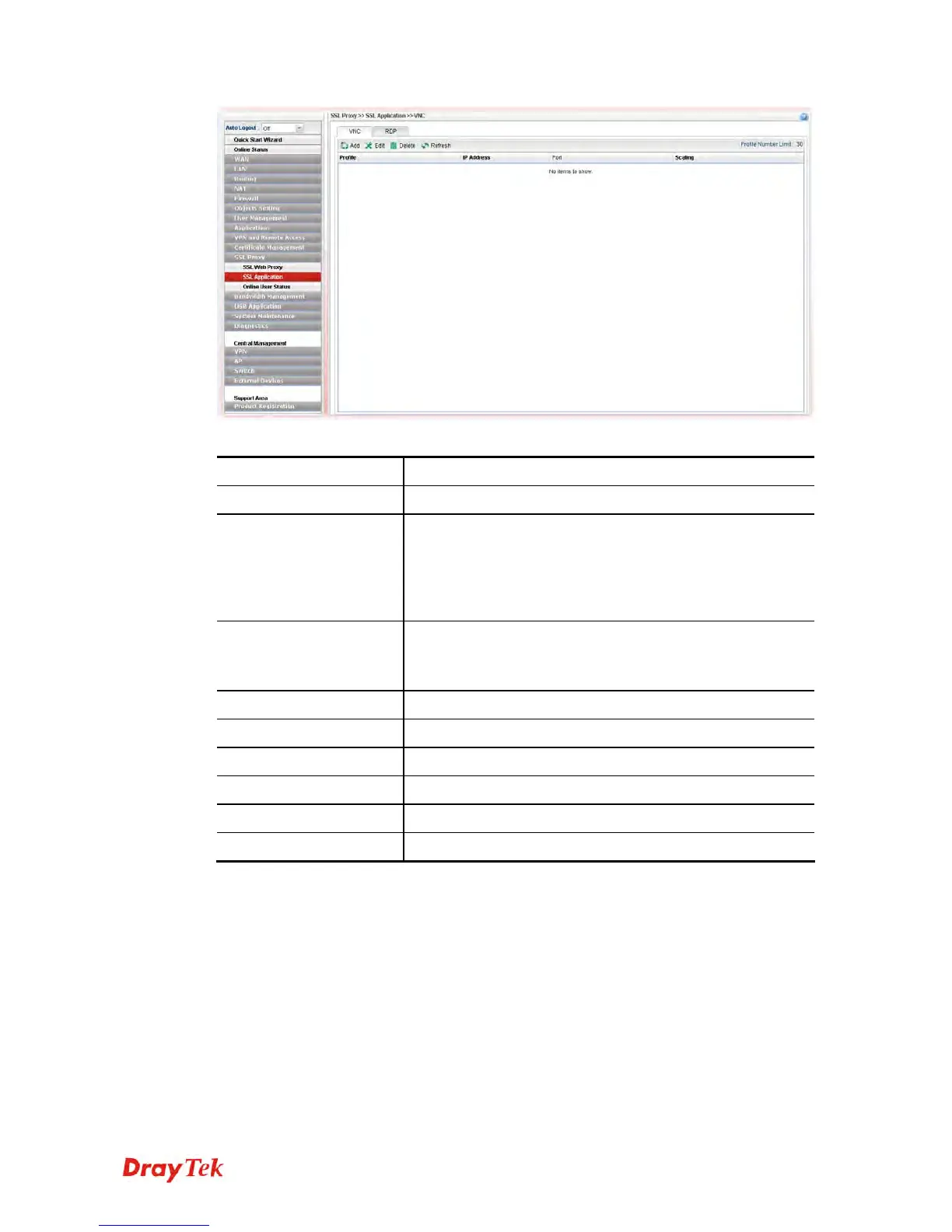
Each item will be explained as follows:
Item Description
Add
Add a new profile.
Edit
Modify the selected profile.
To edit a profile, simply select the one you want to modify
and click the Edit button. The edit window will appear for
you to modify the corresponding settings for the selected
profile.
Delete
Remove the selected profile.
To delete a profile, simply select the one you want to delete
and click the Delete button.
Refresh
Renew current web page.
Profile Number Limit
Display the total number (30) of the profiles to be created.
Profile
Display the name of the profile that you create.
IP Address
Display the IP address for this protocol.
Port
Display the port used for this protocol.
Scaling
Display the percentage for such application.
H
H
o
o
w
w
t
t
o
o
c
c
r
r
e
e
a
a
t
t
e
e
a
a
n
n
e
e
w
w
S
S
S
S
L
L
A
A
p
p
p
p
l
l
i
i
c
c
a
a
t
t
i
i
o
o
n
n
w
w
i
i
t
t
h
h
V
V
N
N
C
C
p
p
r
r
o
o
t
t
o
o
c
c
o
o
l
l
1. Open SSL Proxy >> SSL Application and click the VNC tab.
2. Simply click the Add button.
3. The following dialog will appear.














 To Next Page