Vigor3900 Series User’s Guide
387
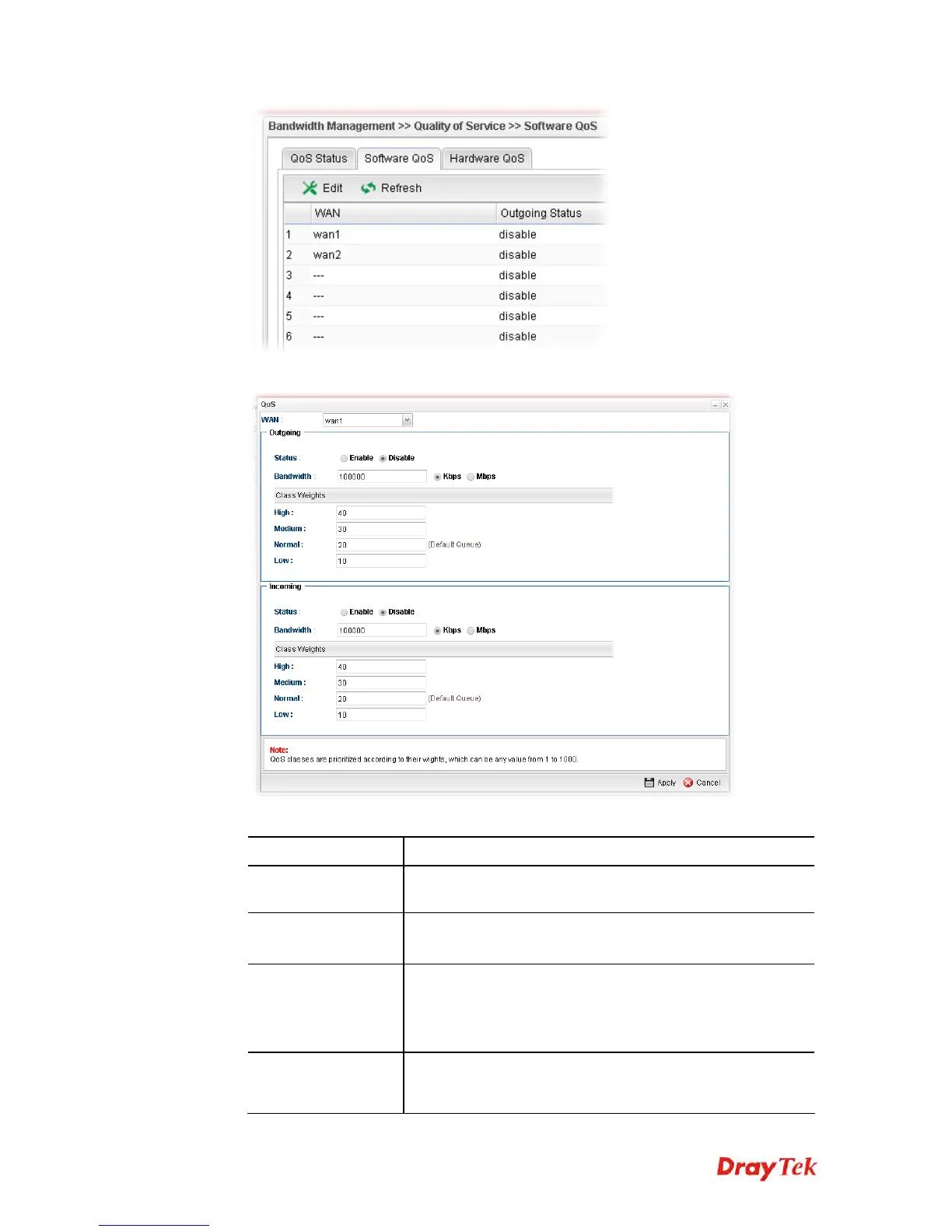
3. The QoS settings page appears.
Available parameters are listed as follows:
Item Description
WAN
Use the drop down list to set WAN interface for QoS by
choosing one of the WAN interfaces.
Status
Enable – Click it to enable such profile.
Disable – Click it to disable the QoS profile.
Bandwidth
Type the number as the total transmission rate for the
outgoing /incoming data. The range can be set from 64000 to
10000000.
Click the unit (Kbps or Mbps) for such rate.
High/Medium/
Normal/Low
There are several available outgoing queues. All queues in
the data group to be initialized with weights of zero,
resulting in a strict service to completion (STC) mechanism














 To Next Page