Vigor3900 Series User’s Guide
390
Remote IP Object
Display the destination IP address for the filter.
Service Type
Display the service type (e.g., IKE, HTTP, AUTH and etc)
for the filter.
Match Type
Display the match type (e.g., TOS or DSCP) for the filter.
DSCP
Display the setting of DSCP.
TOS
Display the setting of TOS.
Traffic Class
Display the queue number that such filter is categorized.
H
H
o
o
w
w
t
t
o
o
a
a
d
d
d
d
a
a
Q
Q
o
o
S
S
r
r
u
u
l
l
e
e
p
p
r
r
o
o
f
f
i
i
l
l
e
e
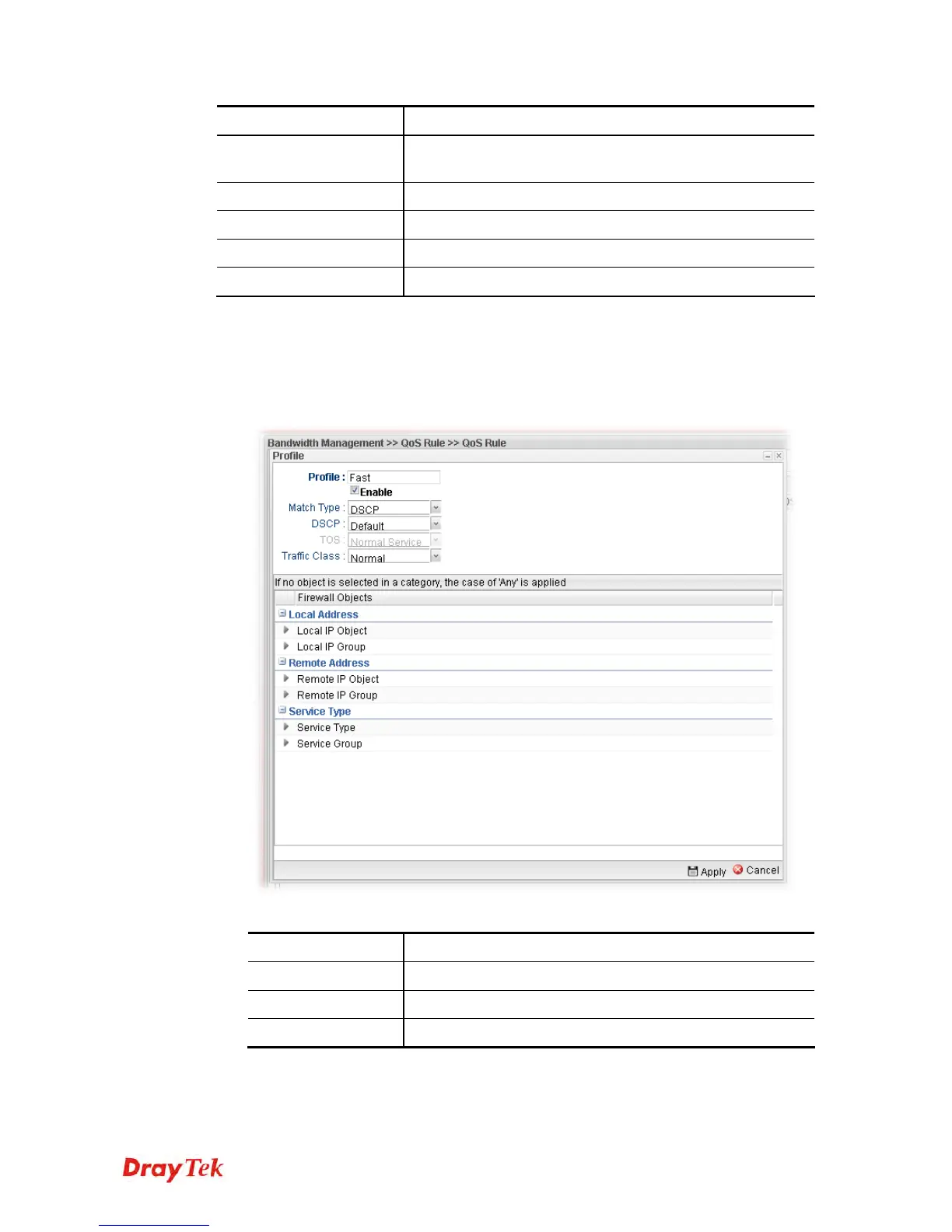
1. Open Bandwidth Management>> QoS Rule.
2. Simply click the Add button.
3. The following dialog will appear.
Available parameters are listed as follows:
Item Description
Profile
Type the name of the filter profile.
Enable
Check this box to enable such profile.
Match Type
Use the drop down list to specify a suitable match type.














 To Next Page