Vigor3900 Series User’s Guide
444
Item Description
MAC Address
Display the MAC address for different ARP cache.
Flags
C means complete entry.
M means permanent entries.
P means published entries.
Profile
Display the direction of such route represented with
LAN/WAN profile (starting from LAN/WAN profile to
LAN/WAN profile).
User
Display the identity of the user.
Clear
Delete the selected profile.
IP Object
Click the Add button to add a new IP object for such
4
4
.
.
1
1
5
5
.
.
2
2
.
.
2
2
I
I
P
P
v
v
6
6
N
N
e
e
i
i
g
g
h
h
b
b
o
o
r
r
T
T
a
a
b
b
l
l
e
e
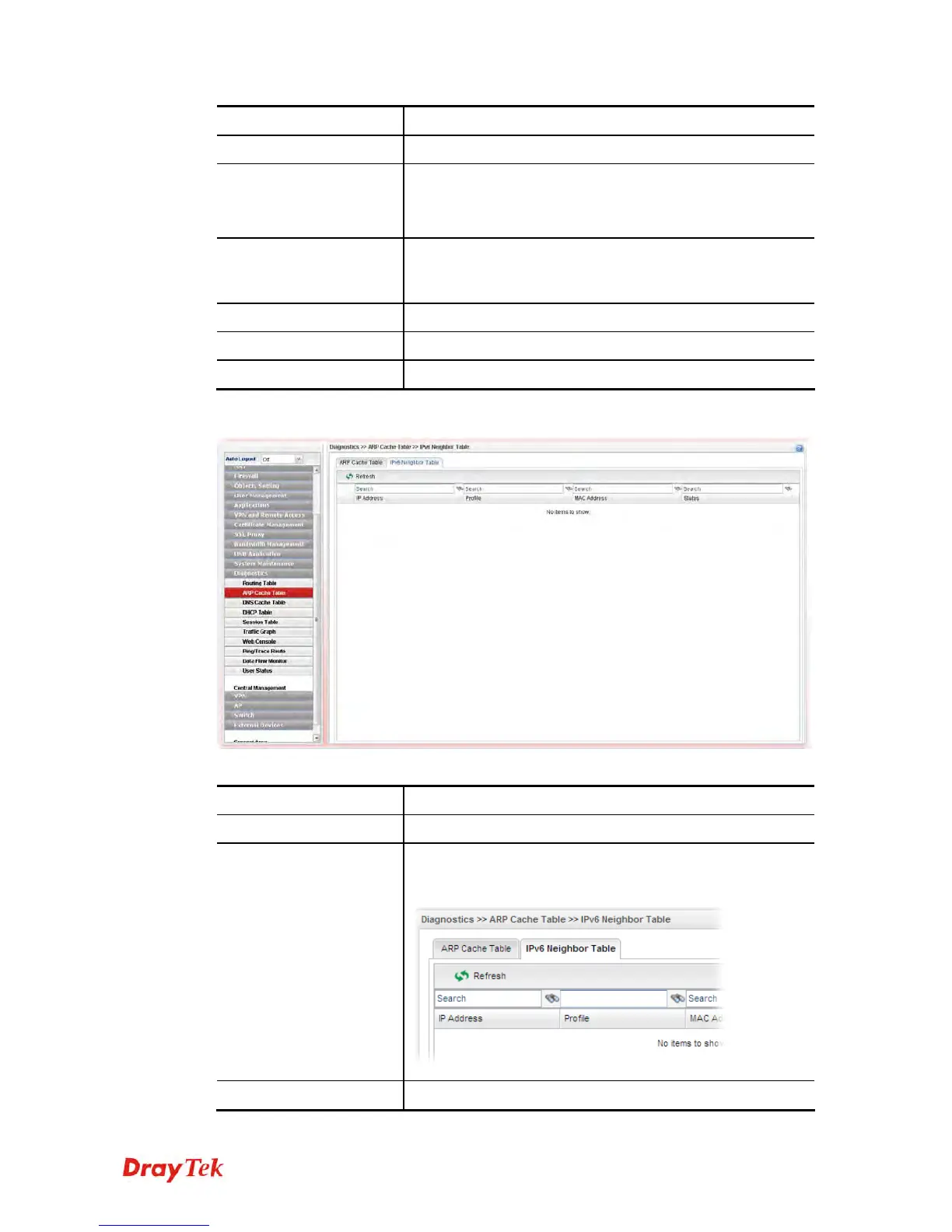
Each item will be explained as follows:
Item Description
Refresh
Renew the web page.
Search
Move the mouse cursor onto the box of Search. Click the
mouse button and type the keyword inside the box. The
system will display the records relating to the keyword.
IP Address
Display the IPv6 address of the neighbor.














 To Next Page