Vigor3900 Series User’s Guide
57
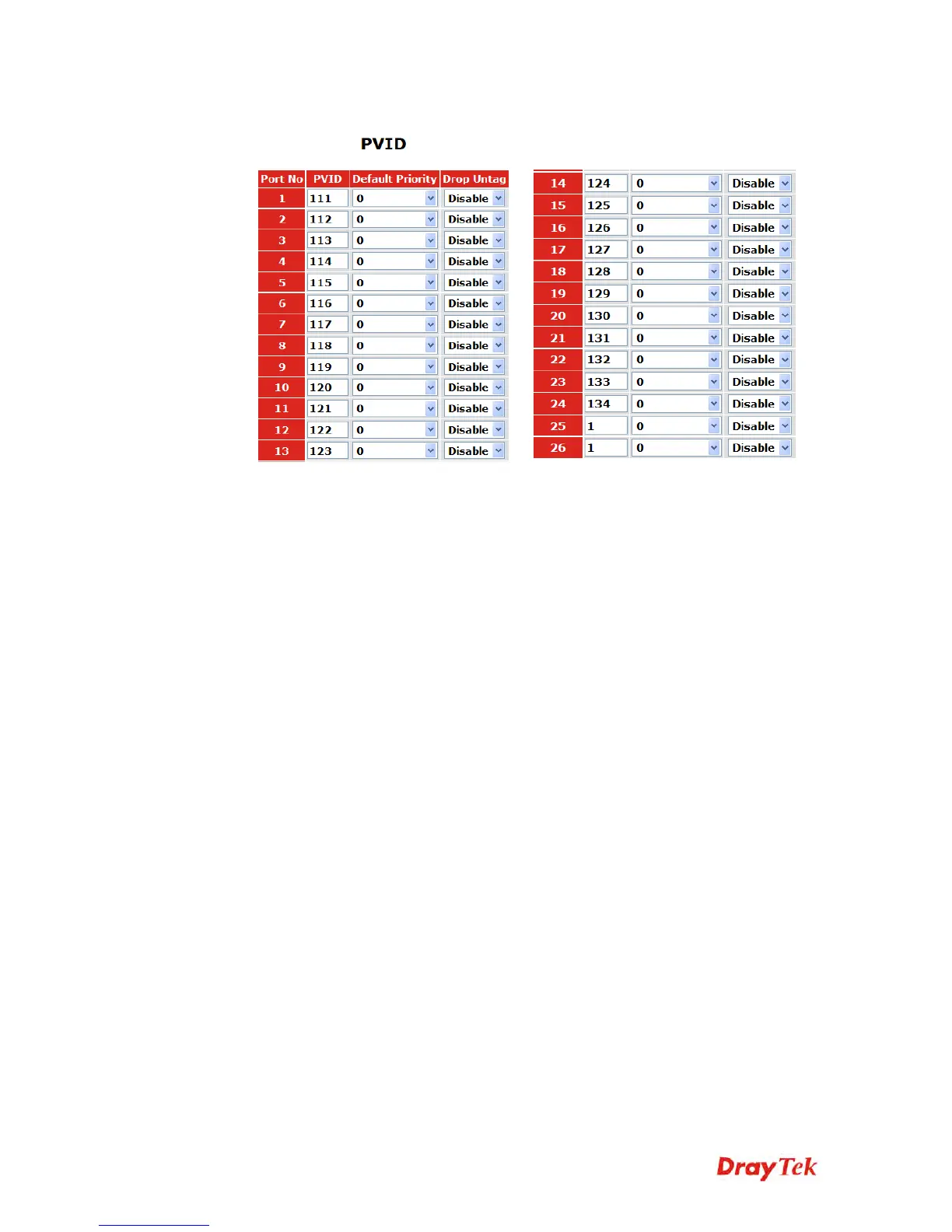
5. Go to VLAN>>PVID page to set up PVID for each port.
PVID means VigorSwitch2260 will check and add VLAN tags while receiving
packets from Ports.
ISP modem 1 which connects to Port 1 doesn’t support VLAN Tag.
While the switch receives packets from Port 1, it will add VLAN Tag 111 to the
packets Then Vigor3900 wan1_1 will receive the packets.
6. After finishing the configuration for one VigorSwitch, please set for another
VigorSwitch with the same procedure. The file names shall be wan2_1~ wan2_24 and
the VLAN ID shall be set as 211~ 234.














 To Next Page