EasyManua.ls Logo

Draytek Vigor3900 - Page 72

Draytek Vigor3900
516 pages
Print Icon
To Next Page IconTo Next Page
To Previous Page IconTo Previous Page
Loading...
Vigor3900 Series User’s Guide
64
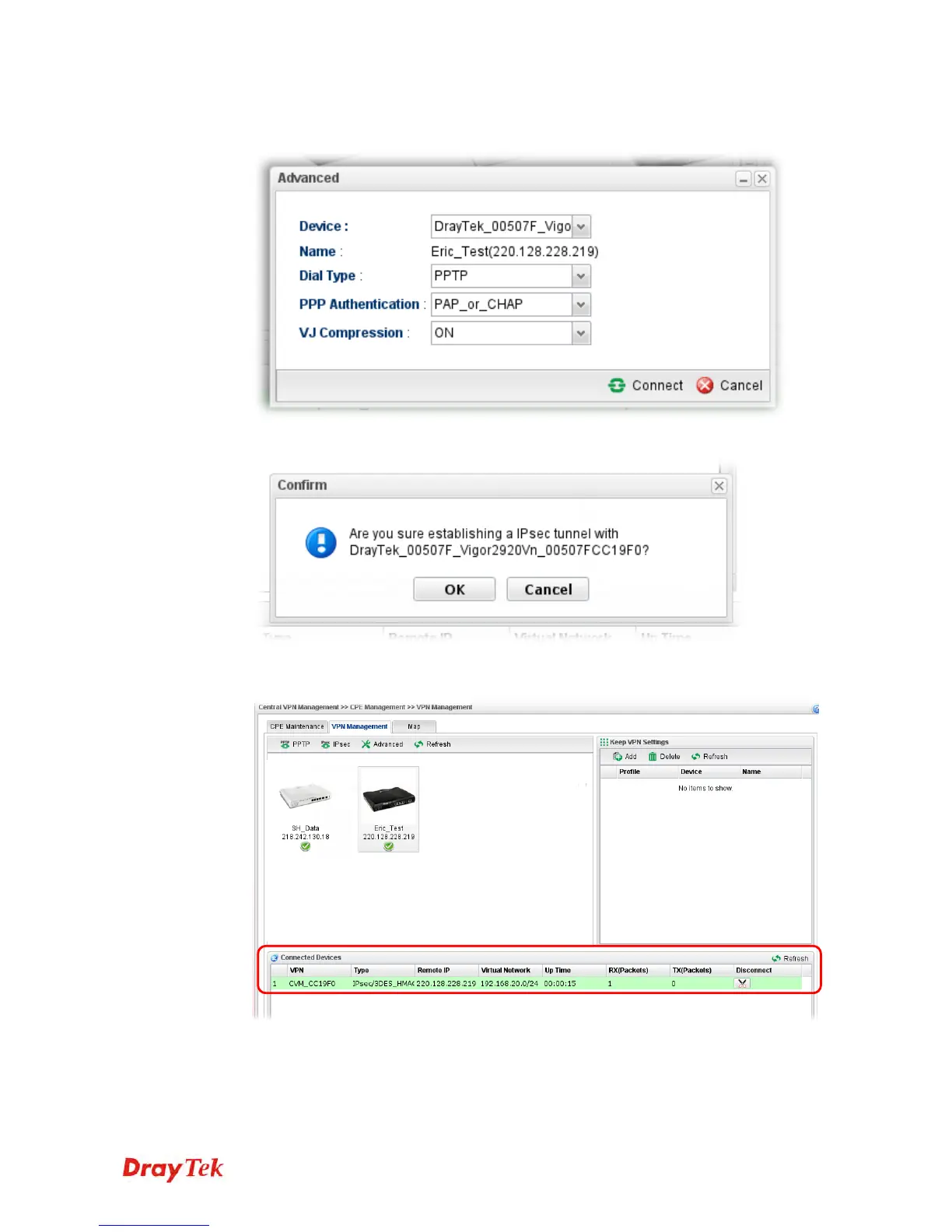
Or click Advanced to open the following page for specified the CPE you want. Click
Connect after finished the settings.
4. A confirmation dialog will appear. Click OK and wait for a moment.
5. If VPN is built successfully, related information will be displayed on Connected
Devices.

VoIPon www.voipon.co.uk sales@voipon.co.uk Tel: (0)330 088 0195 Fax: +44 (0)1245 808299

Table of Contents

Other manuals for Draytek Vigor3900

Related product manuals