Vigor3900 Series User’s Guide
71
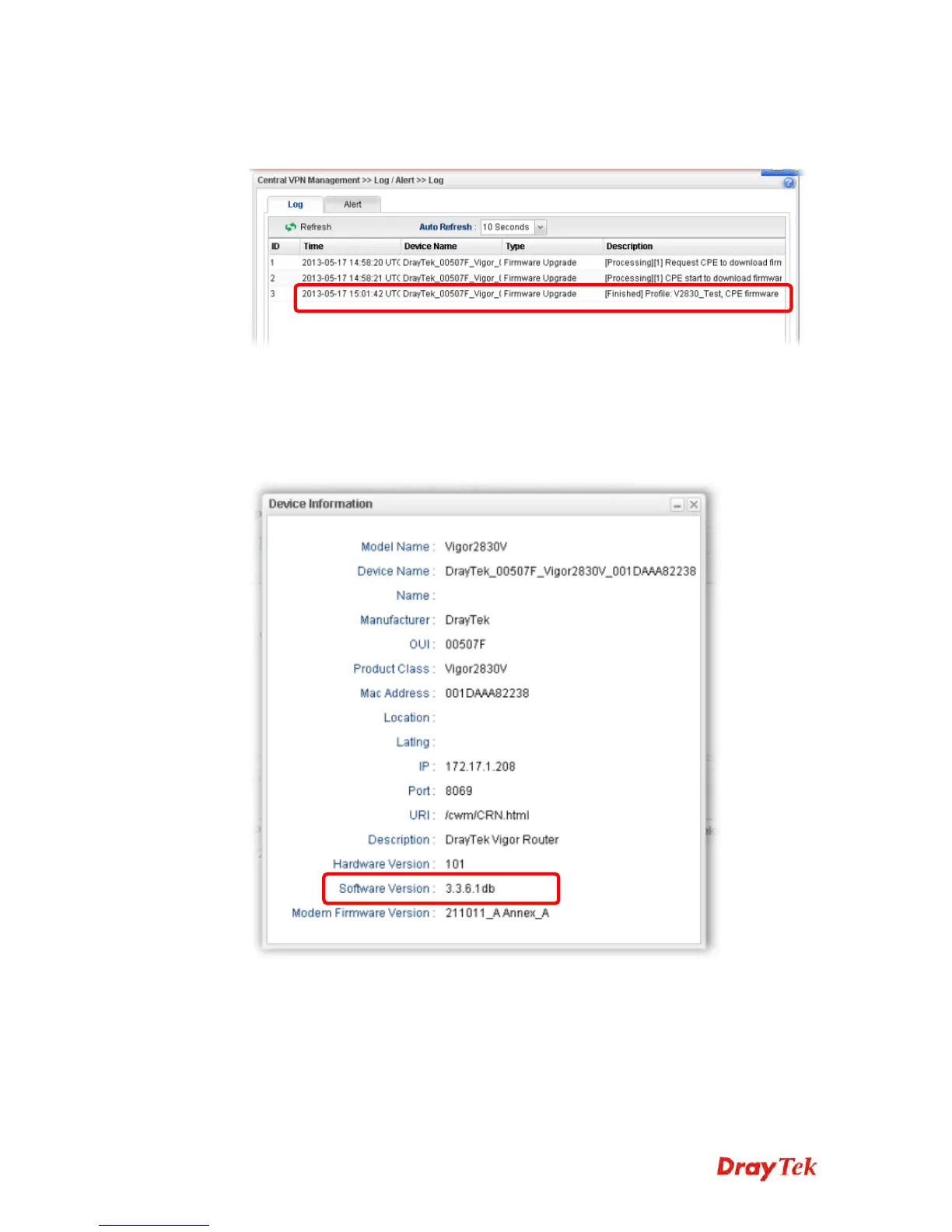
5. Please wait for a moment. Later, open Central VPN Management>>Log/Alert>>Log
page to check the result. If [Finished] is displayed, it means the firmware upgrade of
specified CPE has completed.
3
3
.
.
1
1
2
2
.
.
3
3
C
C
h
h
e
e
c
c
k
k
t
t
h
h
e
e
D
D
e
e
v
v
i
i
c
c
e
e
I
I
n
n
f
f
o
o
r
r
m
m
a
a
t
t
i
i
o
o
n
n
1. Open Central VPN Management>>CPE Management. In the Managed Devices
Status area, choose the router (representing Vigor2830) and click Detail.
2. Check the software version field.














 To Next Page