Copyright 2008 Baker Hughes Company.
26 | PACE5000/6000 Instruction Manual–English
Chapter 3. Operation
9. When the controller achieves the selected pressure set-point, the screen display changes
as follows:
• The current pressure reading changes from blue to green.
• If enabled, the effort meter shows the controller effort to keep the pressure at the set-
point.
10. On completion of testing, select control setup and select Vent to reduce the system pressure
to near atmospheric pressure.
Note: This feature should be used to reduce system pressure to a safe value before
disconnecting the Unit Under Test. The vent valve opens and remains open until a key press
or receipt of a communications command. Always use the vent function before
disconnecting pressure equipment from the output port.
11. Press the key to return to measure mode. The screen display changes as follows:
• The current pressure reading changes from blue/green to black.
• If enabled, the effort meter indicates the controller at rest.
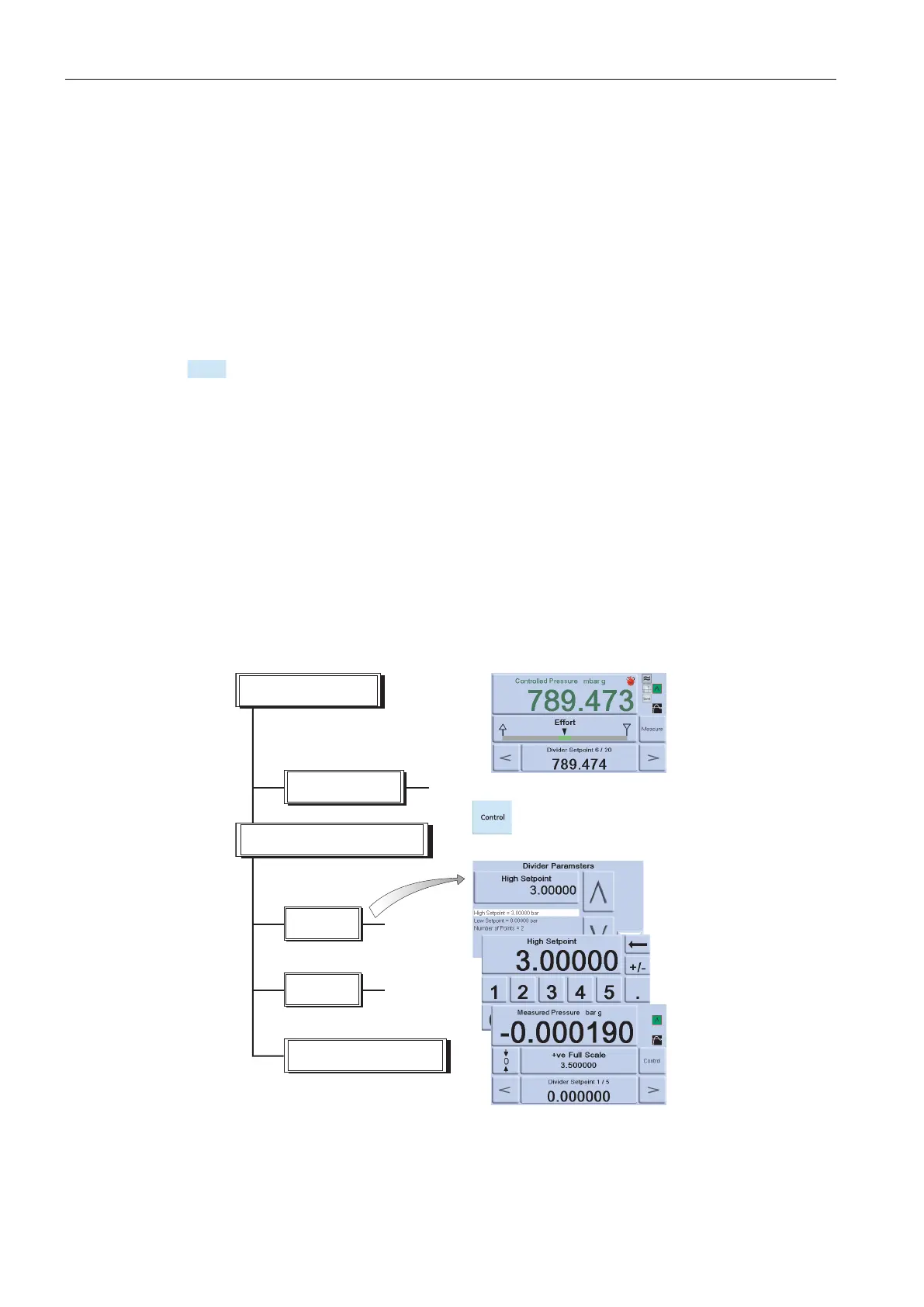
3.5.4 Divider
Select and setup the divider task by pressing Divider from the task screen. The divider menu
specifies high set-point, low set-point and then divides the span into a number of equal test points
(min 2, max 25).
3.5.5 Divider Menu Structure
Select required units, Rate, etc. in the setup menus. When Divider is then entered from the Task
menu, these test point pressures and number of test points can be set.
By entering control mode, this allows the Divider sequence of test pressures (and controlled at
the selected rate).
Example:
i. High set-point = 2 bar
ii. Low set-point = 0 bar
Divider
High
Low
Number of points
Divider
Divider parameters
Set-point
Set-point
Divide as set-up.
Start control mode.


 To Next Page