Copyright 2008 Baker Hughes Company.
English–PACE5000/6000 Instruction Manual | 29
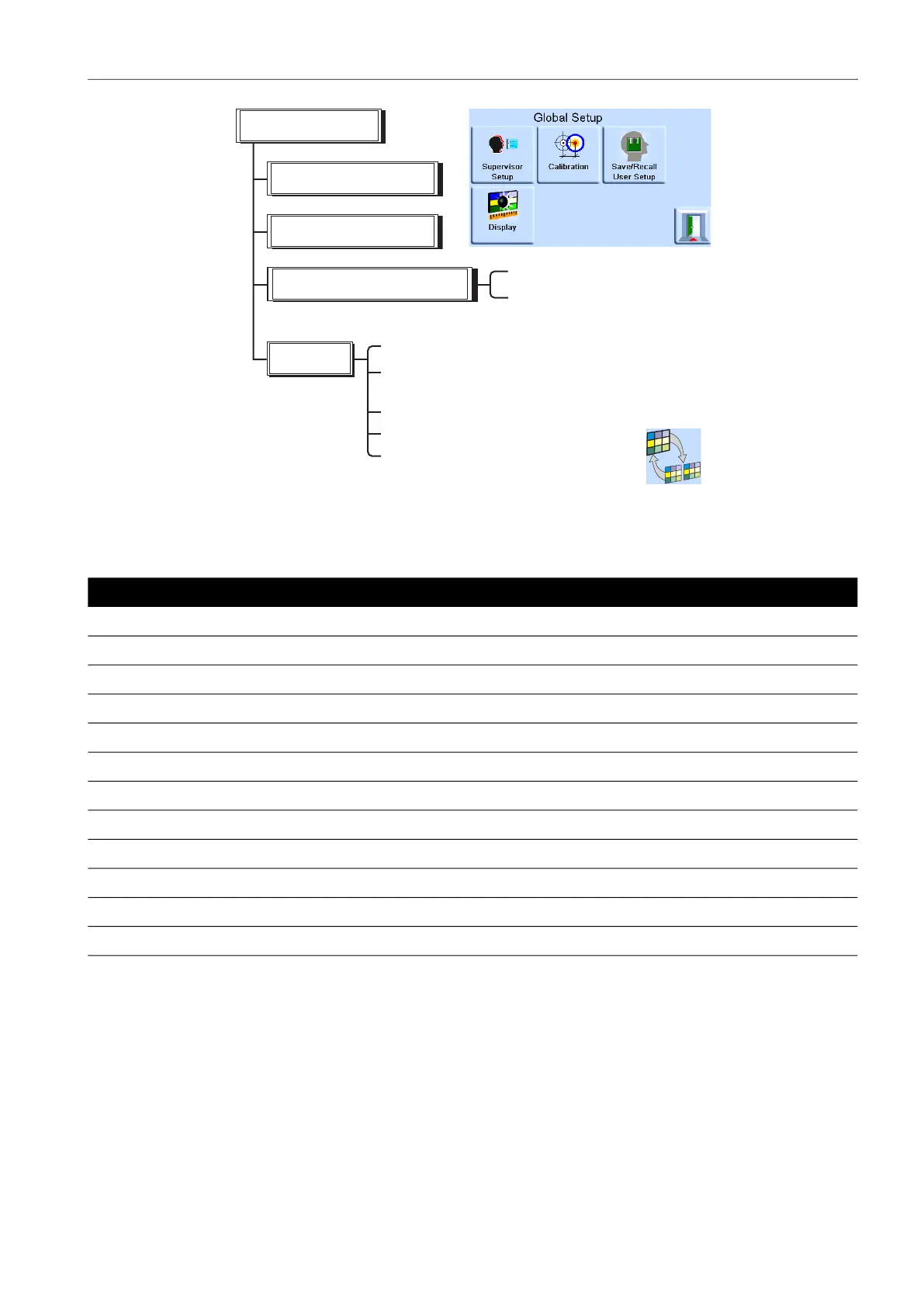
Global Setup Selections
3.6.1 Status Area Settings
Enables the user to view an operating condition or parameter of the instrument:
Setting Description
Full-scale Pressure in current selected units of the pressure range.
Source Positive and negative source pressure values in current selected units.
Effort meter Indicates controller effort.
In-limits meter Indicates controller in-limits condition and time to in-limits.
Module logic I/P Indicates status condition of logic input of control module.
Vent and +ve FS Enables vent selection and shows full-scale pressure in current selected units.
Zero and +ve FS Enables zero selection and shows full-scale pressure in current selected units.
Rate Indicates slew rate set.
Barometric Displays barometric pressure.
Tare Indicates tare condition and value.
Analog Output Shown if option is installed.
P1 - P2 Displays Module 1 pressure minus Module 2 pressure (P2 - P1).
Supervisor set-up
Calibration
Global set-up
Save/recall user set-up
Save current user set-up
Recall current user set-up
Display
- % brightness
- Timer (time-out) setting
Resolution - Measure display resolution
Back light
Audio volume - % of full volume
Satus area
Dual/single display PACE6000 only


 To Next Page