Getting started
19
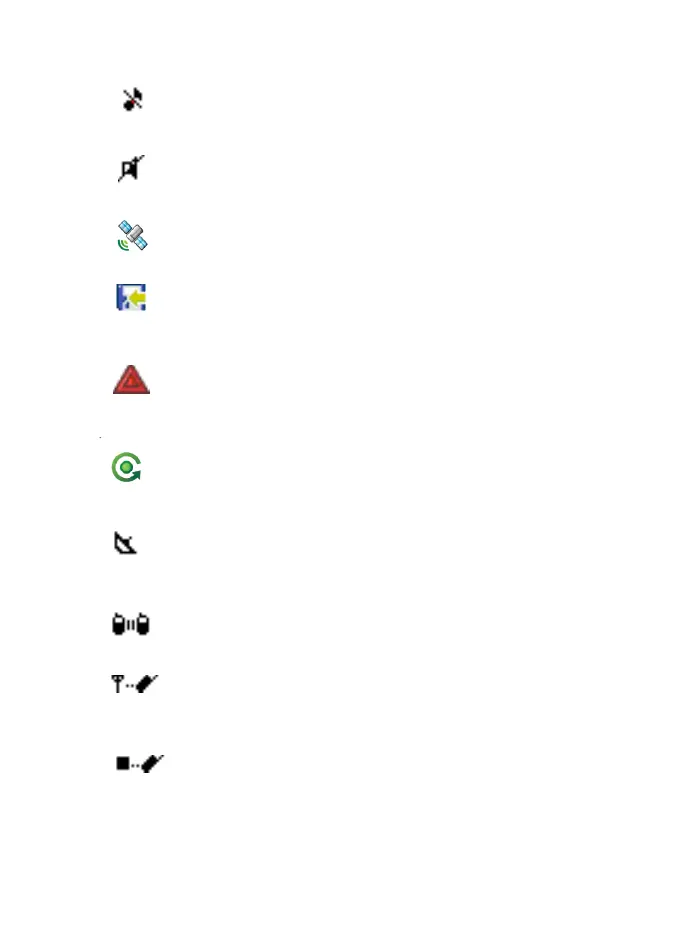
All Tones Off
No audible alert tones. The screen displays incoming
calls.
No Speaker
Indicates no speaker output.
GPS
Indicates that the TGR990 is receiving the GPS signal. It
will disappear when no GPS signal is being received.
Data Connected
Indicates the radio is in Packet Data Mode. It will
disappear when not in Packet Data Mode.
Emergency
Indicate of Emergency state. It will disappear when not in
emergency state.
List Scrolling
Displayed to indicate that the Rotary knob use is list
scrolling, as long as this use is selected.
Scan
Indicates that the TGR990 is in Group scan mode. It will
disappear when in single group mode.
Direct Mode (DMO)
Indicates that the TGR990 is in Direct Mode.
Gateway Mode
Indicates in-service state for Gateway Mode. Indicates
TGR990 fixed communication through Gateway.
Repeater Mode
Indicates in-service state for Repeater Mode. Indicates
TGR990 fixed communication through Repeater.
TGR990_features.book Page 19 Thursday, December 3, 2009 9:43 AM



 To Next Page