The menu
65
Setting car horn tone
To activate/deactivate car horn notification about receiving
individual call while the ignition is off:
1. From the
Main menu
, select Setup
→
Tones
→
Car Horn.
2. Scroll through the settings (On/Off).
Choose required setting, and press
Select
, or press
Back
to exit.
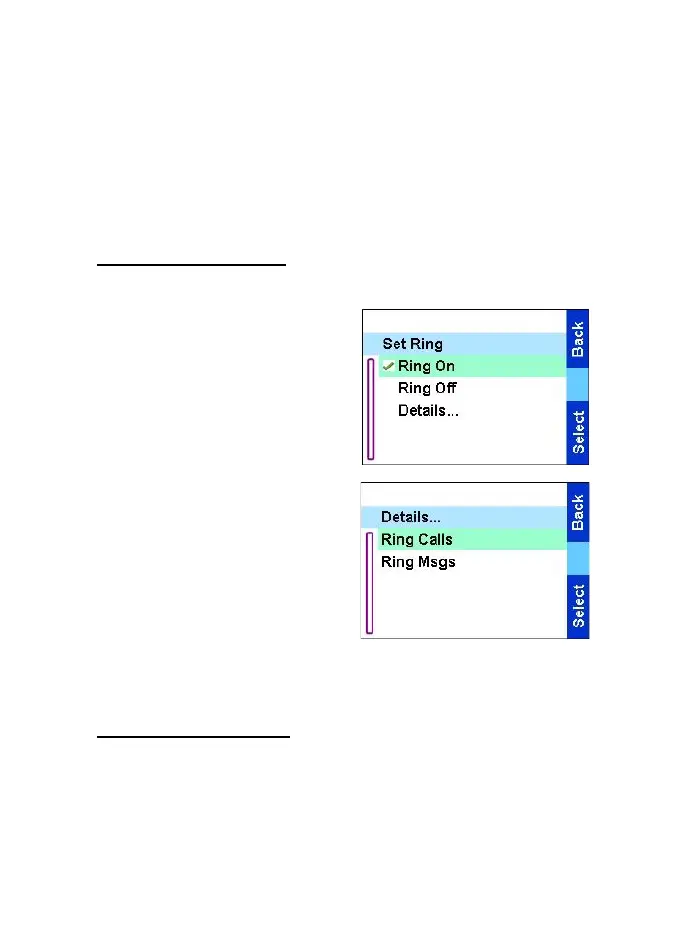
Setting the ring tone
From the
Main menu
, select
Setup
→
Set ring.
You can turn on or off the ring
tone by selecting the respective
option.
To turn on or off the ring for
incoming calls and messages
separately, select Details. Select
the desired option:
•
Ring Calls
— to set the ring for
incoming calls to on/off.
•
Ring Msgs
— to set the ring
for incoming messages to on/
off.
Setting the ring style
This sub-menu allows you to set the incoming call ring style.
TGR990_features.book Page 65 Thursday, December 3, 2009 9:43 AM



 To Next Page