The menu
73
Note:
When there is an incoming call and the keypad is locked,
you can still use the
PTT
, and keys.
Note:
is not locked. Entering Emergency Operation
unlocks all keys
.
Display features
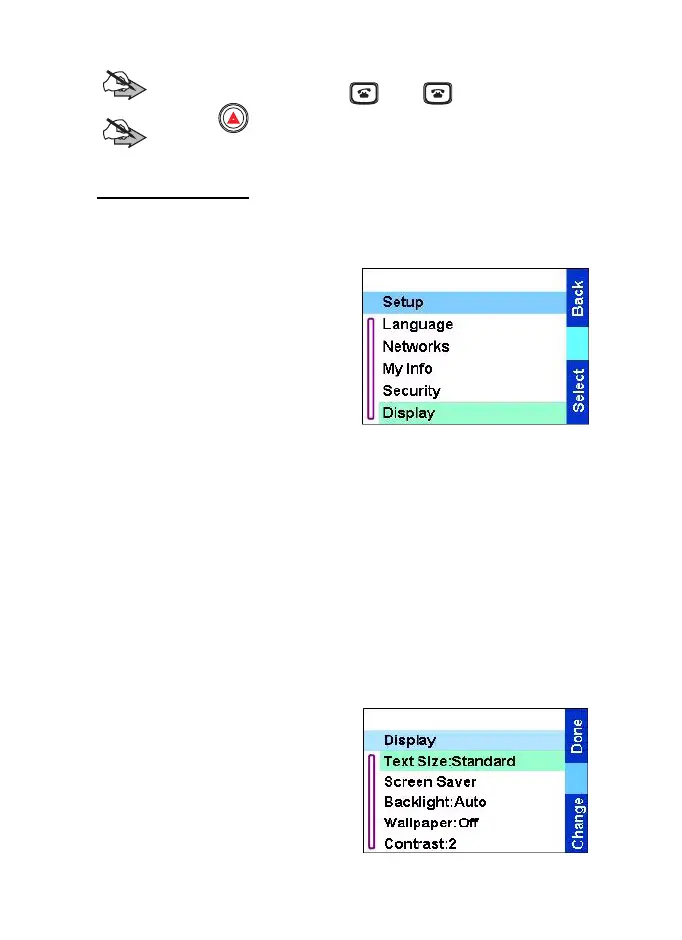
The display menu controls the display appearance.
From the
Main menu
, select
Setup
→
Display:
•
Text Size:
— sets size of text
on the display.
•
Screen Saver
— covers the
TGR990 display after the
TGR990 stays idle for a
preprogrammed period of
time (if configured by your Service Provider).
•
Backlight:
— a backlight lights the display and keypad when you
make or receive a call, or press keys or buttons. Backlight can be
set to automatic or disabled.
•
Wallpaper:
— changes the wallpaper that appears on the idle
screen.
•
Contrast:
— sets the contrast of the display.
Setting the text size
1. From the
Main menu
, select
Setup
→
Display
→
Text Size:
2. Press
Change
. Select
Standard
or Zoom
to see the
text on the display in two
sizes.
TGR990_features.book Page 73 Thursday, December 3, 2009 9:43 AM



 To Next Page